What is the Modernized Conversational Experience (MCE)? | Community
Skip to main content

What is the Modernized Conversational Experience (MCE)?

  • March 15, 2024
  • 37 replies
  • 0 views

Amisha11

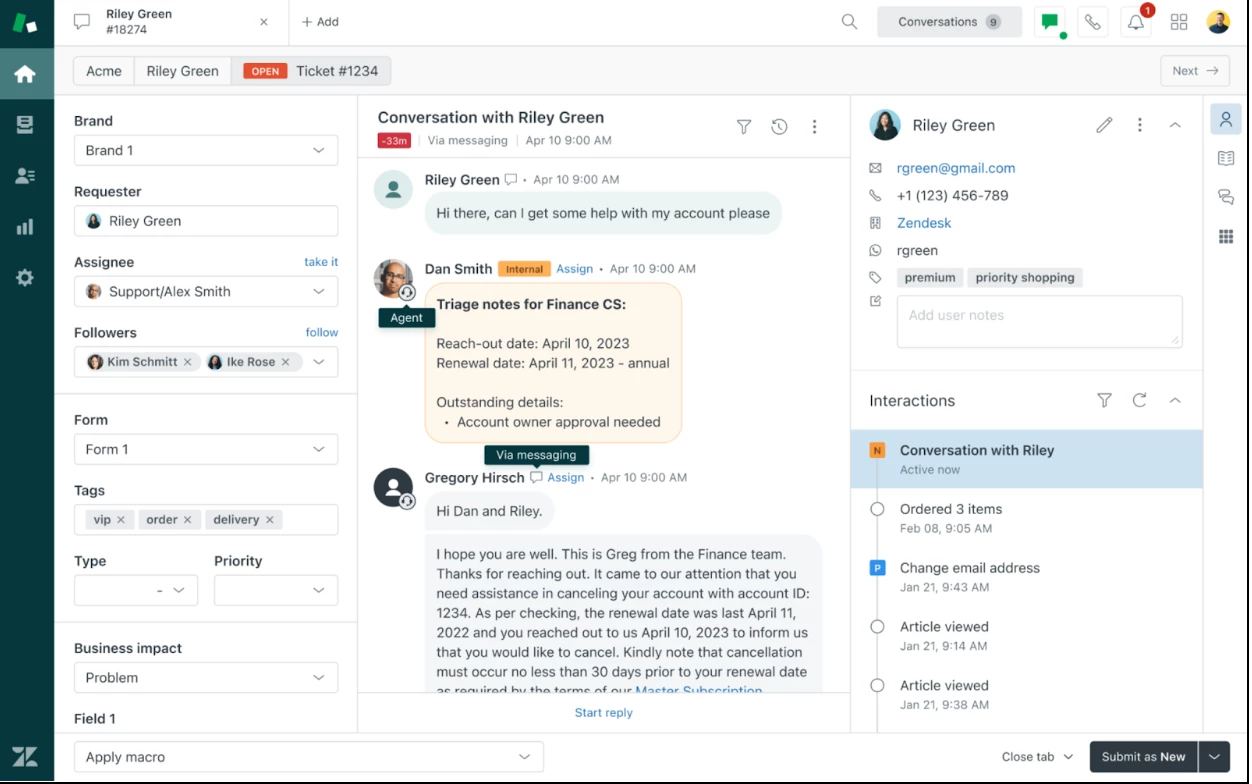
The Zendesk Agent Workspace is modernizing the look and feel of the ticket conversation interface to help agents quickly absorb and parse information in a ticket. As part of this beta program, you’ll see these improvements:

Phase 1: You’ll see a new and improved look and feel to ticket conversations, including: 

  • Different background colors and avatars for agent and end user messages to improve scanning.
  • Grouping chats and messaging messages sent within five mins to reduce surfacing redundant information.
  • Channel icons for quick identification and a cleaner UI. 
Phase 2: You’ll see new and better ways to filter information and navigate ticket conversations, including: 

  • The ability to pin important notes at the top of the conversation.
  • Quick navigation to see the oldest or newest messages.
  • Keyboard shortcuts to quickly skip through messages.
  • The ability to filter comments by agents, end users, or side conversations
  • Collapsed view of already-read messages

Phase 1 is scheduled to be available on March 25. Phase 2 features will be available at a later date. We’ll update this site as new features are added. 

Read here on how to sign up.

37 replies

Thanks! Does it mean that we can finally edit the user card in the ticket-view?


I requested the EAP but don't get a confirmation for the request.

Is it expected behavior?


Amisha11
  • Author
  • March 18, 2024

Hello Johannes Garske - This beta is limited to the middle view you see in the screenshot, we call that conversation log, the log of the conversation exchanged between the agent and end-user so far. I think you mean the right section when you say user card, unfortunately that would be out of scope for this beta. 

I can confirm that you have successfully signed up for the Beta. You will get a confirmation when we activate the beta on your account. Thanks!


Yeah i mean the right section, thanks for the information :) 


  • March 25, 2024

I also register myself here, will it rollout today?

Thanks.

Tobias


Amisha11
  • Author
  • March 25, 2024

Hello, Tobias Hermanns - Thanks for registering. Yes, we just rolled it out. Thanks!


Stephen15
  • March 25, 2024

I'm part of the EAP and received a notice about it being active. Do I need to sign out and back in to see the changes?


  • March 25, 2024

I just need refresh browser once, that´s it.

@amisha11

Will this be new Agent Workspace design in future or optional setting?


Amisha11
  • Author
  • March 25, 2024

Hello Stephen Whyte - Refreshing the browser should do it. Please let me know if it doesn't work for you. Thanks!

Hey Tobias Hermanns - Our goal is to collect feedback during this beta, make the necessary changes and get this experience to a stage where we can GA it. We see this as the default experience for Agent Workspace in the future. We will definitely understand first if there is anything in this new experience that might not work for everyone and then make the decision to GA it.


  • March 25, 2024

Hello @amisha11,

Is the phase 1 beta available to test in production and test instances? And would this beta test be activated at the individual agent account level vs. all agents? Additionally, how long with the beta test period be available and can we opt out at any time?


Amisha11
  • Author
  • March 25, 2024

Hello Dakotah Poitra - Phase 1 is available to test in both production and test instances. This would be activated at an account level for all agents. It cannot be activated on individual agent accounts. Read here on how to sign up. It will be activated within 24 hours of signing up. Thanks!


Jason15
  • April 2, 2024

Is anyone else experiencing difficulties with the events tab opening in tickets since enabling this feature? Since activating it on our account, we're encountering an error whenever we try to open the events tab from a messaging ticket. This problem is entirely new to us, as we never had any issues with the events tab before.


Kimberly17

Can the new MCE experience be rolled back if the user prefers the old experience?


Jason15
  • April 2, 2024

Also interested in Kimberly's request above if there is no fix for my issue above. 


Jamie15
  • April 14, 2024

@jason15, if you mean clicking the events “timer” icon, this works fine for us.  I see the events in darker gray boxes as with the prior version. 


Amisha11
  • Author
  • April 15, 2024

Hey Jason Walker-C - There was a bug with the events throwing an error, but that should be fixed now. Please let me know if you're still facing any issues.


Hey Kimberly - Yes, you can opt out by responding to my email. I would just ask you share your feedback as that'll help us improve this design. Thanks!


Viachaslau11

Just wanted to share the comment I left in the survey:

  • The new view works oddly with the auto-translate function (the message is compressed in width)
  • Please add stickers (including custom ones)
  • please add an option to reply to a specific message
  • please add an option to put emojis to a client's message and vice versa

Currently, it is just general UI improvements without any real benefits for us.


  • April 19, 2024

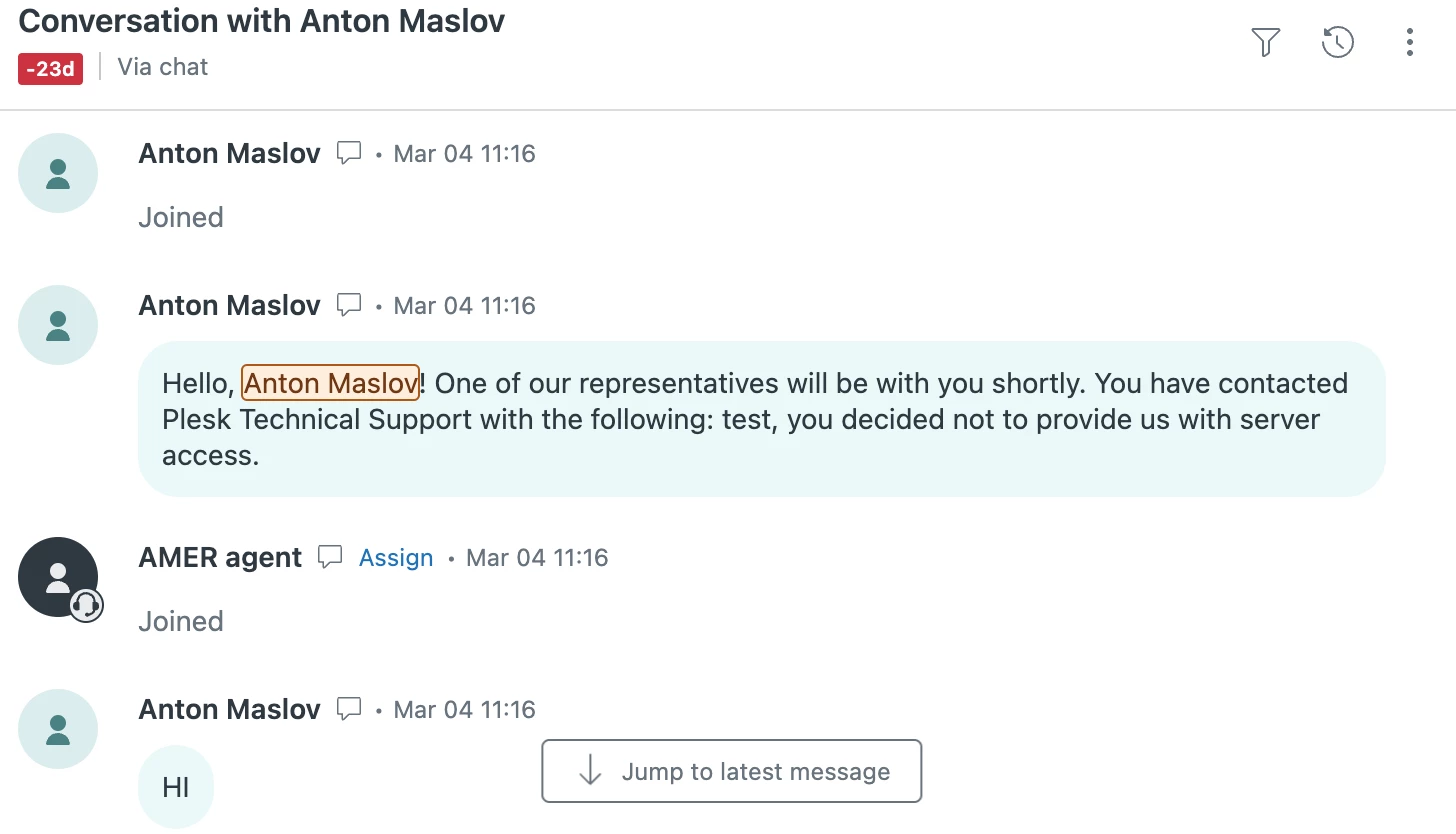
Overall feedback from the agents is very positive, although we found a bug:

1. We use Zendesk Chat and send initial message with chat:send command which basically sends it on behalf of the agent.

2. Although in MCE it is displayed as a message from client, not from agent. see screenshot.


Amisha11
  • Author
  • April 30, 2024

Thanks Viachaslau Skorbezh  for the feedback. Can you share a screenshot so that I can see the odd formatting with the auto translate button?


Hello Anton Maslov - Are you still facing this issue? If yes, can you respond to the welcome email and we will investigate? Thanks!


Viachaslau11

@amisha11 Sure. As you can see, the translated message seems to be shrunken by its width. 


Amisha11
  • Author
  • May 8, 2024

Thanks for providing the screenshot, Viachaslau Skorbezh! 


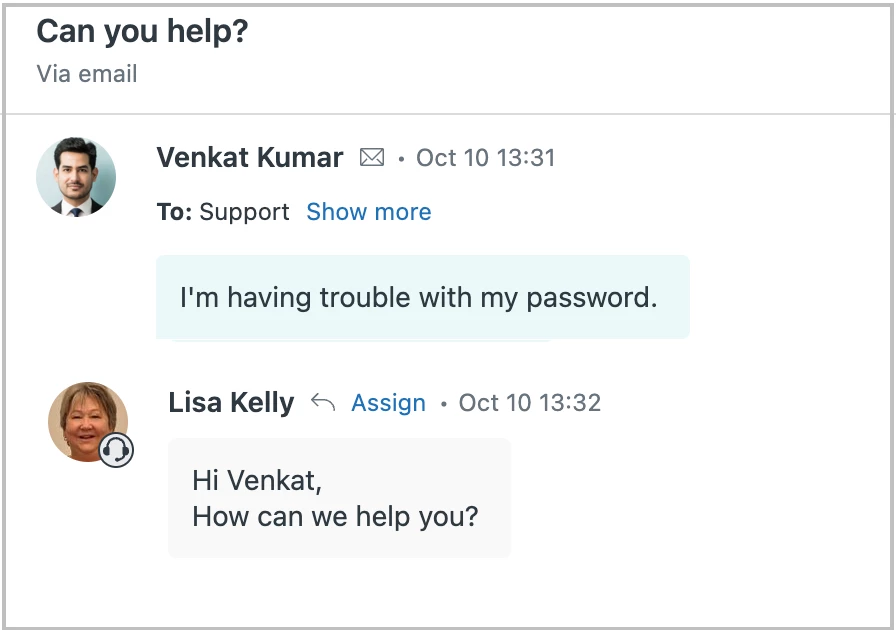
Will this update affect email functionality or design at all, or does it strictly apply to messaging/chat?


Matt32
  • May 23, 2024

Also wondering the same thing as @jennifer59. Global interface change, or just chat-related?


Lisa38
  • May 23, 2024

Hi Matt and Jen
Yes it applies to all channels. Here's an example of how an email exchange looks. 


  • May 23, 2024

Is there new on phase 2, when we can expect it?


>The ability to pin important notes at the top of the conversation.

This is quite hot feature we are looking forward too.


>Collapsed view of already-read messages

We had a system with this feature in the past: I hope messages will collapse per user basis, because we had incidents when someone collapsed message with important info, which other agent missed.


Metzdorf,
  • June 4, 2024

I am wondering if there is a way with the MCE to hide agent and brand signatures in the ticket conversation? Obviously they should still be displayed to customers in their emails, but with the new look, it feels like they are taking up even more space for the agents, as every email from us contains an agent signature. Is there something in the work to be able to hide signatures in the agent view?