What does YOUR support dashboard in Explore look like? | Community
Skip to main content

What does YOUR support dashboard in Explore look like?

  • April 28, 2020
  • 13 replies
  • 0 views

Matt42

I'm just curious to see what everyone's set up looks like. I hope we can use this as a forum to learn from each other and to brag about our beautiful dashes.

13 replies

Nicole17
  • May 1, 2020

Hey Matt - this is a great idea! We've included your post in our weekly digest for this week, so hopefully we can get some other folks sharing here soon! 


Matt42
  • Author
  • May 4, 2020

Thanks so much, Nicole!


  • May 4, 2020

We have several dashboards for different purposes, but here is our dashboard to review agent metrics.  Managers share this dashboard with their team members regularly.  There are filters up top to select an agent, primary customer, and date range.  The top section is pretty standard for metrics, the middle is an attempt to hone on some custom field statistics for our team goals, and the lower two sections are an attempt to see how much ticket work an agent has outside their primary customer responsibilities - this is difficult to capture, so these sections are constantly being played with.

I've captured a screenshot with data filtered for a single agent. 


Nicole17
  • May 5, 2020

Thanks for sharing, Hillary!


Matt42
  • Author
  • May 13, 2020

Thanks, Hillary!


Chris21
  • July 17, 2020

We also have a lot of different dashboards, but the one that guides us day-to-day is the Quick View Dash:


  • October 4, 2020

What a idea for the dashboard <3 great work you have done.


  • October 15, 2020

nice.


I just stumbled upon this post! I hope more people share here.

I have a bunch of different dashboards, several that I create for other teams in our organization that help them more easily find the information that they want out of ZD. However, there are 2 dashboards that are the most important to me:

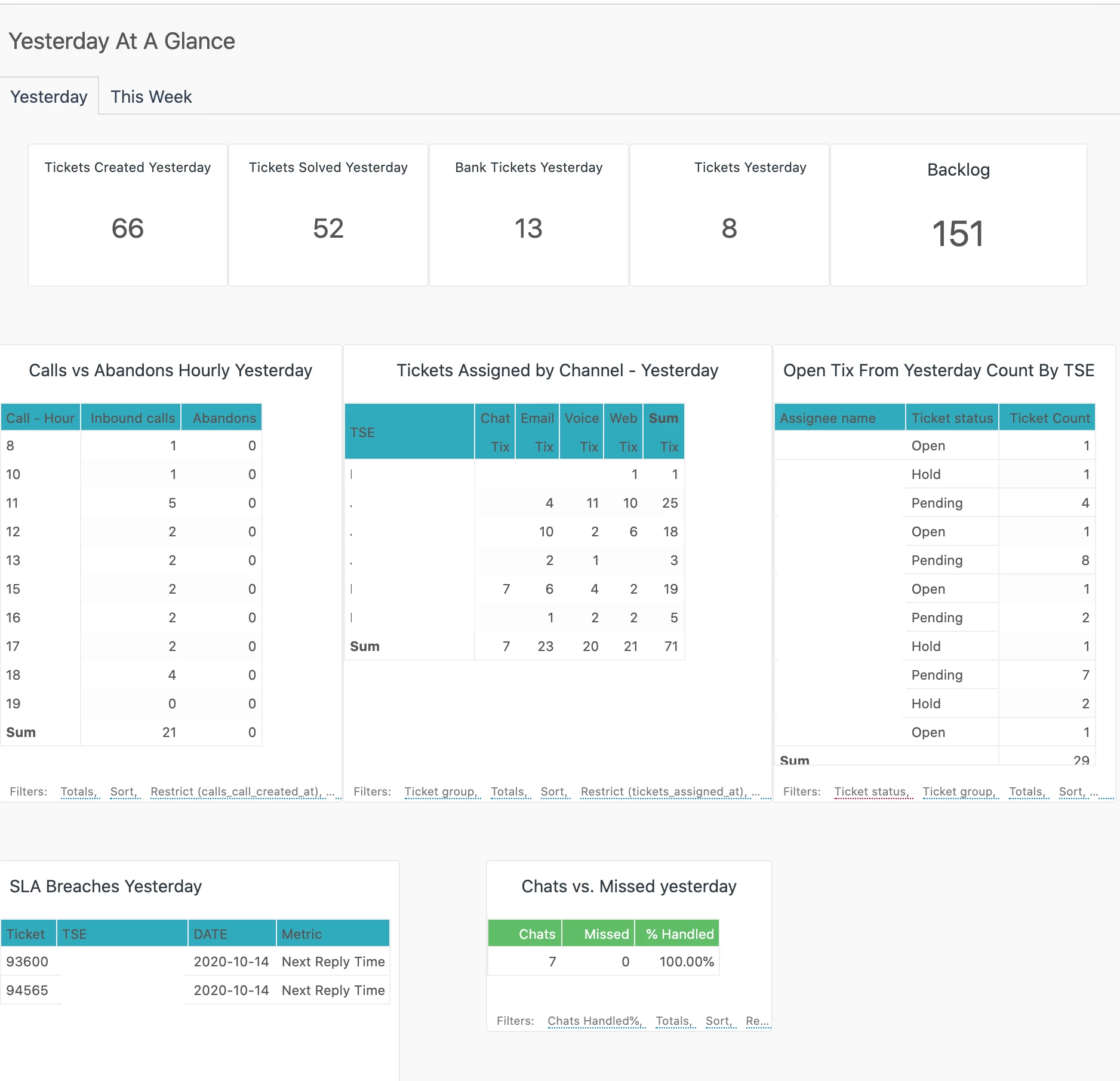
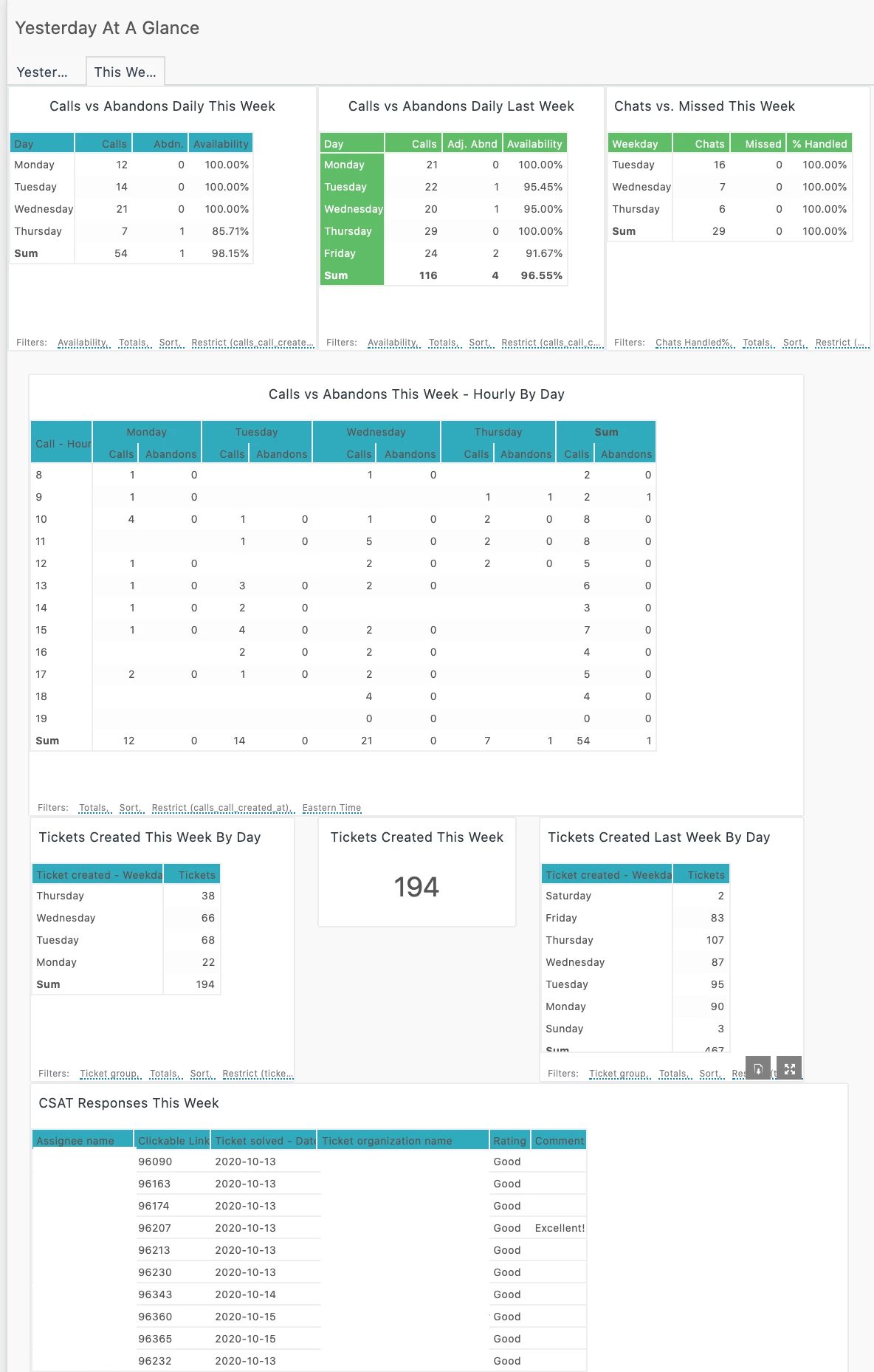
"Yesterday At A Glance" gives me data each morning to tell me how our KPI and other metrics were from the day before.

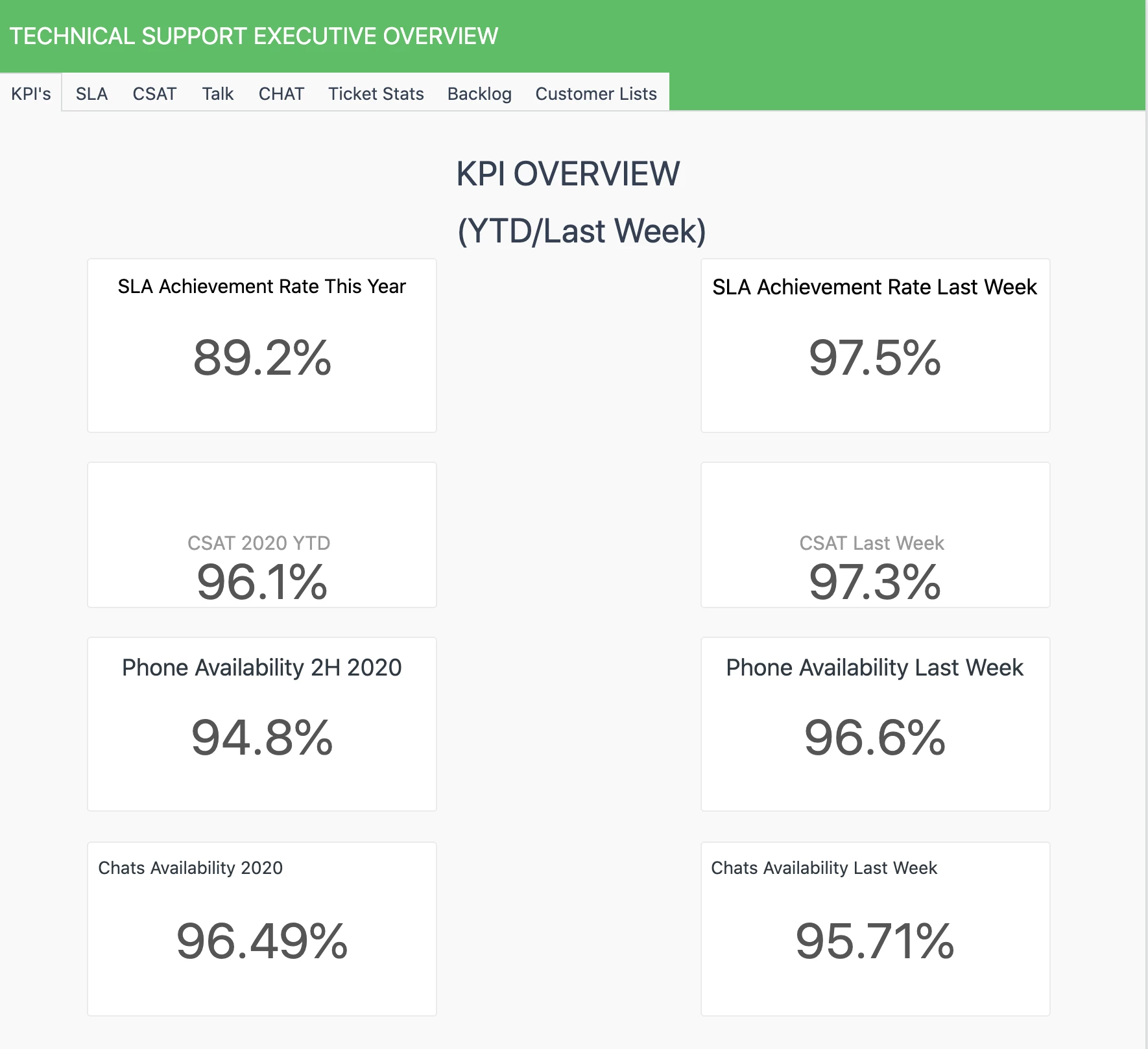
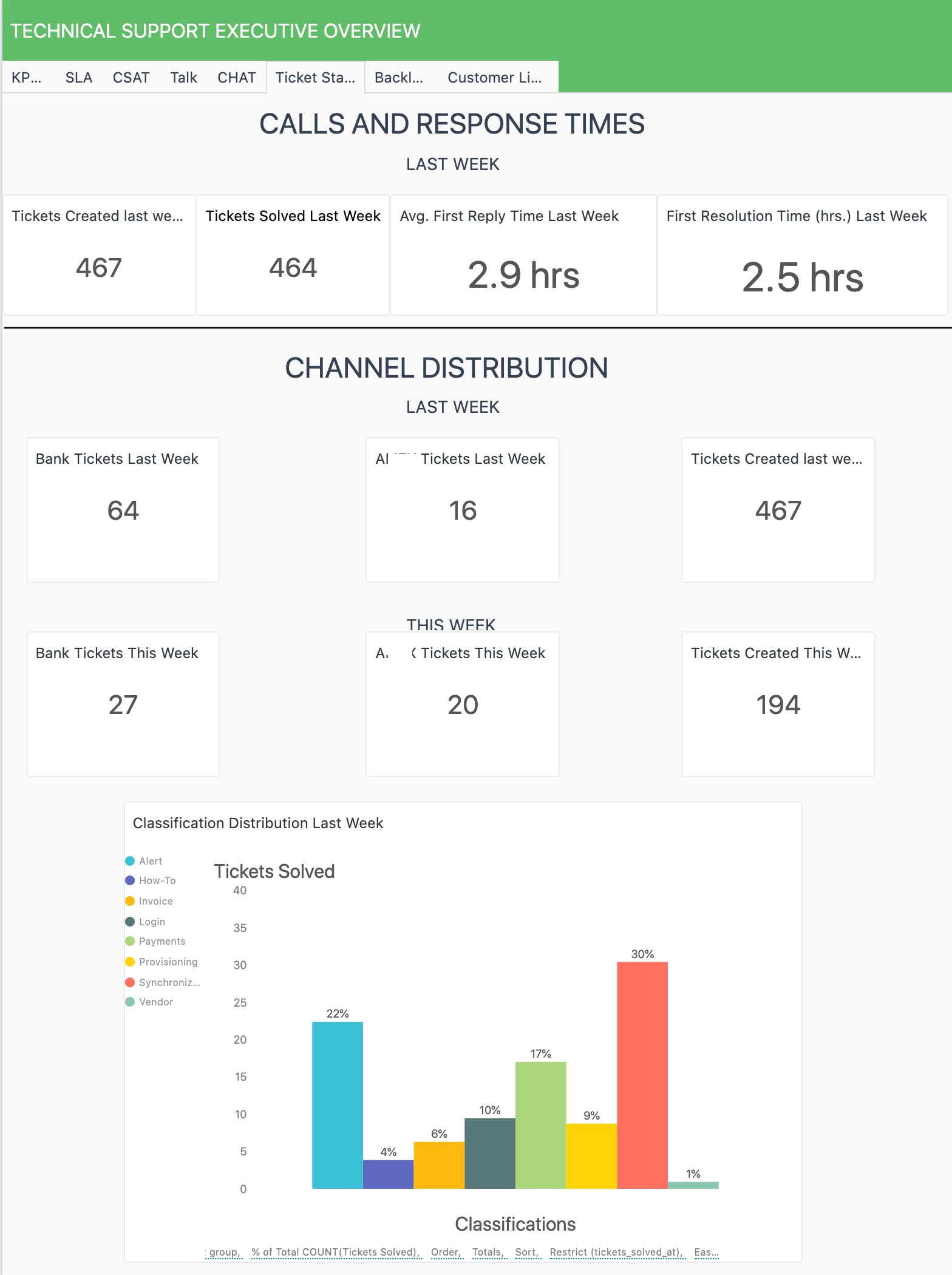
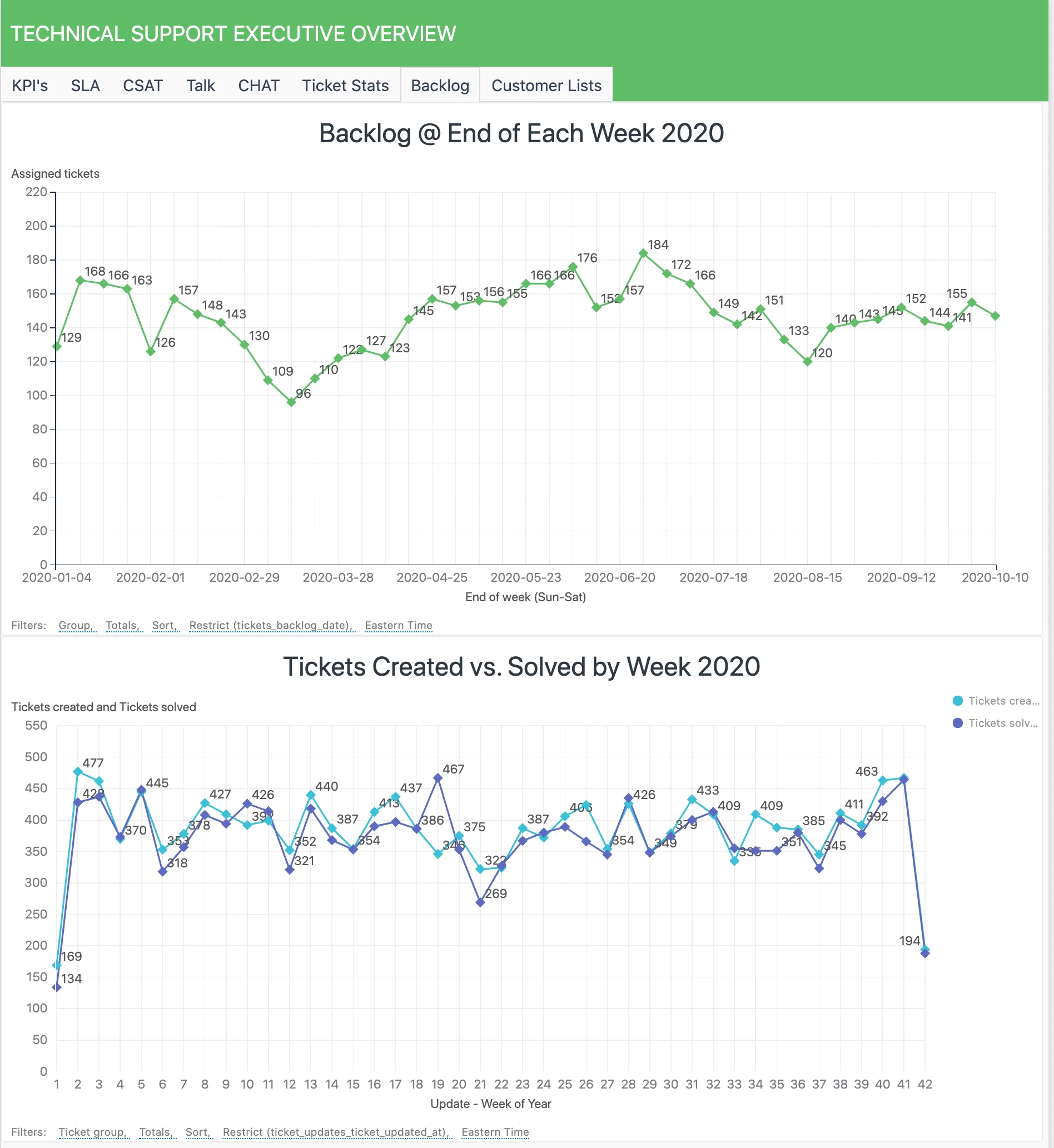
"Executive Overview" is what my VP looks at every Monday morning before he meets with the other company execs. There are a bunch of tabs on this dashboard so I'll supply just a few for reference.

"Yesterday At A Glance" first tab...

2nd Tab:


"Executive Summary" main/first tab:


Executive Overview "ticket stats" tab...


Executive Overview "Backlog" tab...


  • October 15, 2020

Chris, Jay - thanks for sharing your Dashboards.  I'll share mine once I finish it off.

Jay - how did you create the table showing the CSAT with the Link to the ticket? 

Chris/Jay - curious if your CSAT scores include all channels or just CSAT from tickets coming through email.  We are about to launch Chat (through Zendesk), and I am going to enable the Chat rating feature, which means we won't be sending a CSAT survey after the fact.  Did you create a custom metric to consolidate the CSAT survey's and the Chat ratings?


Hi Farhan,

The "Clickable Link" is a standard calculated attribute with a formula of:

LINK("https://yourcompany.zendesk.com/agents/tickets/"+[Ticket ID],[Ticket ID])

My CSAT scores are based on all tickets logged in Zendesk regardless of channel.


Chris21
  • October 15, 2020

Same here @Farhan Virji. Note with the clickable link you have to set the chart to be able to use HTML (a step I forget at least once a month haha). The CSAT are for all of our channels. the Support: Tickets dataset will allow you to get an omnichannel view of volume, efficiency, and CSAT across all of them.


  • November 9, 2020

Thank you so much Hillary for Sharing. it will help me a lot.