
Hi,
I'm finding a variance in how Explore is calculating tickets time tracking and hoping I'm missing something within the standard calculated metric I'm using for two queries.
In both queries, I'm using the ticket updates data set and just a Ticket ID with one ticket selected for the filter.
The one ticket in scope, when viewing the events directly, shows Total time spent (sec) 108060 which is approximately 30 hours.
In one query, I'm using the standard calculated metric
(SUM(Total time spent (sec))/3600) which returns "30". This is what I'd expect as a result based on the manual review of the ticket.
The second query, I'm using the following
IF ([Changes - Field name] = "Total time spent (sec)")
THEN
 IF ([Changes - Previous value]=NULL OR [Changes - Previous value]="")
 THEN NUMBER([Changes - New value])/3600
 ELIF (REGEXP_MATCH([Changes - New value], "[0-9]+") AND REGEXP_MATCH([Changes - Previous value], "[0-9]+"))
 THEN(NUMBER([Changes - New value])-NUMBER([Changes - Previous value]))/3600
 ENDIF
ENDIF
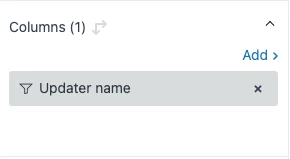
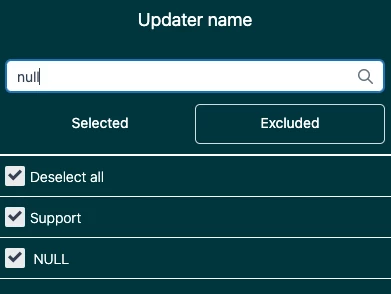
In Columns, I have Updater name added with an exclusion of "Null" and "support" as I've found these add system data and "support" as a user to the bar chart. The purpose of this query is to show how much time any individual has spent to the in-scope ticket(s) and represent that in a bar chart.
My issue is this value is returned as "33" hours, which is incorrect. Also, I am the only individual that has worked this ticket.
I've tried deselecting all and tried to just select my name specifically. Both attempts still return 33 hours.
Any help would be greatly appreciated.
Cheers!

This is definitely a weird behavior. I'll create a ticket for you to investigate further. Please wait for my update via email. I'll also share any findings/resolution to this post once we are done.