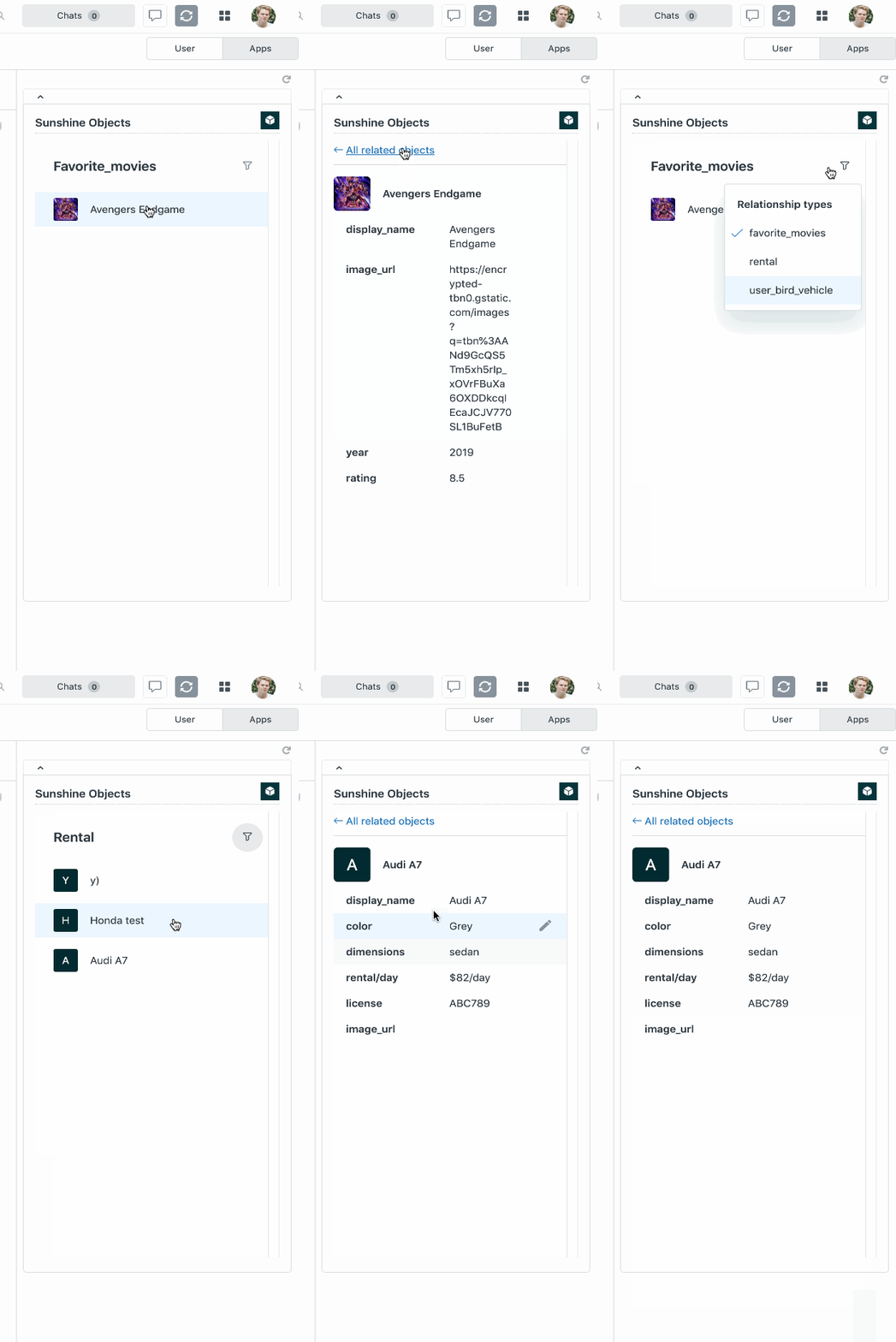
We are pleased to announce the Early Access Program for the Sunshine Custom Object App. With this ticket side bar app, agents will now have a way to see custom object records related to the ticket requester. Creating custom objects, records, and relationships to users, tickets, and more, can be done through the Sunshine API, in Admin Center, or in the Sunshine Data Manager UI by signing up for the Data Manager EAP.
The Custom Objects app brings records into the context of a ticket and requester in Support, reducing an agent's need to navigate multiple interfaces to get a complete picture of a requester's relationship to the business, which brings down solve time, and tends to result in higher CSATs.
Requirements?
The Custom Objects App is:
- Restricted to customers with access to Custom Objects (available with Support or Suite Enterprise plans and above
- Requires signing up for our EAP via this form.
How do I sign up?
To gain access to this app:
- Sign up on the EAP form
- Receive an email confirmation with activation instructions
- Install the app
How does it work?
Create objects and relationships to users via the API, Admin Center, or in Sunshine Data Manager. Once relationships to requesters are created, agents will see the related object records in the Custom Objects app on the ticket.
Your feedback helps us create more valuable products, so please contribute to the conversation and let us know what you like, what you don't like, and what you want to see come out of this app.