Status for closed tickets now shows as "Solved" | Community
Skip to main content

Status for closed tickets now shows as "Solved"

  • August 30, 2022
  • 4 replies
  • 0 views

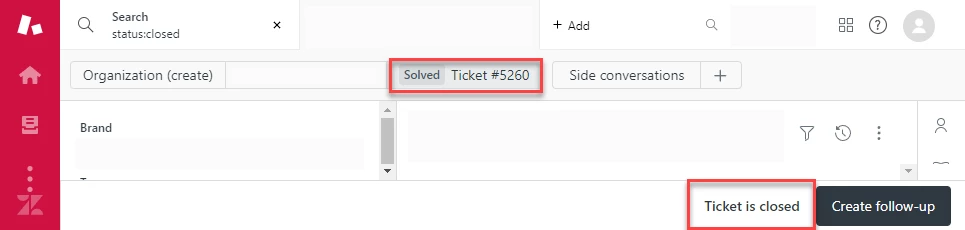
When viewing a closed ticket, the status of that ticket now shows as "Solved".  This occurs whether you're looking at the status in the column of a view or at a single ticket:
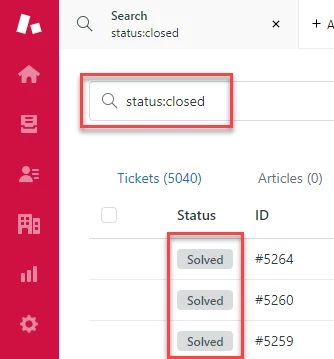
This can lead to confusion as a closed ticket cannot be edited, but a ticket that is in the solved state is editable.  I would expect these statuses to show "Closed" for tickets that are actually closed and only show the state "Solved" if the ticket has not moved to the closed state.

4 replies

Aubree
  • September 6, 2022

Hello Eric,

Thanks for bringing this to our attention! I’m going to create a ticket on your behalf so we can get this resolved for you. You’ll receive an email shortly stating your ticket has been created so feel free to reply back to that with any other information you think may help.


  • October 1, 2022

We are also experiencing this issue.  Would the resolution for Eric be implemented out to all?  


Gaurav12
  • October 3, 2022

Hi All,

Yes, this is a change in behavior. To retain the Ticket Status 'Solved' after a ticket is not editable anymore. The Status Category 'Closed' Is still available for rules. However, it is not displayed in the Agent's view.


With CTS, you can now add many statuses in the solved category. e.g. 'Resolved', 'Auto solved', 'Customer Closed' etc. If these tickets have a Closed status only, you would lose context of why or how a ticket was solved. For better information in views and for better reporting in explore we are currently retaining the last Solved Ticket Status when a ticket is closed. We are looking at a better way to differentiate between tickets that can be edited vs tickets that cannot be edited anymore. 

If you do wish to see these tickets separately in a view, you can always group by status category and all tickets that are in the Closed status category will show up together. 

We are looking to gather more feedback specifically about this change in the EAP. Please share your comments on how this change would impact your experience. 

Thanks,
Gaurav 


  • December 30, 2022

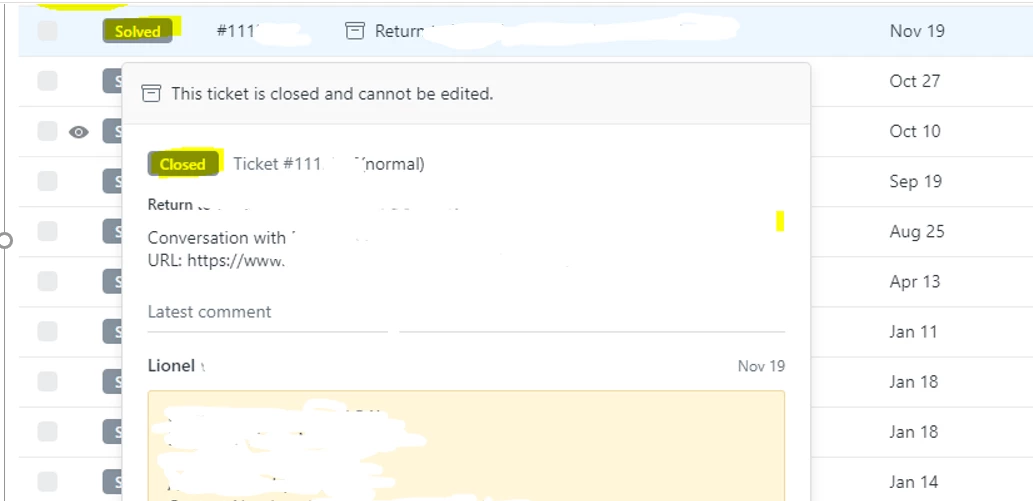
I’m getting the below screenshot from the user’s requested ticket lists which shows a small discrepancy on how ticket status are now displayed. I know we have a few indicators to identify closed tickets, however this can still mislead our agents especially new ones in identifying what’s really closed vs. what’s solved. Could you at least improve that and eliminate the discrepancy please?