Since Custom Objects was enabled, there has been a change to trigger configuration search functions. While we can now select attributes from different objects (which is great!) the search itself has regressed.
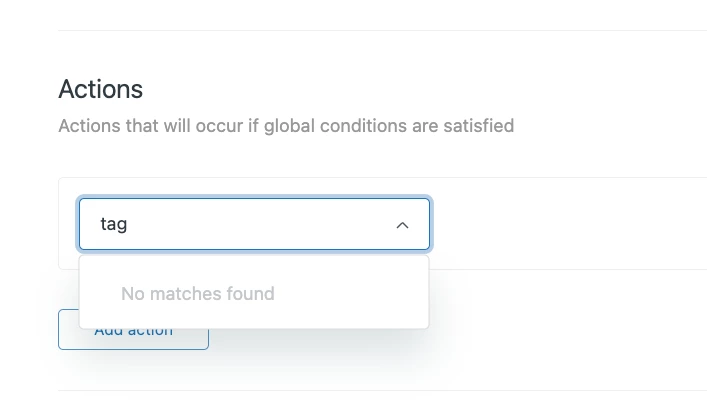
For example, I went to create a trigger whose action would add a tag. Typically I would open the action dropdown and just type 'tag or 'tags' and get a list of all actions that contain that word.
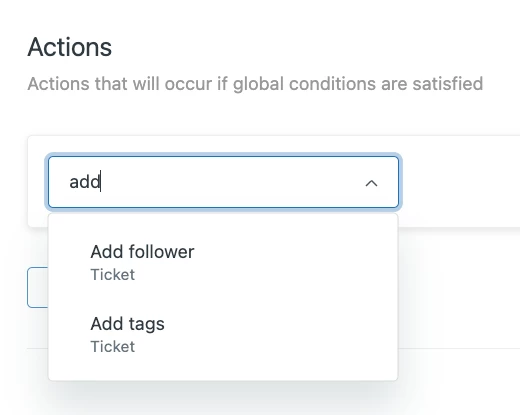
Now, when I type 'tag' or 'tags' I get no results returned. I need to search for 'add'. It appears the search is starting from the start of the field name/action name, instead of searching for matches anywhere in the string.
It would be great if that could get fixed. In large environments with many fields, I may not remember exactly what the field's called (ex: Did I name that field "Activation Date" or "Provisioned Date"?) and want to search a common attribute ("date, in that example).
This current state now requires you to know exactly what something is called to search it, which arguably defeats the whole point of search and slows down creation and administration of workflows.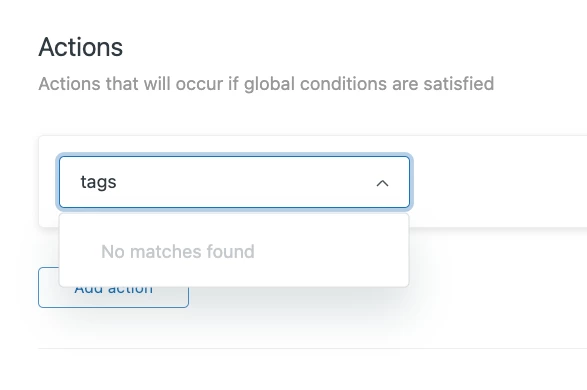

Regressions in Trigger configuration field searching


Login to the community
No account yet? Create an account
Enter your E-mail address. We'll send you an e-mail with instructions to reset your password.