Placeholder {{ticket.comments_formatted}} Not Rendering in Outlook | Community
Skip to main content

Placeholder {{ticket.comments_formatted}} Not Rendering in Outlook

  • October 21, 2020
  • 5 replies
  • 0 views

I have setup an email notification based on this post: https://support.zendesk.com/hc/en-us/articles/203662116-Using-placeholders

I've used the {{ticket.comments_formatted}} placeholder for over a year, never had any issues. We recently noticed that it was not rendering for users in Outlook, it is still rendering as expected in Gmail though. Is there a bug for this placeholder for certain clients, is this no longer supported? When I click "View Available Placeholders" it no longer appears in the list which makes me think it is not supported anymore...?

Any help would be very appreciated!
5 replies

  • October 22, 2020

Hi John 👋

I believe this might have something to do with a change somewhere last year.
Where Zendesk no longer allows of inclusion of comments on certain trigger events.


Maybe, but unsure, the Outlook isn't showing because it's sent to an end-user. 
And the Gmail is sent to an agent. 

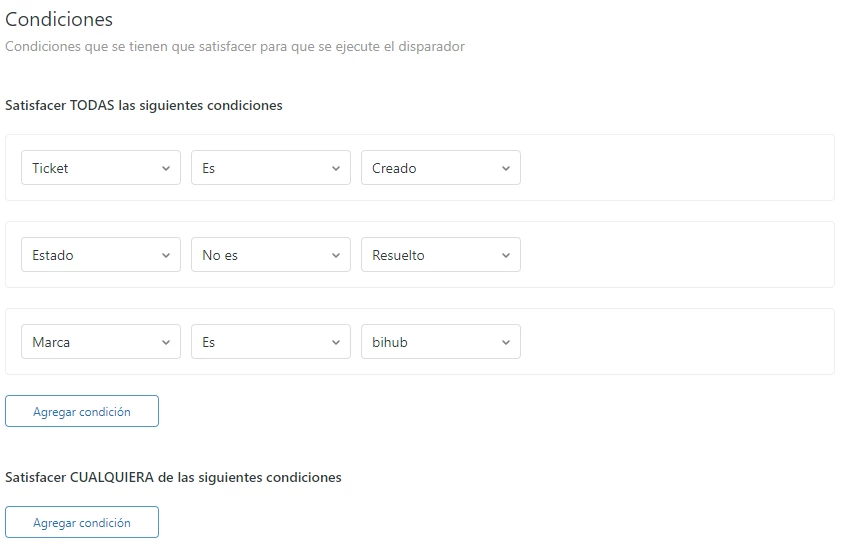
Could you share a screenshot of the triggers you have set-up with this?


  • October 22, 2020

Hi Kay,

same issue here. 

Have the same placeholder {{ticket.comments_formatted}} on a trigger that sends a message to an agent and on another trigger that sends message to an end-user.

Email to the agent shows comments formatted, but email to the end-user doesn't.

I also tried to use {{ticket.comments}} but the result is the same: they are present at the agent email but not at the end-user email.

How can I show comments at end-user email notifications?


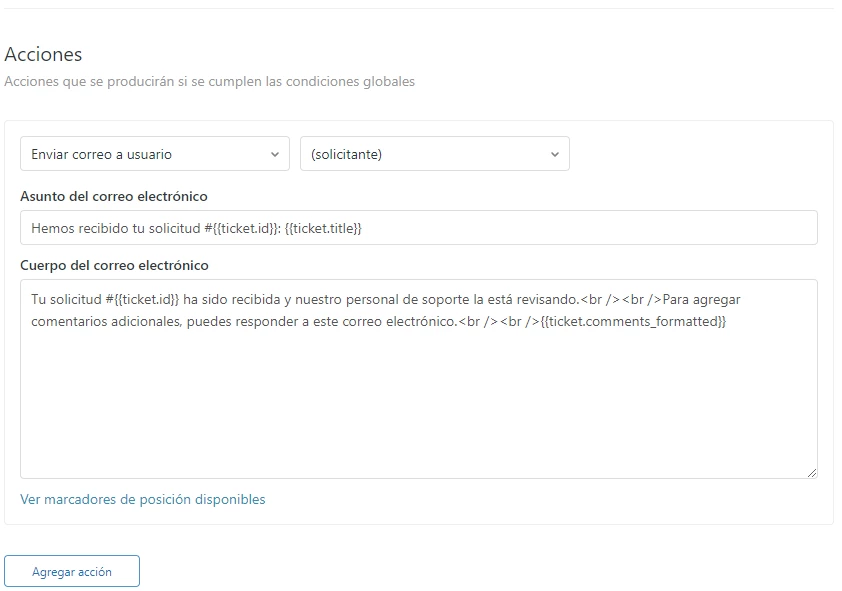
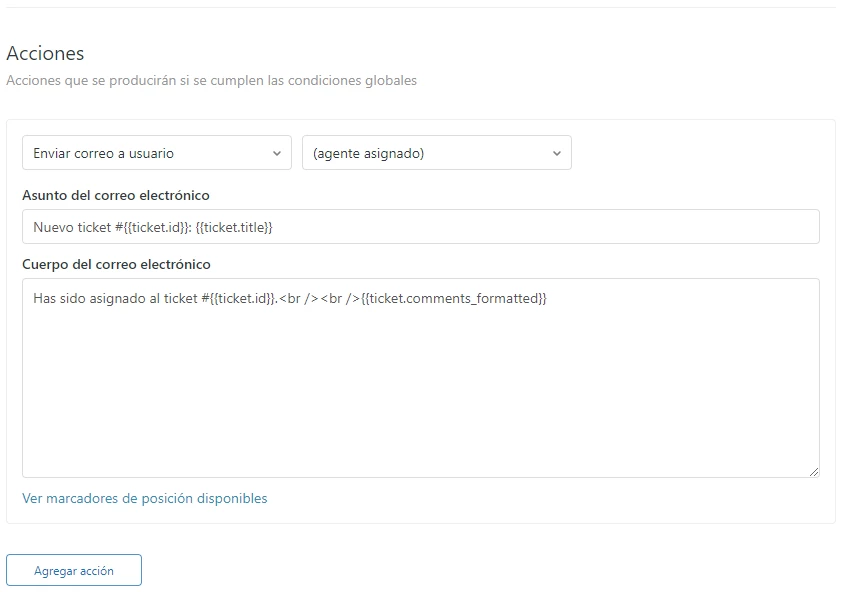
Here I paste some screenshots of my triggers:


TRIGGER FOR END-USER:


TRIGGER FOR AGENT:


  • October 22, 2020

I figured this was going on.
Please read this article, this has changed somewhere in the past twelve months.

Understanding placeholder suppression rules

Criteria for placeholder suppression in triggers

Placeholder suppression in triggers occurs when all the following criteria are met, and both Anyone can submit tickets is enabled and Ask users to register is disabled.

  • The recipient is an end user.
  • The creator of the message is an end user.
  • The trigger fires upon ticket creation.

  • October 22, 2020

Ok Kay, thanks for your quick answer! 

But how can we then show comments to end-users when they create a ticket?


  • October 23, 2020

You can't when your Zendesk is open for anyone to create a request. It's a protective measure. To prevent misuse in your name.

When you have Zendesk configured to have users registered, then the placeholders are not suppressed.

Note: When the Anyone can submit tickets setting is disabled or the Ask users to register setting is enabled, placeholders in triggers are not suppressed.