

Zendesk is introducing a redesigned notifications experience for messaging conversation updates. This notification center will serve as a centralized event center to keep agents up to date on new conversation assignments, new replies from end users, and @mentions from other agents. We’re announcing an open EAP program for this feature so you and your agents can try this new notifications experience and provide us with feedback.
This article includes these sections:
What is changing?
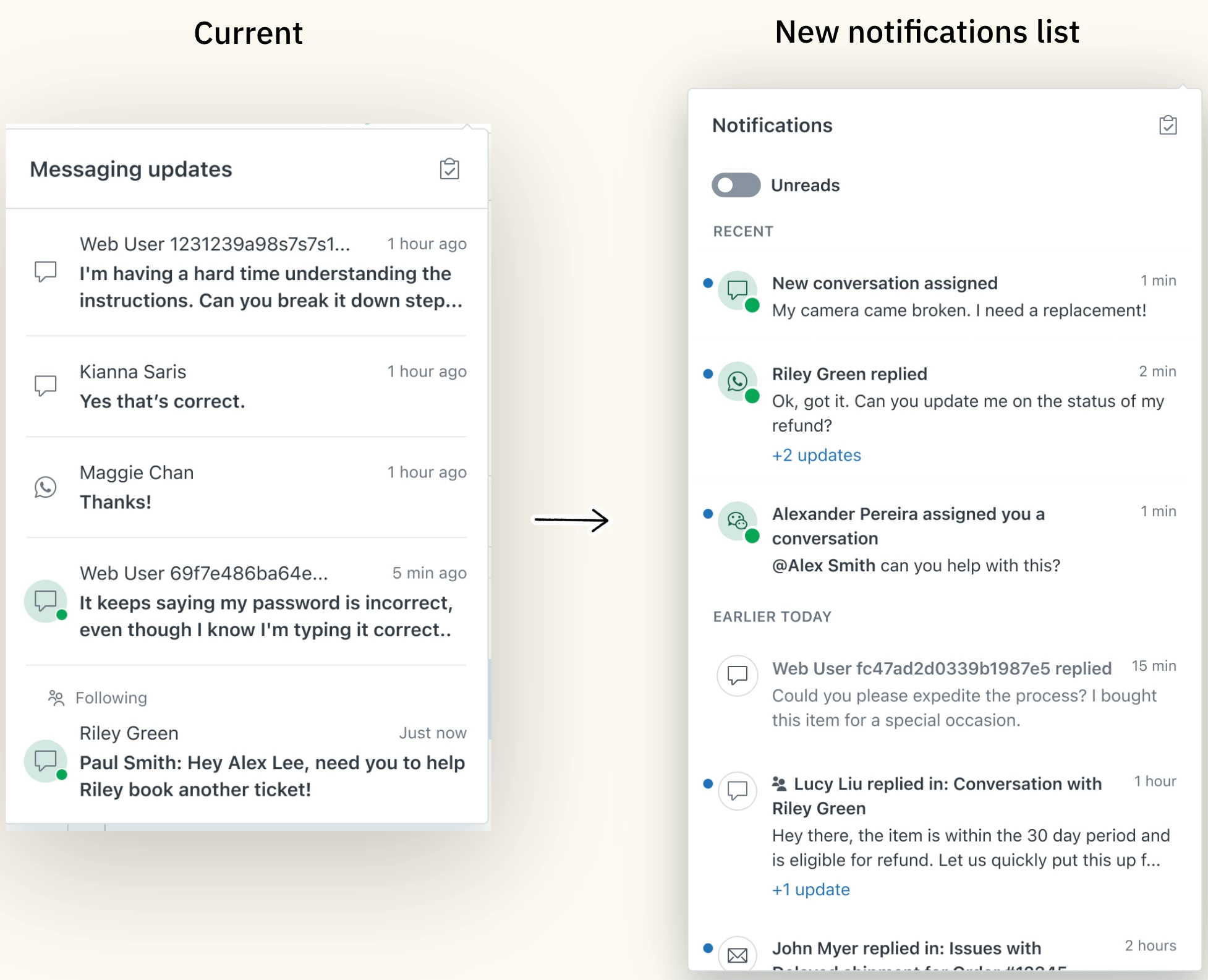
Zendesk is transforming the notification tray in the bell icon from a simple work list to a comprehensive record of relevant notified events that persist after being read. This new UI will act as the foundation for future notification use cases. Changes to the notification tray include:
- Toggle to filter unread events
- Notifications appear in chronological order
- Time based list dividers
- Read and unread status indicators
- Aggregated updates related to the same ticket
- Mark all as read button
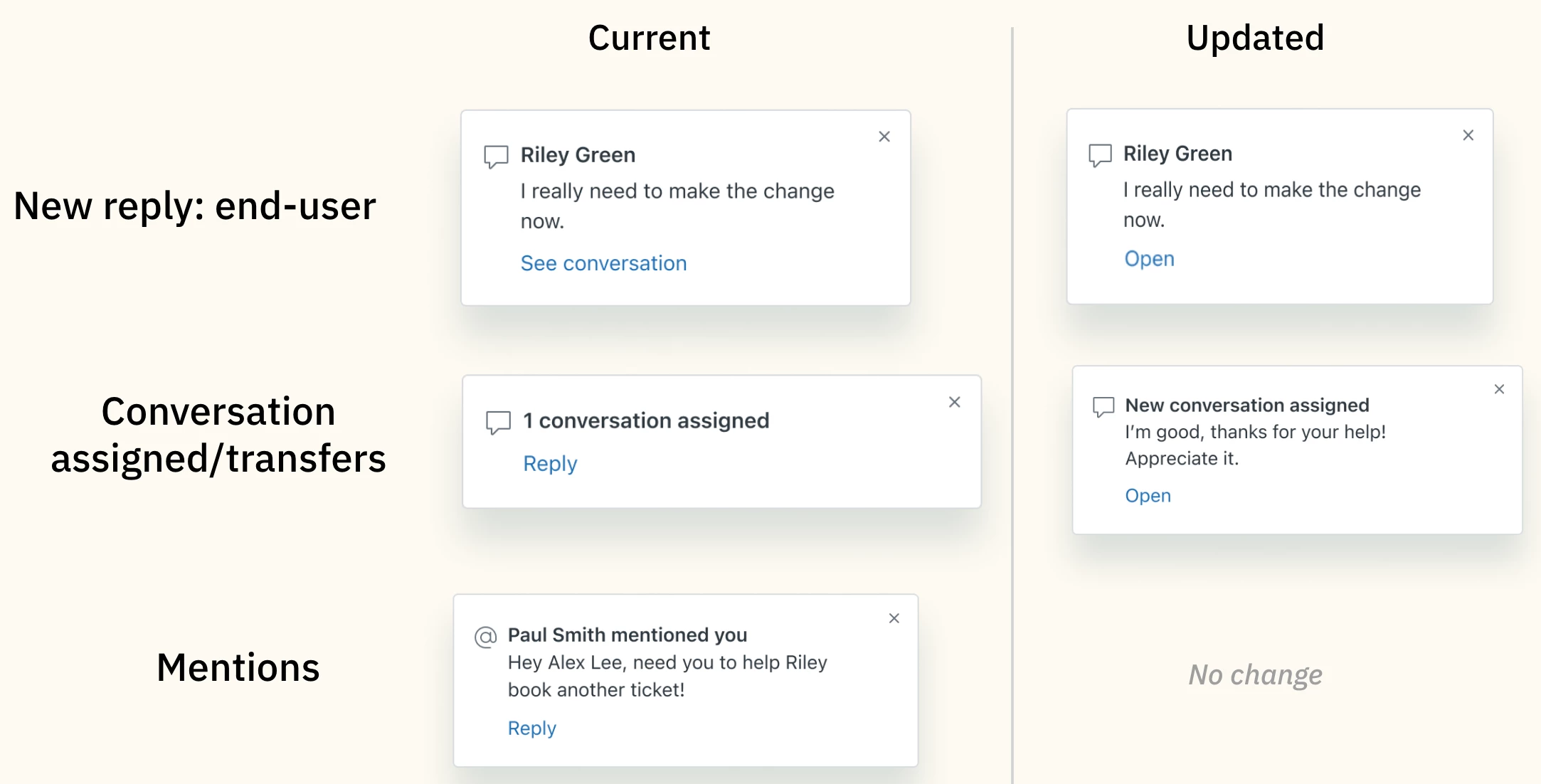
On top of the redesigned notification tray we are making some minor copy adjustments to the growl events to add more context to each notification. The main visual changes are content updates to the notification heading and the call to action (CTA).
The redesigned notifications will serve all messaging tickets in the Agent Workspace, and moving forward this will enable notifications for other channels, features and products.
Why is Zendesk making this change?
Our customers have been asking for an improved notifications experience for years now. As a first step, we plan on enhancing the existing notification experience. We will continue to add use cases to cater to our customer needs.
Who can use it?
The new notifications experience is available to all messaging customers in Agent Workspace. If you’re using Zendesk Talk, Zendesk Chat, or primarily work with email and webform tickets, we encourage you to continue operating as usual. We plan to support more channels and use cases at a later date, so keep a look out for an announcement.
What do I need to do?
If you are an admin with the Zendesk Agent Workspace activated in your account, you can sign up for the Global Notifications EAP.
- Sign up here for the Global Notifications EAP
- Once you sign up, we will activate the redesigned notifications experience for your agents.
- Provide feedback in this community space here.

