Ordered list not respecting starting value when published | Community
Skip to main content

Ordered list not respecting starting value when published

  • October 12, 2021
  • 2 replies
  • 0 views

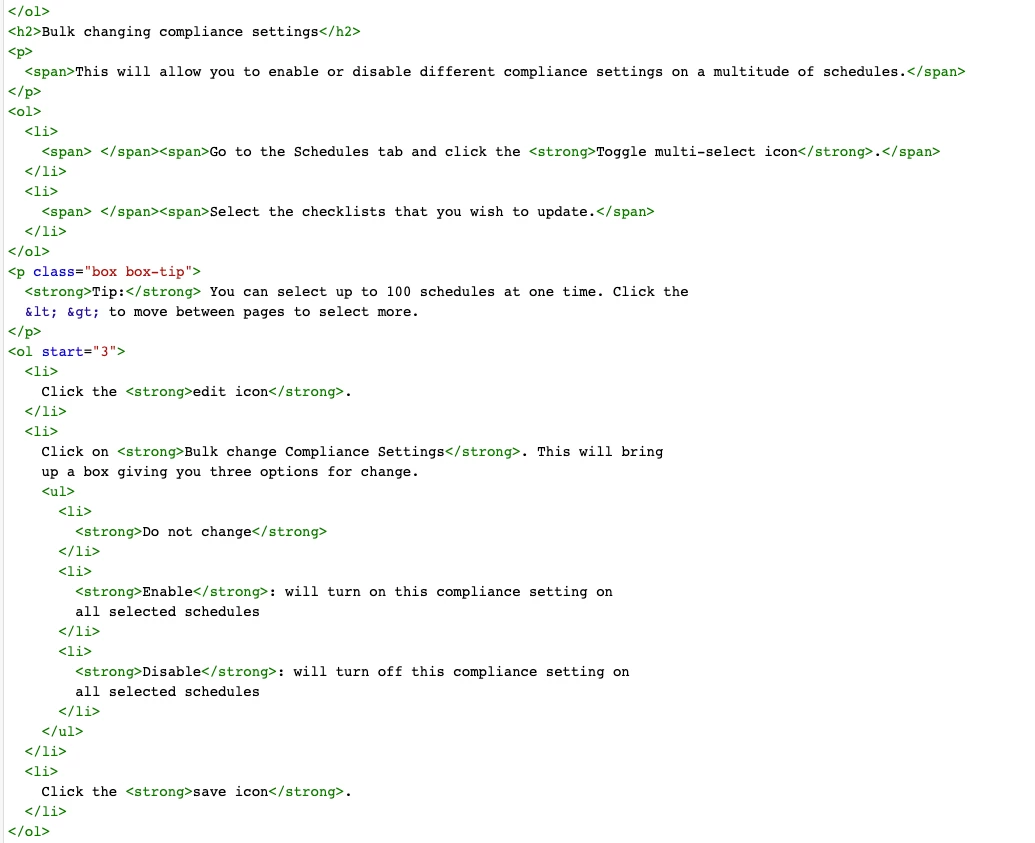
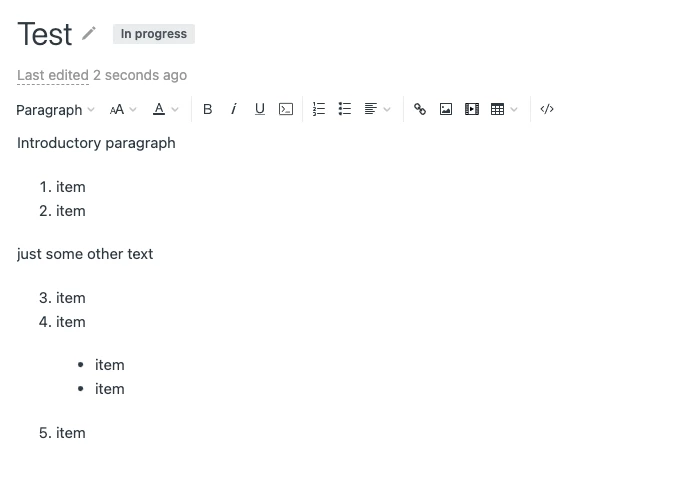
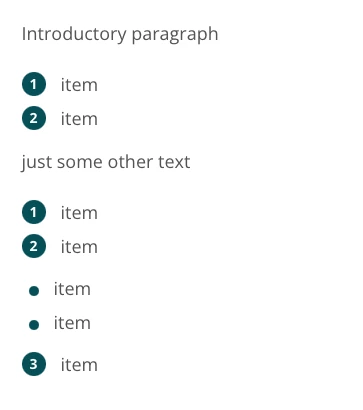
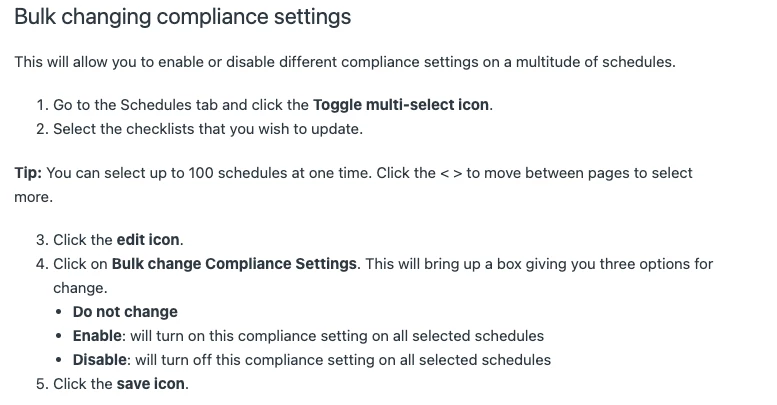
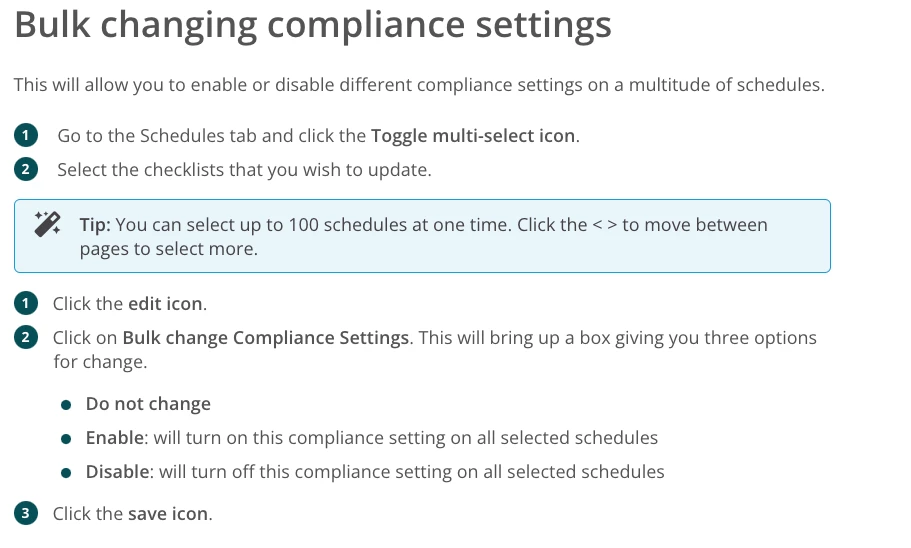
I am having an issue where an ordered list that is interrupted with a 'tip' box is not respecting the <ol start="#"> command in the HTML editor when published. The editor-facing side of things is showing the correct ordering of the list, however, when previewing the list, it starts over at #1 after the tip box. Any help with this?

I've attached a screen grab of my HTML settings, the editor view, and the publish view below for reference.
2 replies

Dave12
  • October 13, 2021

Hi Logan –

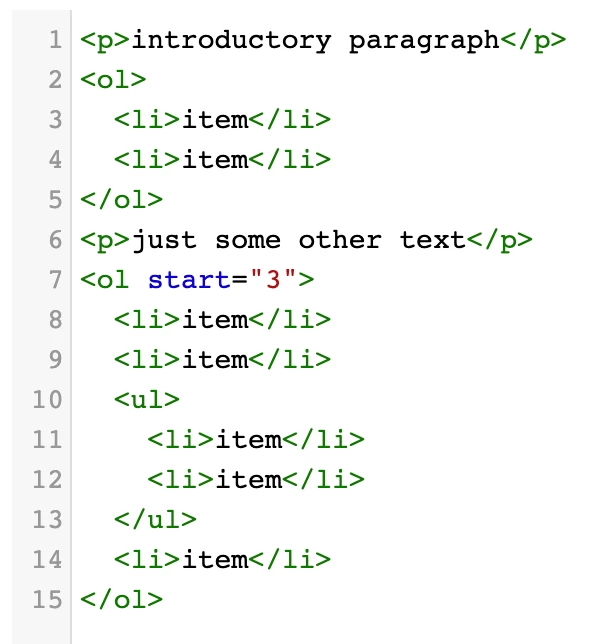
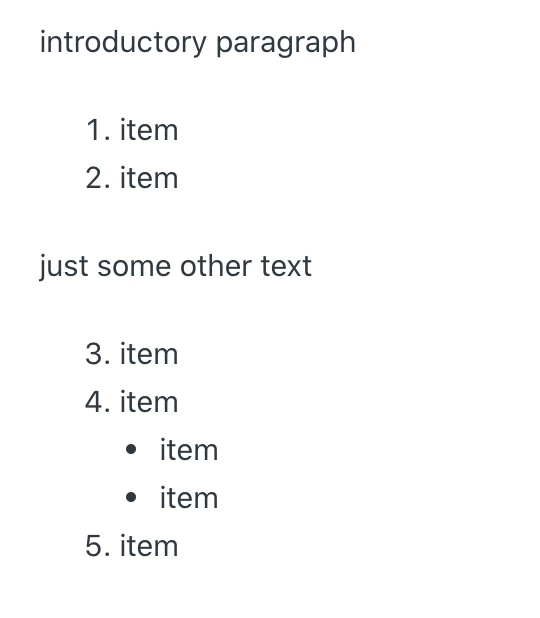
Hm, I'm not sure offhand what's going on here. Can you try this simpler version and see if it works for you? (It works in my test account, and fwiw I have "Allow unsafe content" disabled in my Guide settings)

If that works, then add more of the elements back and see if you can get it to break again. Thanks!


  • Author
  • October 13, 2021

Hi Dave,

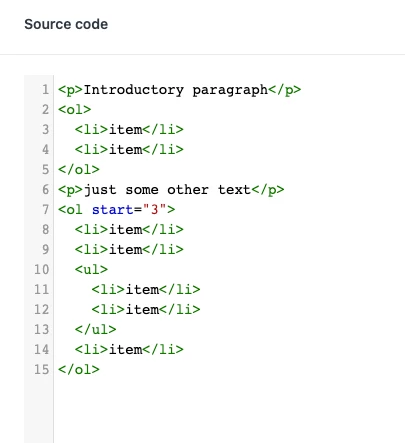
Thanks for responding back. I attempted the much simpler version to the same outcome. Not sure what's going wrong here.