
Keyboard shortcut for Select All (CTRL + A) isn't working when there are multiple HTML blocks in the article | Community
Skip to main content

Keyboard shortcut for Select All (CTRL + A) isn't working when there are multiple HTML blocks in the article

  • September 15, 2025
  • 1 reply
  • 0 views

Jesse12

Some of our articles contain multiple HTML blocks.


I've noticed lately that when I edit an article with the new editor and try to select everything using the keyboard shortcut of CTRL + A, only the contents in the HTML block(s) will be selected, but nothing else in the article is.


Example screenshot:
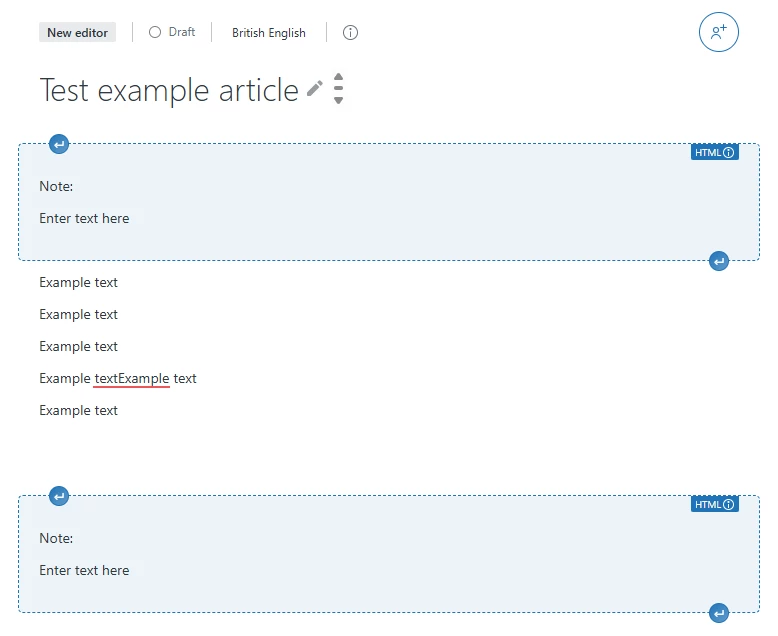
 

As a workaround, I need to either select everything with my mouse cursor or use the arrow keys to select the text (CTRL + SHIFT + Arrow keys).



1 reply

Dan30
  • September 15, 2025
Thank you for taking the time to provide us with your feedback. This has been logged for our PM team to review. For others who may be interested in this feature request, please add your support by upvoting this post and/or adding your use case to the comments below. Thank you again!