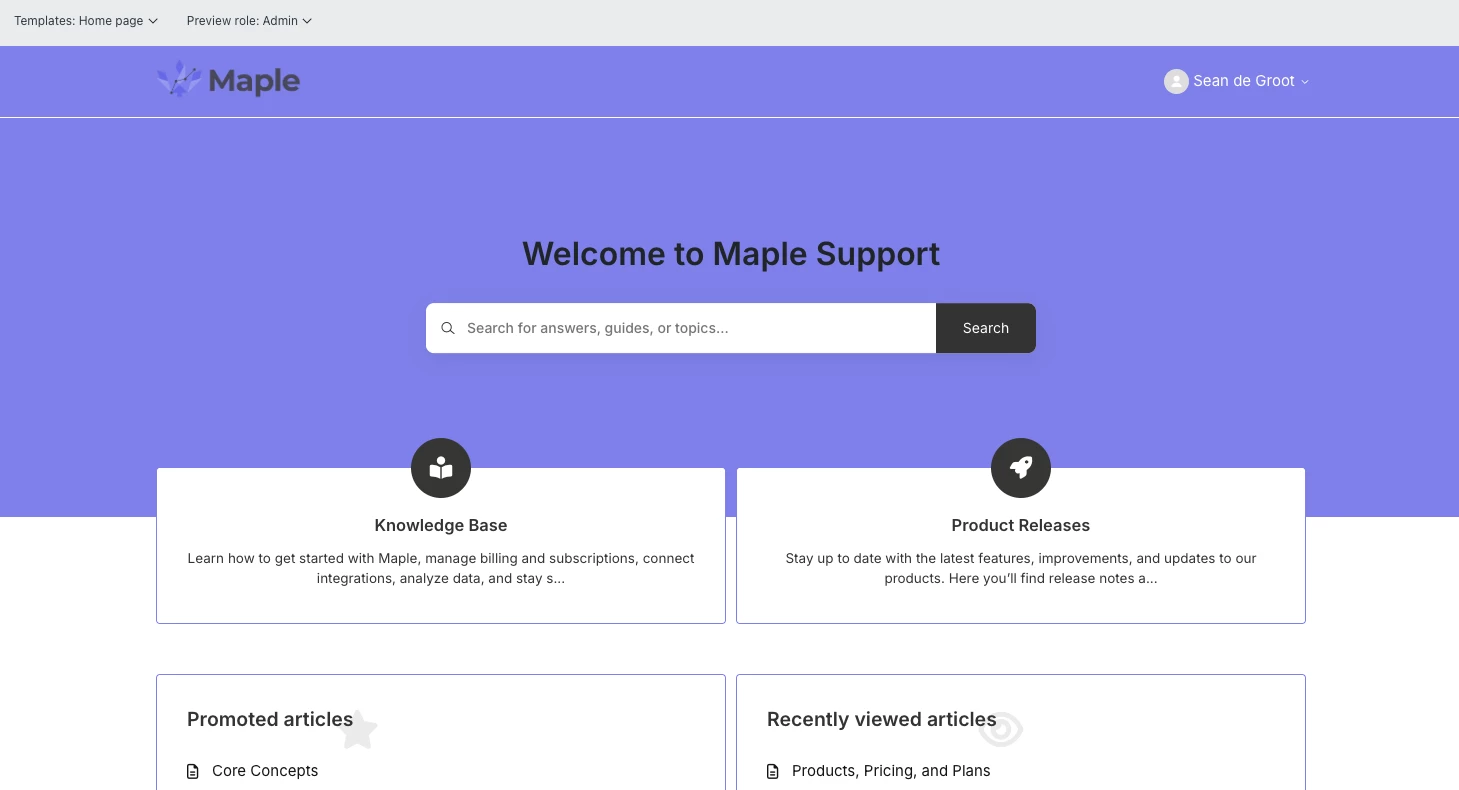
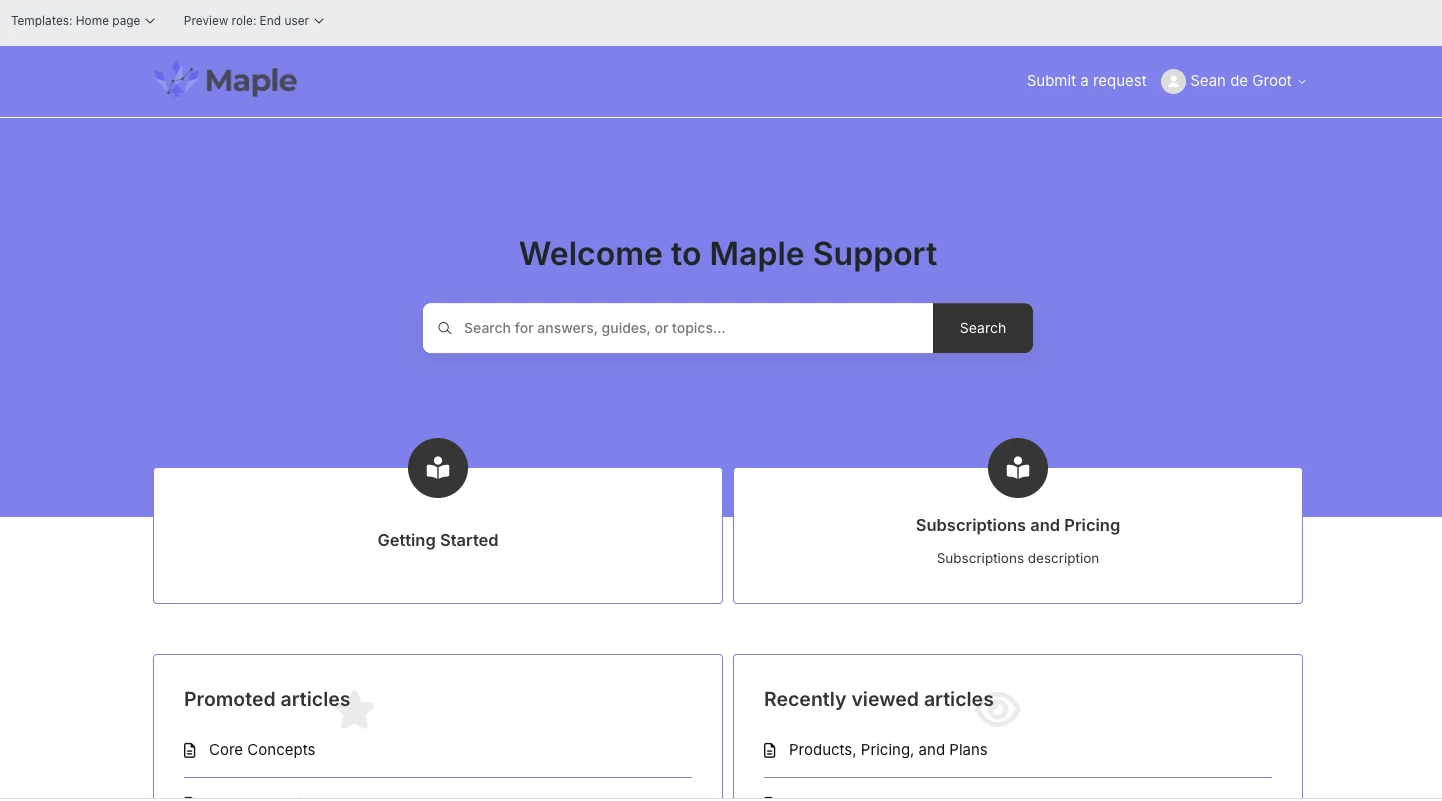
I have Categories > Sections > Articles.
Admin: Can view categories (This is the UI I want), End Users: Can not view categories, but they can view sections
How can I make the categories visible to my end users?


I have Categories > Sections > Articles.
Admin: Can view categories (This is the UI I want), End Users: Can not view categories, but they can view sections
How can I make the categories visible to my end users?
No account yet? Create an account
Enter your E-mail address. We'll send you an e-mail with instructions to reset your password.


To make categories visible to end users in Zendesk, ensure you have more than one category and that each category's content is published to be "Visible to everyone" in your help center settings. For custom help centers, review your theme settings and any code that might be restricting the display of sections or categories.
Check category visibility settings
Review custom theme settings (if applicable)