How to pass "Good" comments along to Slack | Community
Skip to main content

How to pass "Good" comments along to Slack

  • March 20, 2024
  • 4 replies
  • 0 views

Kolton

Hi team,

In previous integrations, we have enabled a way for "Good" customer comments to be passed along to a Slack channel. This not only highlights top-tier performance from the customer directly, but creates a space for agents to be recognized and celebrated internally amongst peers.


What would be a way this could be accomplished without the use of a third party application? I am leaning towards using Zapier to bridge the two, but would like some insight/ideas here.


Thank you!

4 replies

Natasa
  • April 26, 2024

@kolton I have the same question, so if anyone can help out, I would appreciate it! 


Stacy13
  • April 26, 2024

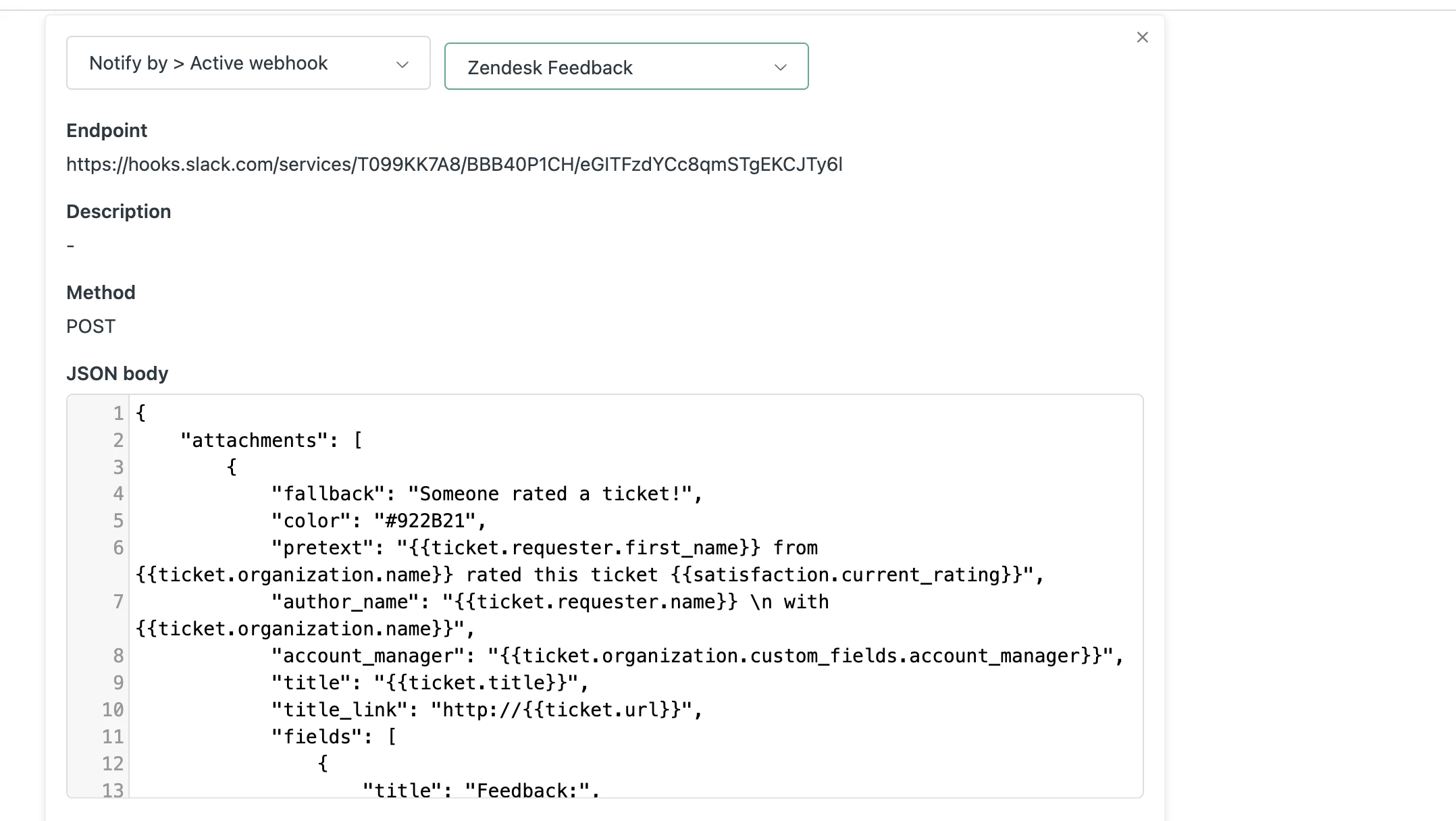
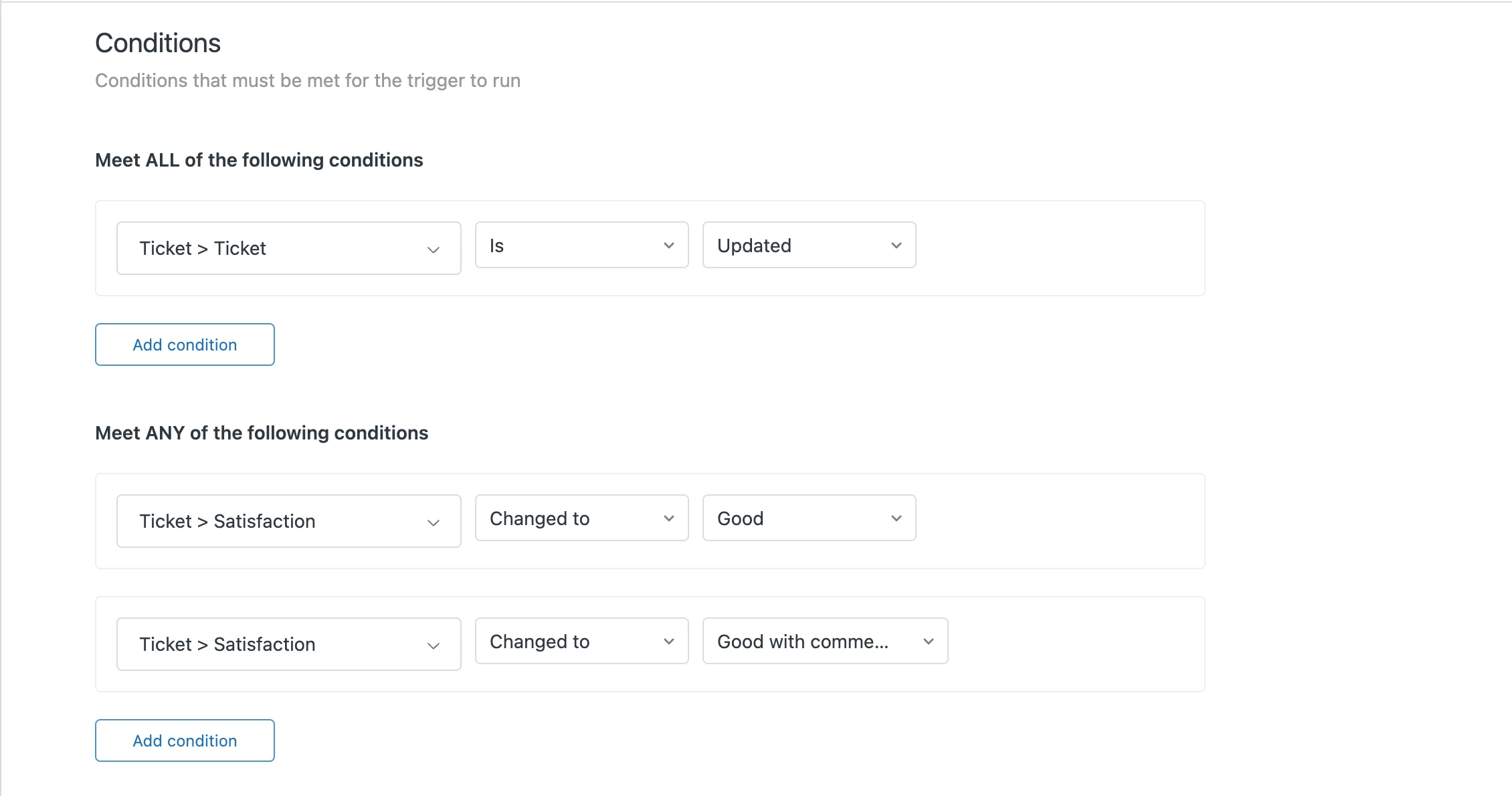
I actually have this set up. I have created a Zendesk feedback channel and used the following code to send the notification to the Slack Channel.


{
   "attachments": [
       {
           "fallback": "Someone rated a ticket!",
           "color": "#922B21",
           "pretext": "{{ticket.requester.first_name}} from {{ticket.organization.name}} rated this ticket {{satisfaction.current_rating}}",
           "author_name": "{{ticket.requester.name}} \n with {{ticket.organization.name}}",
           "account_manager": "{{ticket.organization.custom_fields.account_manager}}",
           "title": "{{ticket.title}}",
           "title_link": "http://{{ticket.url}}",
           "fields": [
               {
                   "title": "Feedback:",
                   "value": "{{satisfaction.current_comment}}",
                   "short": false
               },
                {
                   "title": "Assignee:",
                   "value": "{{ticket.assignee.first_name}}  {{ticket.assignee.last_name}}",
                   "short": false
               },
                {
                   "title": "Account Manager:",
                   "value": "{{ticket.organization.custom_fields.account_manager}}",
                   "short": false
               }
           ]
       }
   ]
}


Natasa
  • April 26, 2024

@stacy13 Thank you, this helped me get some ideas. I just set it up. I appreciate the feedback!


Kolton
  • Author
  • April 29, 2024

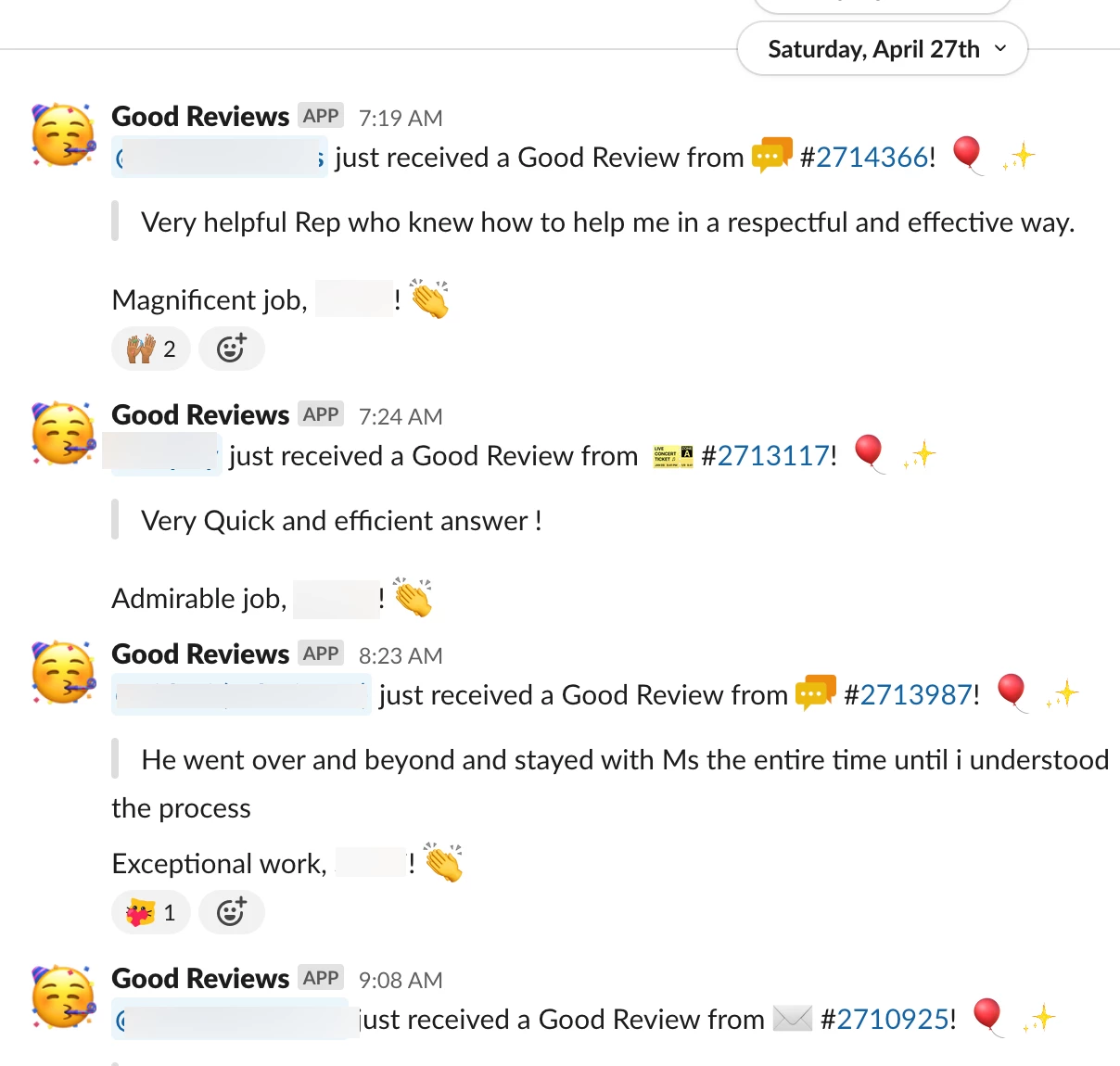
I ended up building another way, but achieved the results I was looking for:

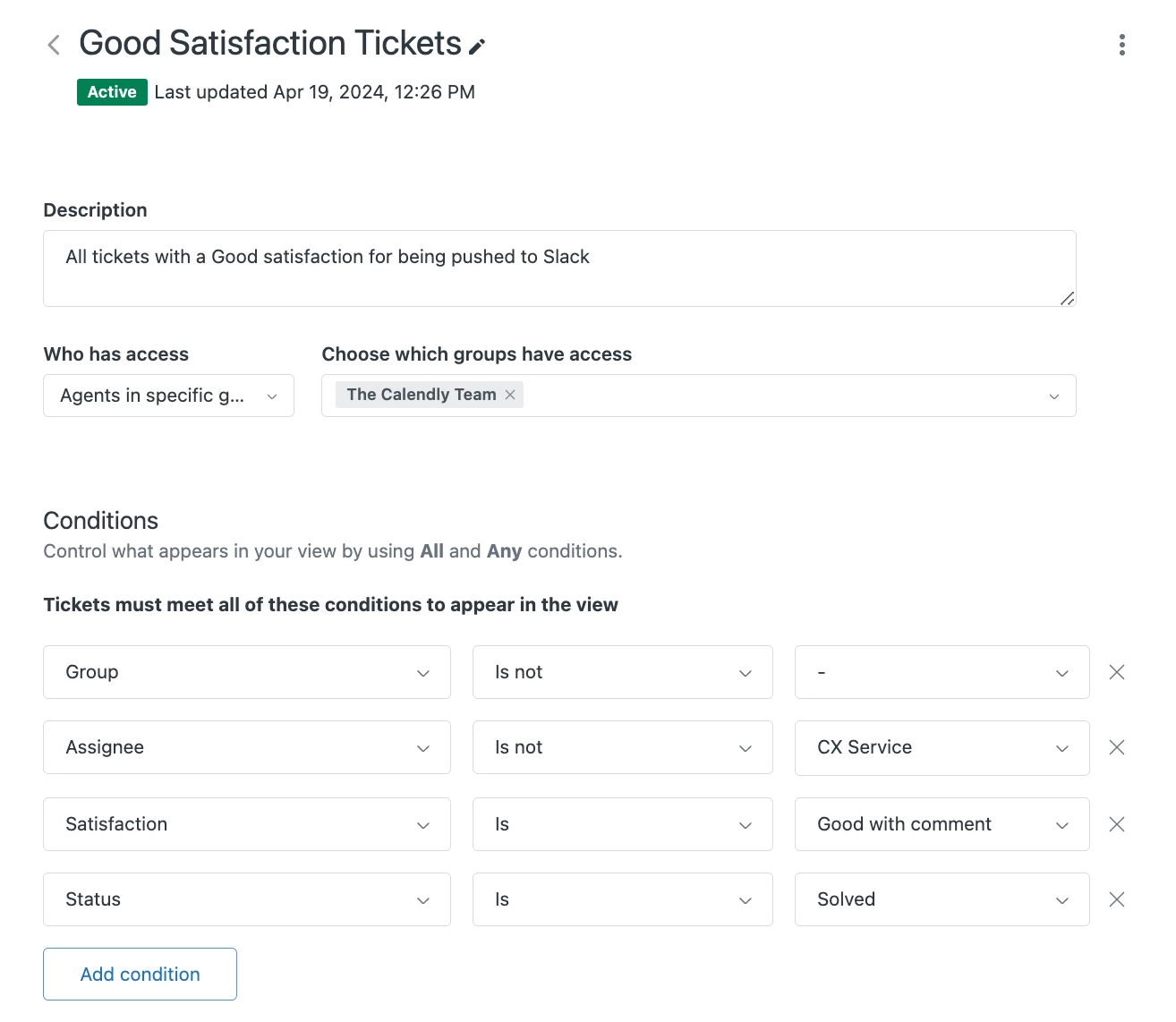
Using the New Ticket In View, I created a view to represent the tickets I wanted shared in Slack:


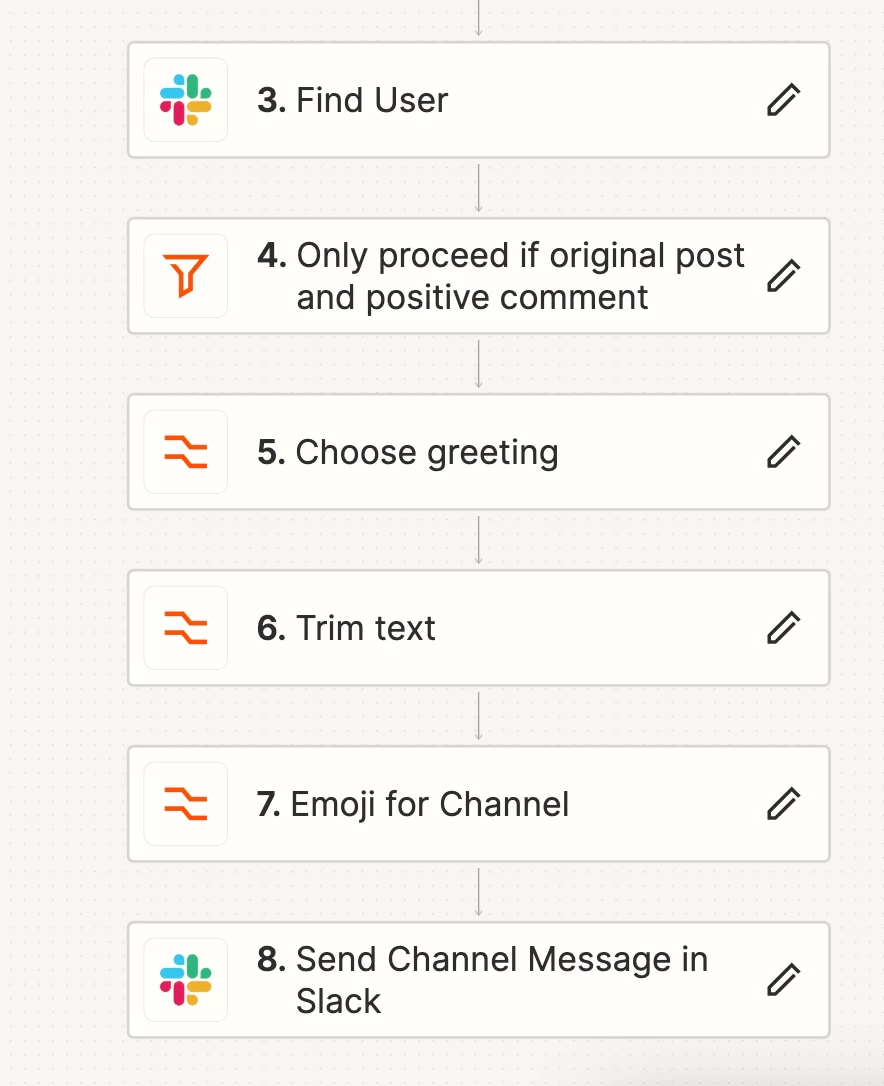
I think used a series of customizations in Zapier to ensure only positive (for this Zap) comments are passed along. After implementing, we found the same out-tro to be a bit repetitive, so we continued to expand customization with each automated response.

Below is the final results! We're quite pleased thus far.