
How to change the Hero Banner Text for Every Language | Community
Skip to main content

How to change the Hero Banner Text for Every Language

  • April 20, 2021
  • 6 replies
  • 0 views

Hi Guys!

I recently encountered a post about changing the Banner Image for each Language. That was almost what I wanted.

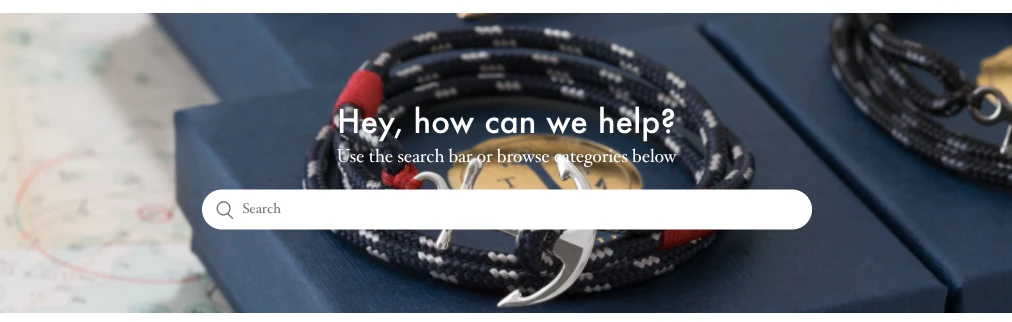
What if I'm ok keeping the same picture (hero banner) for all the languages, but I'd like to manually change the hero inner text for every language.

See Screenschot above: 
I had a look at the code and it seems to be located on the homepage.hbs:
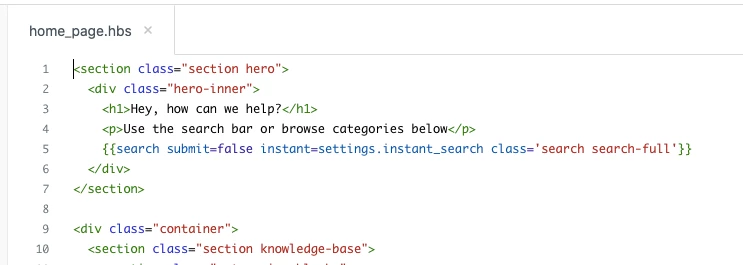
But I wasn't sure how to do it, currently, I'm manually translating the Help-Center in FR - SE - ES - IT - DE from ENG (US) 

Do you have any tips for me to customize it for every language? That would be extremely helpful for us! Thanks in advance
6 replies

  • April 21, 2021

Hi Edwin,

You can accomplish this by using "Dynamic Content".
Dynamic Content is strings you're making in Zendesk Support, that translates based on the user's country.
You can read more about it here - there's a whole manual on how to create dynamic content: https://support.zendesk.com/hc/en-us/articles/203663356-Providing-multiple-language-support-with-dynamic-content

Once you've created your dynamic content, you have to add it to home_page.hbs.

Let me know if you need any further assistance.

Best,
Louise


  • Author
  • April 21, 2021

Hi Louise, 


Thanks for your effort and tips here but I'd rather solve this with some coding instead. 

Is there a way to solve this issue via coding?

The issue with Dynamic Content is that I don't quite get it right, to be honest. Also, the languages displayed on zendesk dynamic content are not the languages that I've been adding in the multi-language Help - Center so it's already too confusing for me.


  • April 21, 2021

Hi Edwin,

I would still recommend that you read about Dynamic Content, but until then I'd say it's possible to hardcode it by looking at the URL.

Use Javascript to find the country code in the URL and then inject the string you want it to be replaced with. 

Look at this for finding strings in URLs with jQuery: https://stackoverflow.com/questions/4597050/how-to-check-if-the-url-contains-a-given-string
Look here for replacing text with Javascript: https://www.w3schools.com/jsref/jsref_replace.asp

I hope this helps you out. :-) 

Best,
Louise


  • Author
  • April 26, 2021

Hi Louise,


Thanks for your response. However, I still don't get it at all, I'm no coder so, I actually need more guidance to resolve my issue.

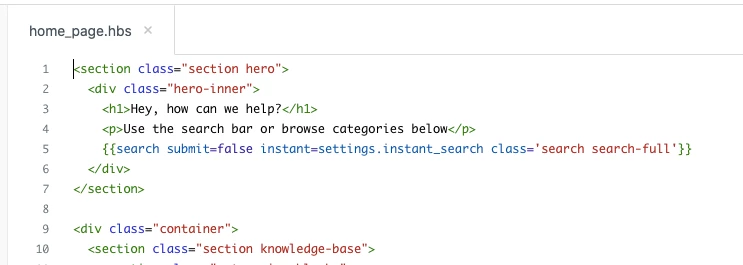
This is how my code look today: 

is there an easy code line to input quickly to simply target a specific language,


Say my help-center page ends like this:  zendesk.com/hc/fr

How can I modify the FR language version of my help-center?

I don' want to use "Dynamic content" as I didn't understand the article here:  https://support.zendesk.com/hc/en-us/articles/203663356-Providing-multiple-language-support-with-dynamic-content


Plus I already manually translated every single Article of my help-center, so I just want to be able to modify the Hero banner txt that I alreadu located it's in Home_page.hbs


I hope someone here can help.


Thanks in advance.


Leah18
  • July 14, 2022

Same - no updates here?


Dave12
  • July 15, 2022
There are some more specific instructions on using Dynamic Content in the help center here, does this help? Changing your help center design based on your end user language