How can I provide feedback for the Article multiplacement EAP? | Community
Skip to main content

How can I provide feedback for the Article multiplacement EAP?

  • July 26, 2024
  • 10 replies
  • 0 views

Orsolya

Your feedback is crucial to us as we plan future improvements to article multiplacement. We invite you to share your thoughts, report bugs, and provide any suggestions you may have.


Ways to Provide Feedback:

Feedback Forum: The best place to provide feedback is in the Zendesk EAP - Article multiplacement topic. This allows us to keep feedback social and collaborative, benefiting everyone involved.


Bug Reporting: If you encounter any bugs, please report them in the same forum. This is especially helpful for minor bugs or issues that do not directly impact your customers.


Guidelines for Providing Feedback:

  • Be clear and specific in your feedback. Explain why you like or dislike something and how it could be improved.
  • Include screenshots if possible to help us understand your feedback better.
  • Be patient when waiting for responses from Zendesk.
  • Maintain a respectful tone and avoid using strong language or sarcasm.


We appreciate your participation and look forward to your valuable feedback!

10 replies

Andrew16
  • October 7, 2024

Hi @orsolya some initial feedback/bugs from our team using it

1) We tried to place an article into one section and it isn't working, it put the article in another section in a different category with an identical friendly name but different UID. Workaround was to use the Move to function to get it to the right place. 


2) Not all sections are displaying correctly in the “Select Sections” list. Our section named integrations isn't showing within the selection sections module but it's there.

3) The sections display in a mixed-up order and doesn't match the designated order that they are supposed to be in


Happy to provide more details in a call or something if needed.


Jay15
  • October 8, 2024

We employ some “new article templates” for creating articles. There is a designated “section” for the articles to be organized into that is set by the template. Since enabling multiplacement, the designated section for the template does not work, and a section has to be manually selected. Is this expected behavior?


Katarzyna13

@Andrew Schreiner Thank you for raising the issues you have with with article multiplacement. My team and I are working on fixing issues related to choosing sections, and I believe that your 3rd point should be improved by now. 


Katarzyna13

@jay15 I'm curious to understad more about what you experience when you say ‘section doesn’t work'? Would it be possible for you to describe how what do you do when it happens and what do you mean in detail by ‘doesn’t work'?


Jay15
  • October 10, 2024

Hi Katarzyna.  Sure.  Here are steps to reproduce:


1. Create a new Knowledge Article Template by creating a draft in Zendesk Guide and adding the “KCTemplate” label

2. In the article draft, set the Section as “Knowledge Base” (or any existing section 

3. Save

4. Go to a Zendesk Ticket > Knowledge app > Click “+” to create new knowledge article

5. Select the new Template you just created


Expected Result: The draft will have the “Knowledge Base” Section pre-selected (this is how it previously behaved before activating multiplacement)


Actual Result: No Section is pre-selected 


Orsolya
  • Author
  • October 21, 2024

@jay15 I can't reproduce the problem you mentioned. The section of the template is pre-selected. Can you test again and if it doesn't work, allow us to assume in your account?


  • November 6, 2024

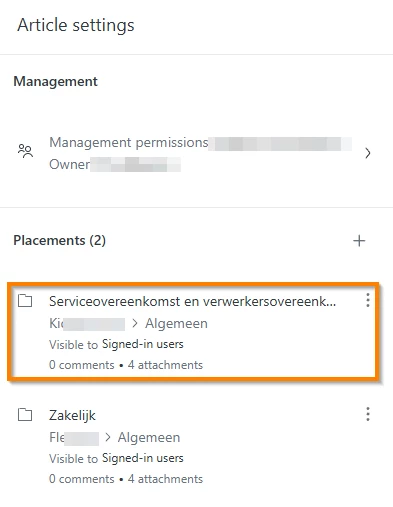
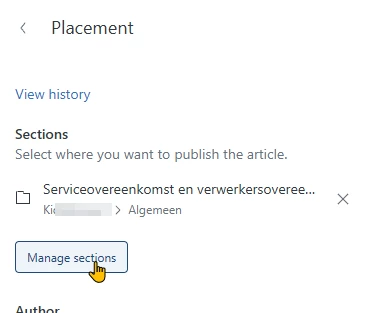
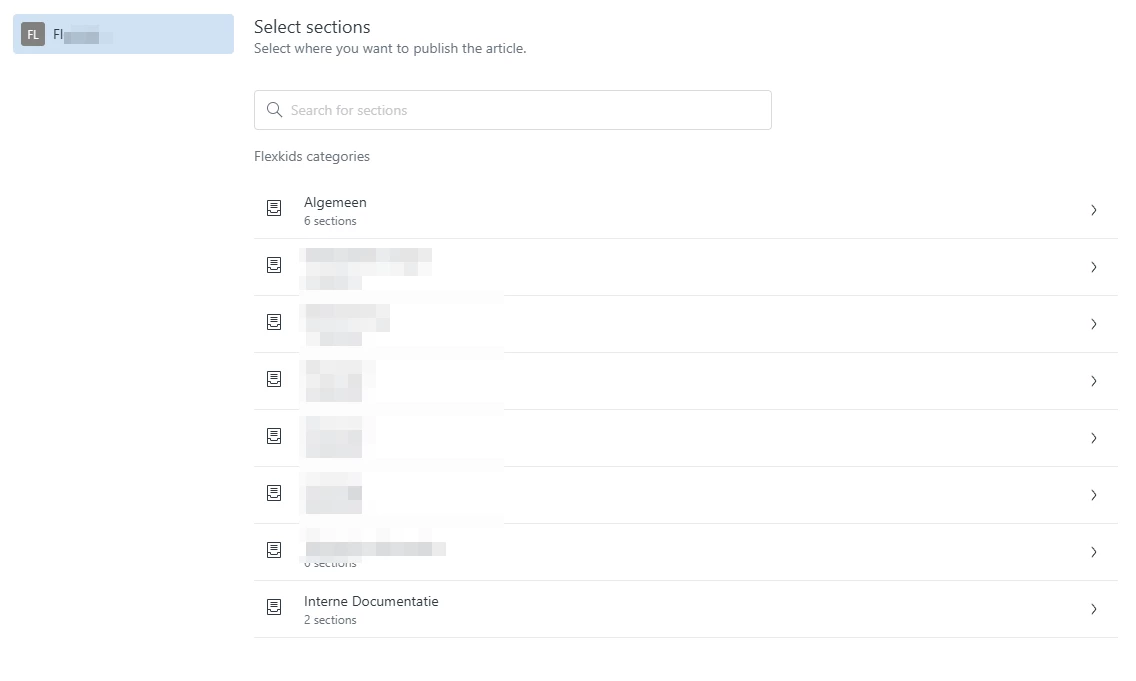
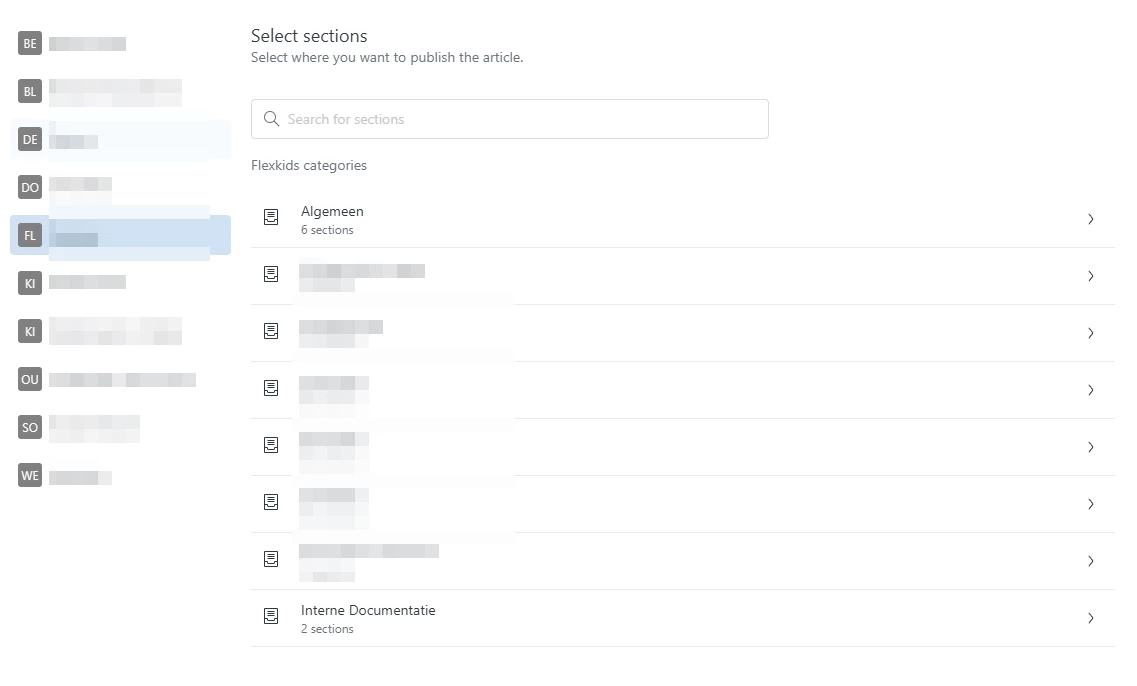
When I multi-placed an article on multiple brands and I want to move a specific placement, the right brand does not show up. When i edit the placent in oud “KI” brand, I t shows up as beeing placed in the “FL” brand.  

When i create a new placement, i can choose all brands:


  • November 13, 2024

Hi @katarzyna13 
 

It has been reported that we don't see the option for multiplacement in our environment anymore. Did something change? 


Laura58
  • March 26, 2025

Hi Zendesk team, we've tested the multiplacement in our Help Center (just one brand) and one thing that came up was that having multiple identical pages could hurt our search ranking. Our SEO manager mentioned that we could use the canonical attribute to signal which page should be indexed, but currently, the canonical attribute points to the page itself, instead of pointing to the “original” page (eg. pointing to the first placement of that article). 

Is it possible to change it so that all the canonical attributes use only one of the placements as the main one?


Sibylle
  • March 28, 2025

Hello Zendesk team,

The Article multiplacement seems to work fine for us. 
However, we are facing a problem linked to the way we handle translations. Articles are written in English, and translated through an automated scenario in Make.com. 
The scenario is based on the label we create in our Zendesk article (ex: “trad_es” to translate in Spanish). Since the labels and the article ID are different in each article placement, we have to translate each placement separately.
I suppose this is also linked to article placement not being available via API - will it be the case after the EAP?