
Headers don't look the same in Editor view | Community
Skip to main content

Headers don't look the same in Editor view

  • October 21, 2024
  • 2 replies
  • 0 views

Nikki12

I'm breaking out an existing article into a few different sections, and each section has a header (Header 3), and they look right in the editor view, but when published, they appear to be the same size as regular paragraphs.


Editor view on the left, published view on the right. Look at the headers “Organization” and “Permissions”.
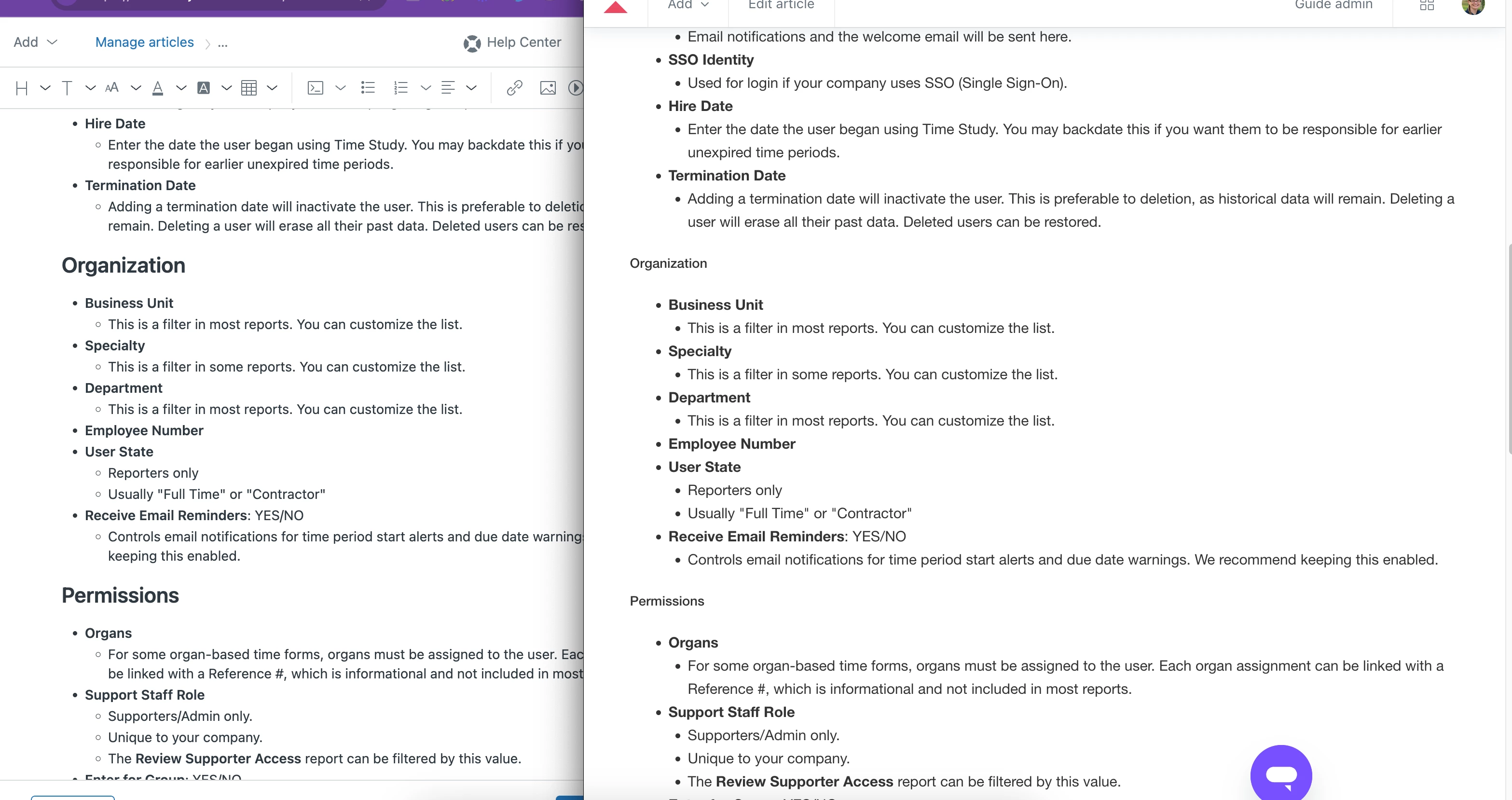


Follow-up: I did go in and change the *size* of the text from “Default” to “Large” and now it looks as I expected it to. I would've thought that using a “Header” would have automatically set a larger size - as it appeared in the editor mode.

 

2 replies

Patrycja12
  • January 16, 2025

@nikki12 Is the issue still happening? We couldn't recreate it in our environment. If it is, I'll create a support ticket for this case 


Nikki12
  • Author
  • January 16, 2025

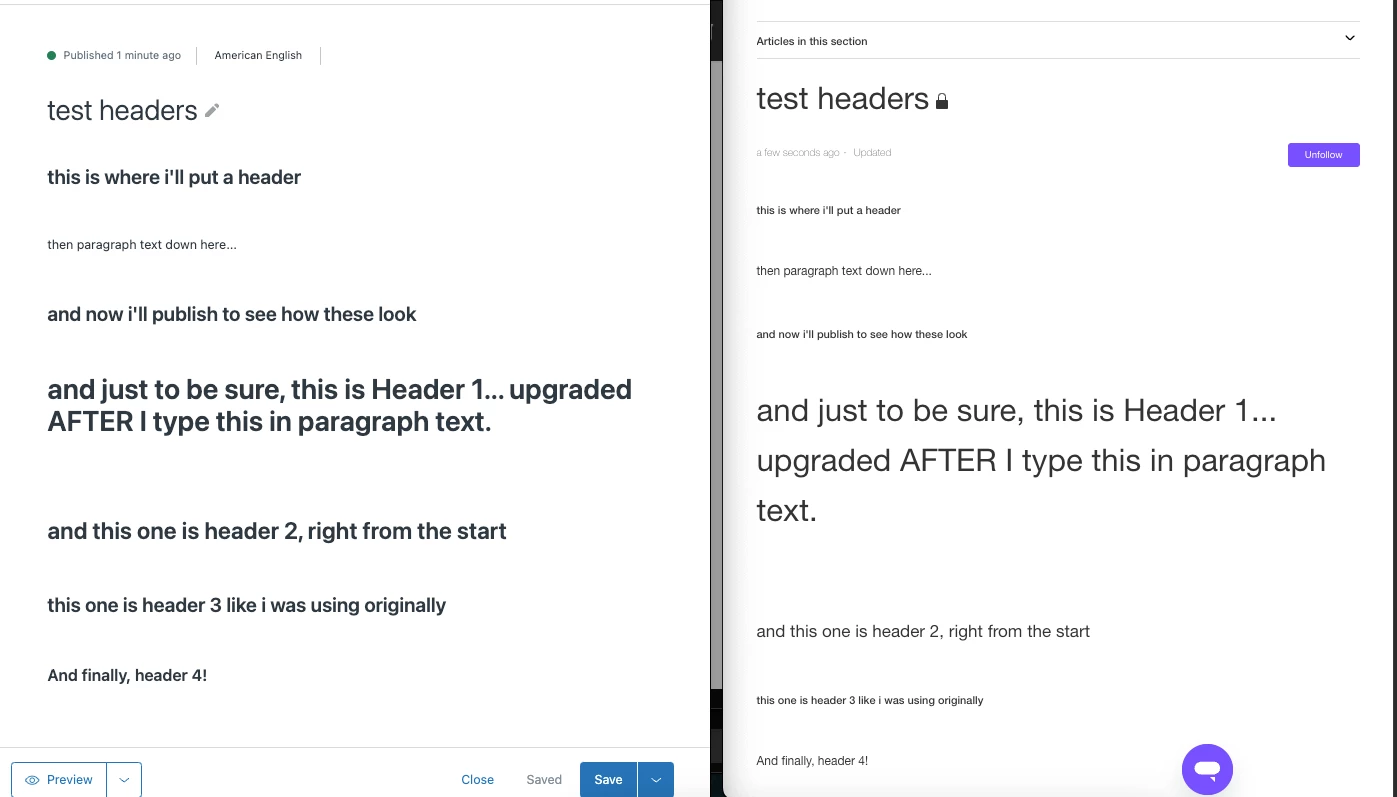
Just tested with a brand new article, and yes. I typically am using Header 3, and it seems that's the one with the most drastic difference. Here are the testing results:


Even the header 1 & 2, they look different from the editor - different size and less bold. But you can clearly see that the size decreases from Header 1 → 4.


I had a colleague check this published (internal) article and it looked incorrect for her as well. Thanks!