Guide Customizations not retained on Validation Errors | Community
Skip to main content

Guide Customizations not retained on Validation Errors

  • October 6, 2021
  • 6 replies
  • 0 views

Hello,

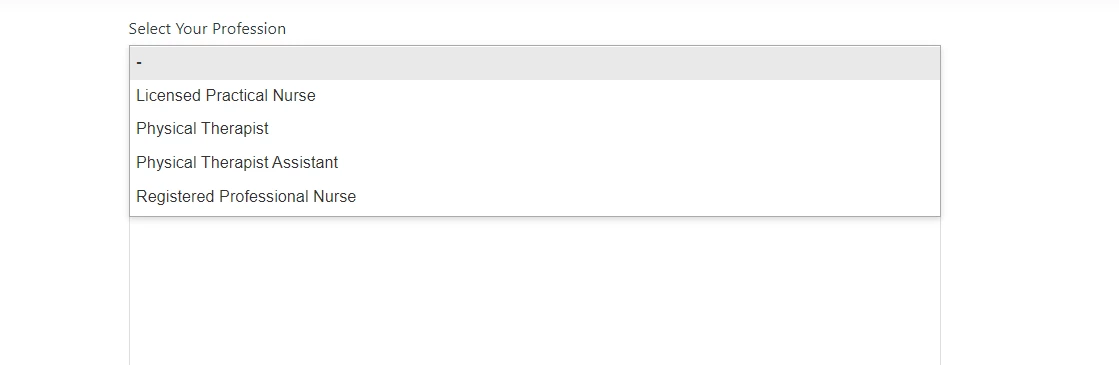
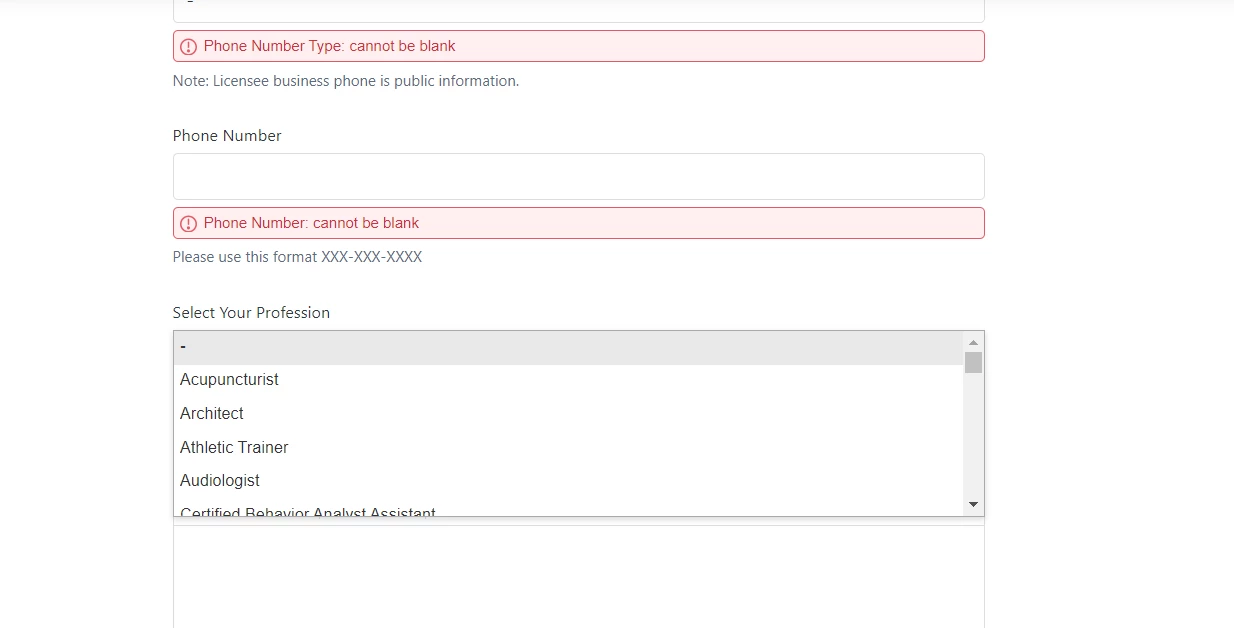
We currently have customizations in our script.js file to support some of our ticket forms.  On initial load of the ticket forms everything works great in terms of the custom code doing what it needs to do.  However, after a validation error on a ticket form submission the entire ticket form reverts back to a way where it did not run through our custom code.  In the example below when ticket form first loads it shows just four professions in the dropdown (we are hiding certain dropdown items) and after a validation error it reverts back to showing all professions in the dropdown.  This happens for all customizations so it appears like it's not saving the state of the page.  Any help is appreciated in attempting to resolve this.  Thanks!

Joe     

When page first loads
 

After validation error occurs
6 replies

Ifra
  • October 7, 2021

Hi Joe M, can you share the public URL of your HC, so I can figure out why it's happening? But first set your working theme live.


  • Author
  • October 7, 2021

Hi Ifra,

Here is the public URL of our HC in our Sandbox Environment

https://nysedop1617910050.zendesk.com/hc/en-us

If you go to top right and click submit a request and select the "ATT" ticket form it will bring you to the ticket form for which I provided the example.

Anything else let me know, thanks!

Joe


Ifra
  • October 7, 2021

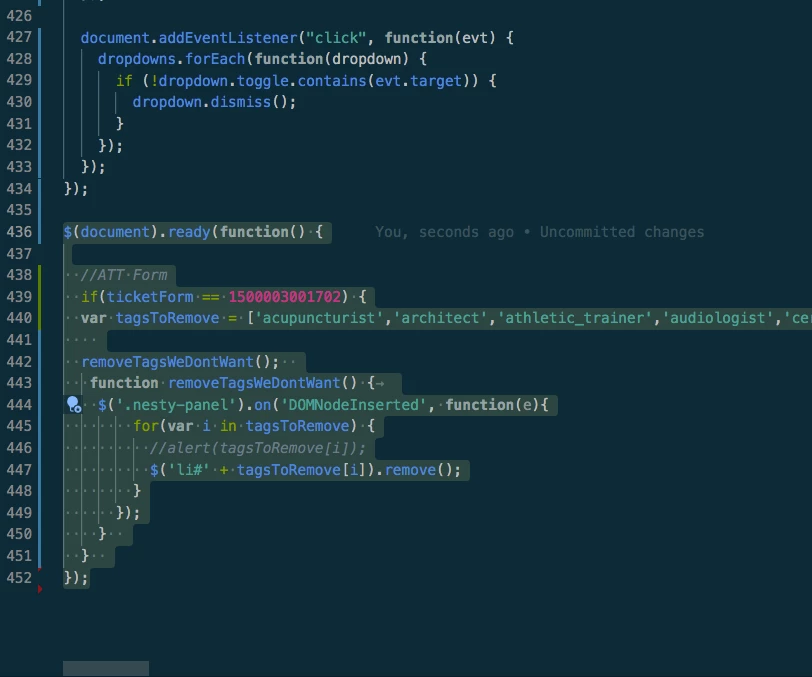
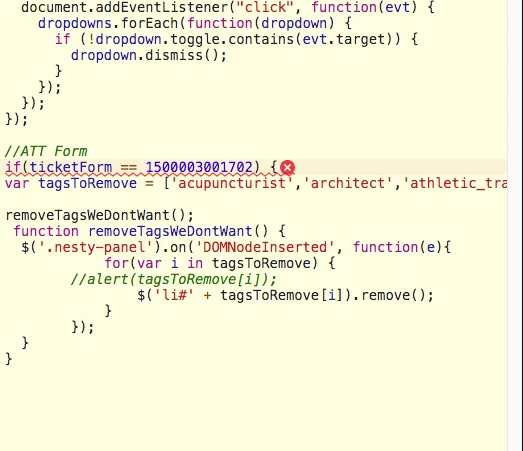
@Joe, first, you need to move your jQuery code outside of the JS code. Pick the jQuery code from the current position and put that at the end of DOM's last bracket.

See how  I did:

Try this and do let me know if it works or not.


Thanks


  • Author
  • October 7, 2021

Hi Ifra, no luck with this either.  I added the code outside the function below where you stated, tested and it does not run through the code now even when the page loads. 

document.addEventListener('DOMContentLoaded', function() {

});

Ifra
  • October 8, 2021

Hi Joe, please revert because as previously, this time the code is without DOM function see in the below image, you have removed the DOM function as well.


move this code under the DOM where it is before but don't add - 

$(document).ready(function (){


}


  • Author
  • October 8, 2021

Okay, I put it back the way you indicated.  Still does not work.

Joe