Don't show articles in category zendesk | Community
Skip to main content

Don't show articles in category zendesk

  • October 29, 2021
  • 1 reply
  • 0 views

Peter37

Hi, is it possible to prevent articles from being shown under sections, when you access a certain category?

Articles should only be visible on the section page, in this case.

1 reply

  • November 2, 2021

Hi Peter,

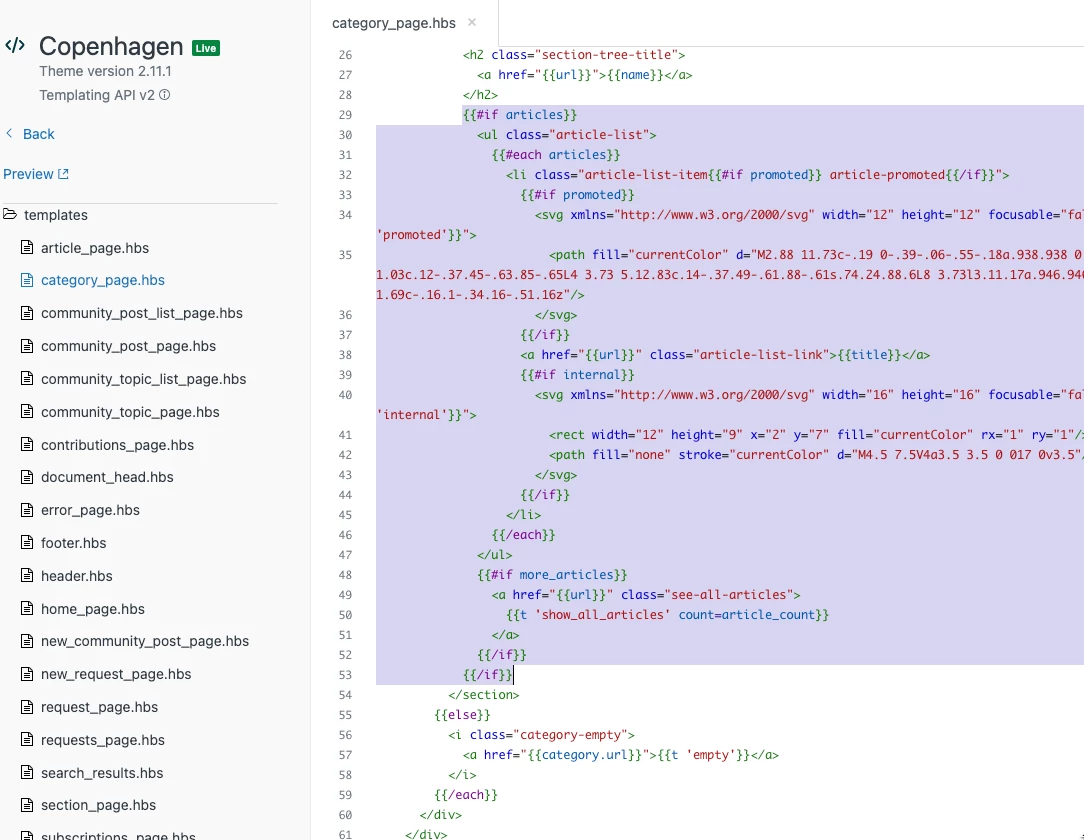
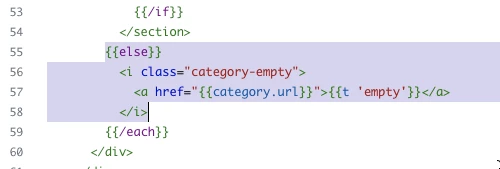
That's a good question. If you have a Guide Professional plan or higher, you'll have the ability to edit the code of the help center theme. That is what will be required to remove the article list under each section. Testing out this setup in a fresh instance of the default Copenhagen theme in Guide, I was able to accomplish what you describe by removing the following two blocks of code:

On the category_page.hbs template, lines 29-53 and 55-58 can be removed:

After doing this, as I navigate to a category, I see the list of sections contained in the category, but don't see any articles listed under the section titles. Only once I click on a section title will I then see article titles. If your theme has been customized, the exact code to remove or the lines at which these code blocks occur may be different, but this is what you can look for. To help further with customizing a help center theme, the following article can be a useful tool: Customizing you Help Center theme.

I hope this helps!