
Contextual Help not working for logged-in users | Community
Skip to main content

Contextual Help not working for logged-in users

  • March 20, 2019
  • 3 replies
  • 0 views

Hello there, awesome Zendesk community! Hope you're all well :) 

I was hoping to get some help with implementing Contextual Help in our Web Widget for our logged-in users. 


We have enabled the Web Widget on our websites and while the contextual help works fine on public pages(not requiring login) : 
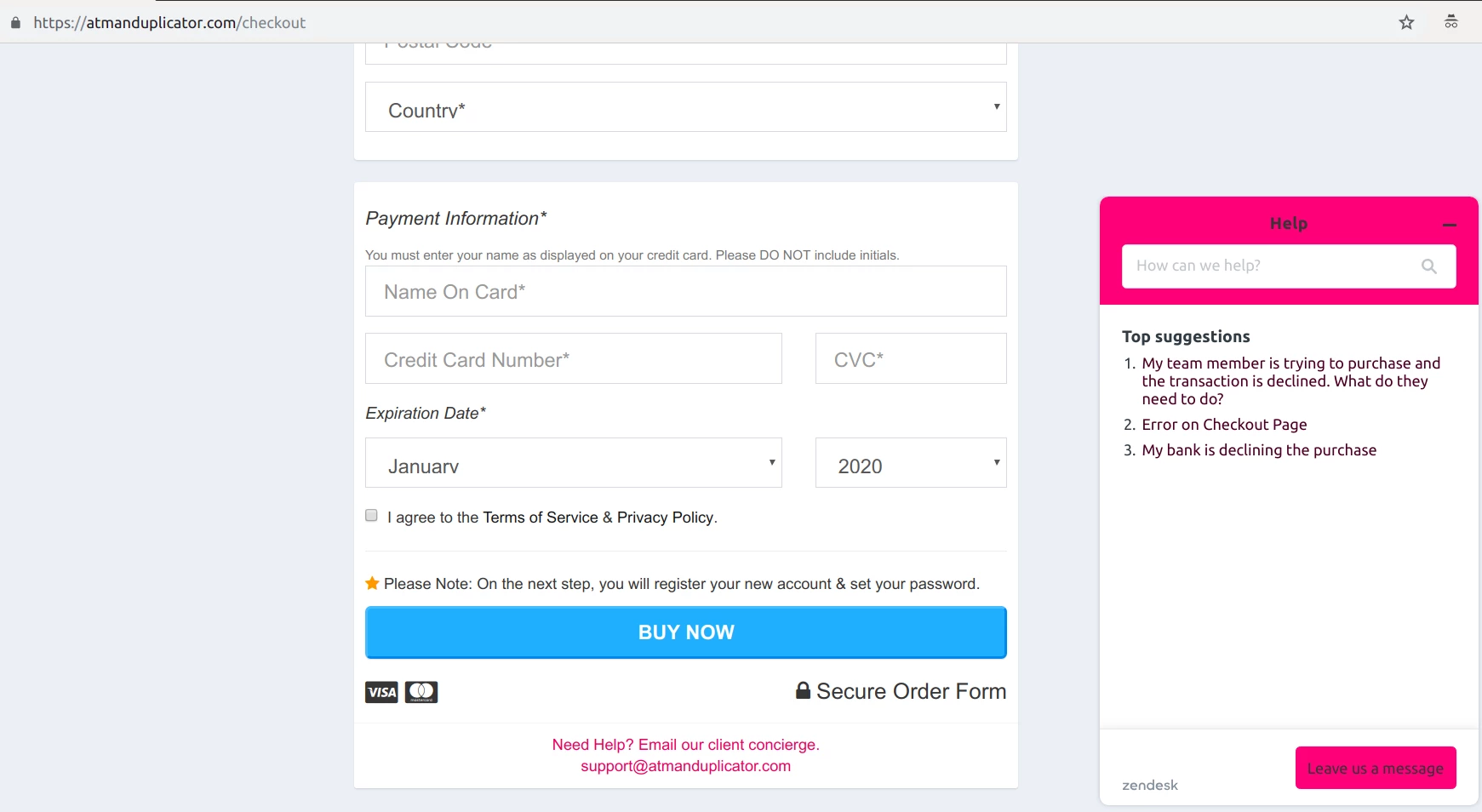
It doesn't seem to work on pages that require login. The article list is empty :( 
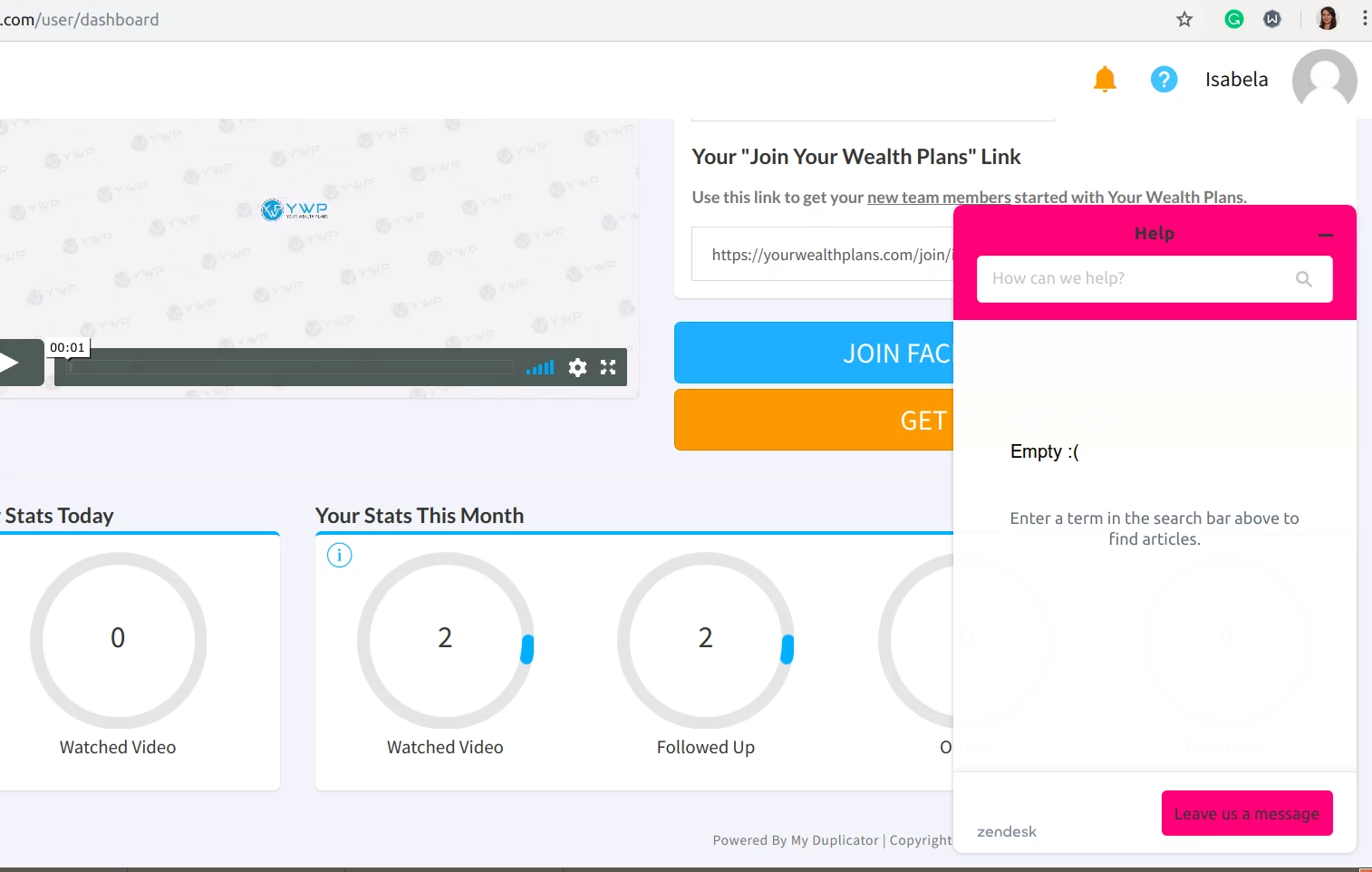
We have public Help Center content (not requiring log-in).
The Web Widget is installed on our website.
We have enabled Help Center option in the widget admin.
The Help Center articles have the keywords from the URL as Labels. 
(The articles appearing on the /checkout page above have 'checkout' as label, and there are articles in the Help Cnter that have 'dashboard' as label)


I'd really appreciate any suggestion on enabling this functionality for our logged-in users. 


Thanks a lot!

3 replies

  • March 22, 2019

Hi Isabela, thank you for your question!

The problems you are describing are certainly concerning. I suspect that the issue is caused by the URL itself as the authentication requirements of your sites page should not affect the Widget Contextual help behavior. One thing that i have noticed in the past is that if there are strings of characters or keys in the url after the keywords, the contextual help won't function as it views that hash at the end of the url as the keyword.

If it is not too confidential could you post the url of the page that is not functioning? I can also create a ticket on your behalf if you would like!

Thanks.


  • Author
  • March 22, 2019

Hi Dan, 

Thanks so much for getting back to me! 

The URL of the page is https://yourwealthplans.com/user/dashboard and I was expecting Contextual Help to bring up search results for 'dashboard'. 

Thanks for clearing up that the authentication is not a problem, I was actually looking into the Security settings of the Web Widget to whitelist the domain and use the secret to allow logged in users to see the Contextual Help content. 
Happy that's not the case anymore. 

Hope you have a great weekend ahead!


  • March 22, 2019

Hi Isabela! Thanks for the information and the well wishes. Hope you have a good weekend as well.

While those steps described should not be necessary it seems as though we are dealing with unexpected behavior that warrants a closer look. I have started a ticket on your behalf and look forward to continuing the conversation there.

Thanks!