Content Blocks: The Good, The Bad, and our Wishlist | Community
Skip to main content

Content Blocks: The Good, The Bad, and our Wishlist

  • January 27, 2021
  • 6 replies
  • 0 views

David47

After testing out Content Blocks in our organization, we've determined that the feature has future potential but provides us with limited usefulness. I've compiled a list of likes, dislikes, and some feature requests.

Background: My organization has 28 Zendesk Help Centers to service our products. Some of our Help Centers have thousands of articles. Our Help Centers run off a single extensive code base theme that is highly customized. We have very little content that needs to be identically duplicated throughout our Help Centers. Instead, we use dozens of custom, preformatted components within our theme which allow our authors to craft visual, interactive articles (beyond paragraphs, lists, and tables). We have a greater need for dropping in these components into an article, which can then be edited and customized. 

What we like

  • The ability to define a content block within an article
  • The ability to add CSS classes to content within the WYSIWYG editor

What we dislike

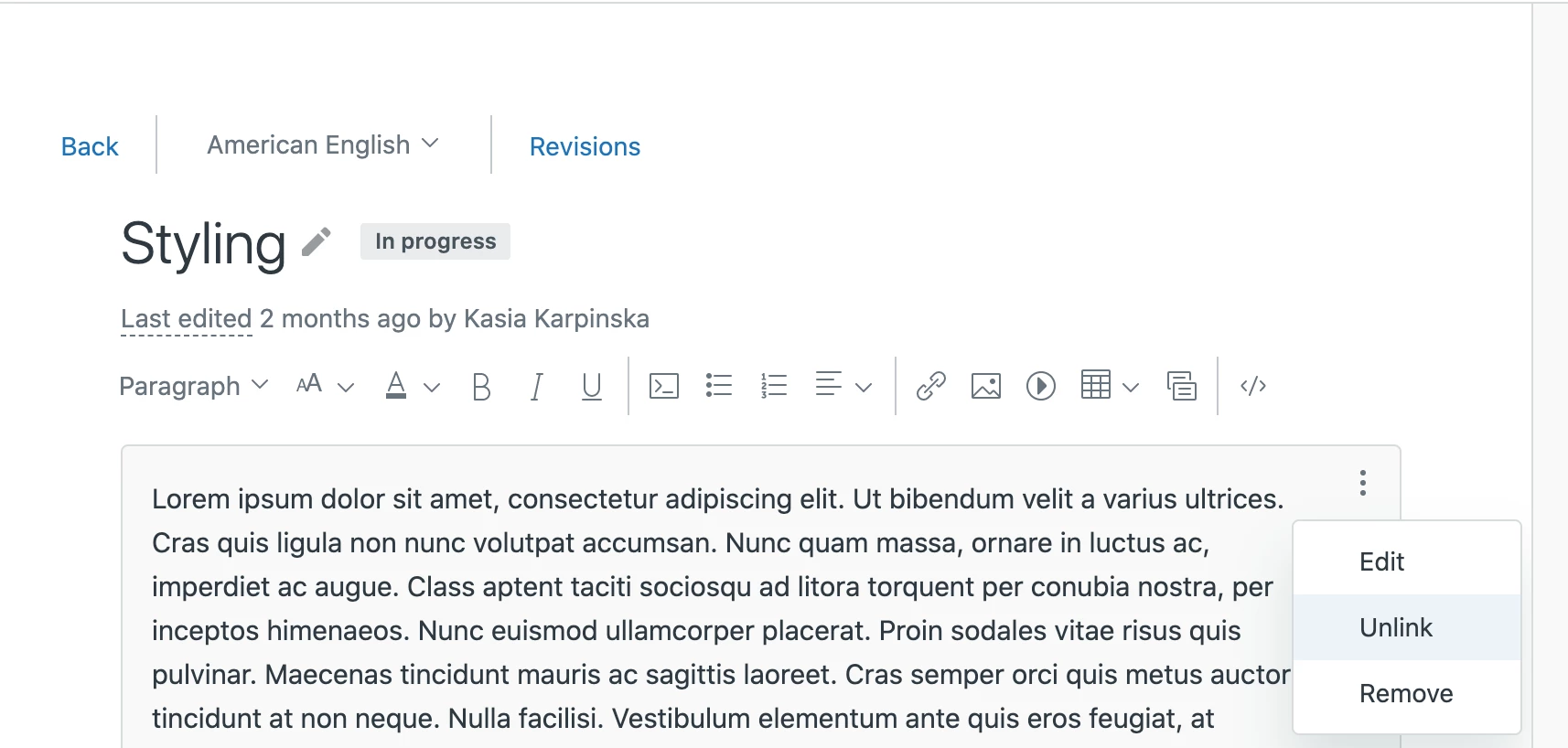
  • Content blocks are not visible in the code editor.
  • Clicking on the code editor button only shows the content above or below the content block (depending on where the user's cursor is located when the code button is clicked).
  • All content blocks are "global" by default.
  • No centralized management of content blocks.

Our wish list

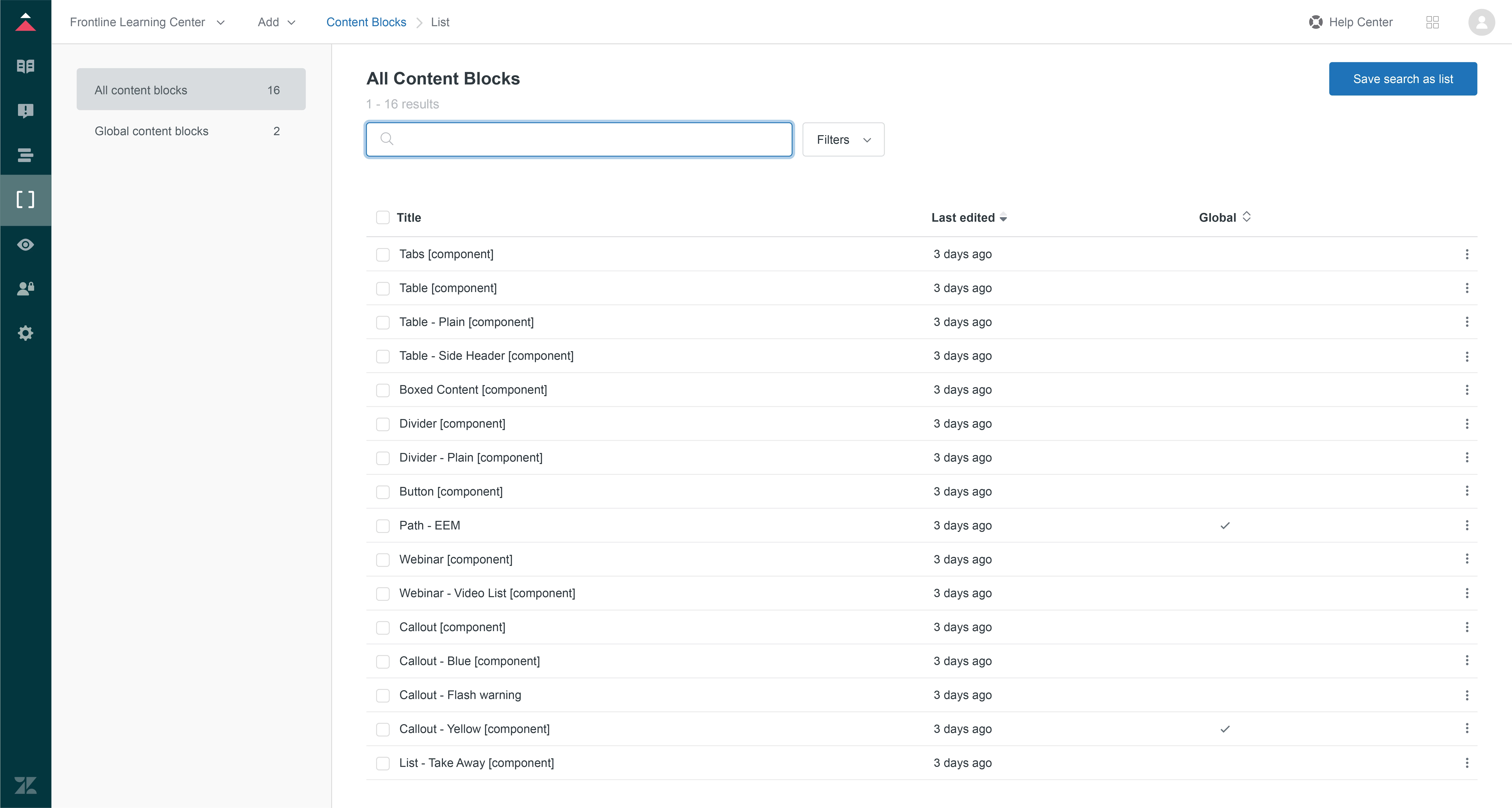
  • A central location (outside the article editor) to manage all content blocks.
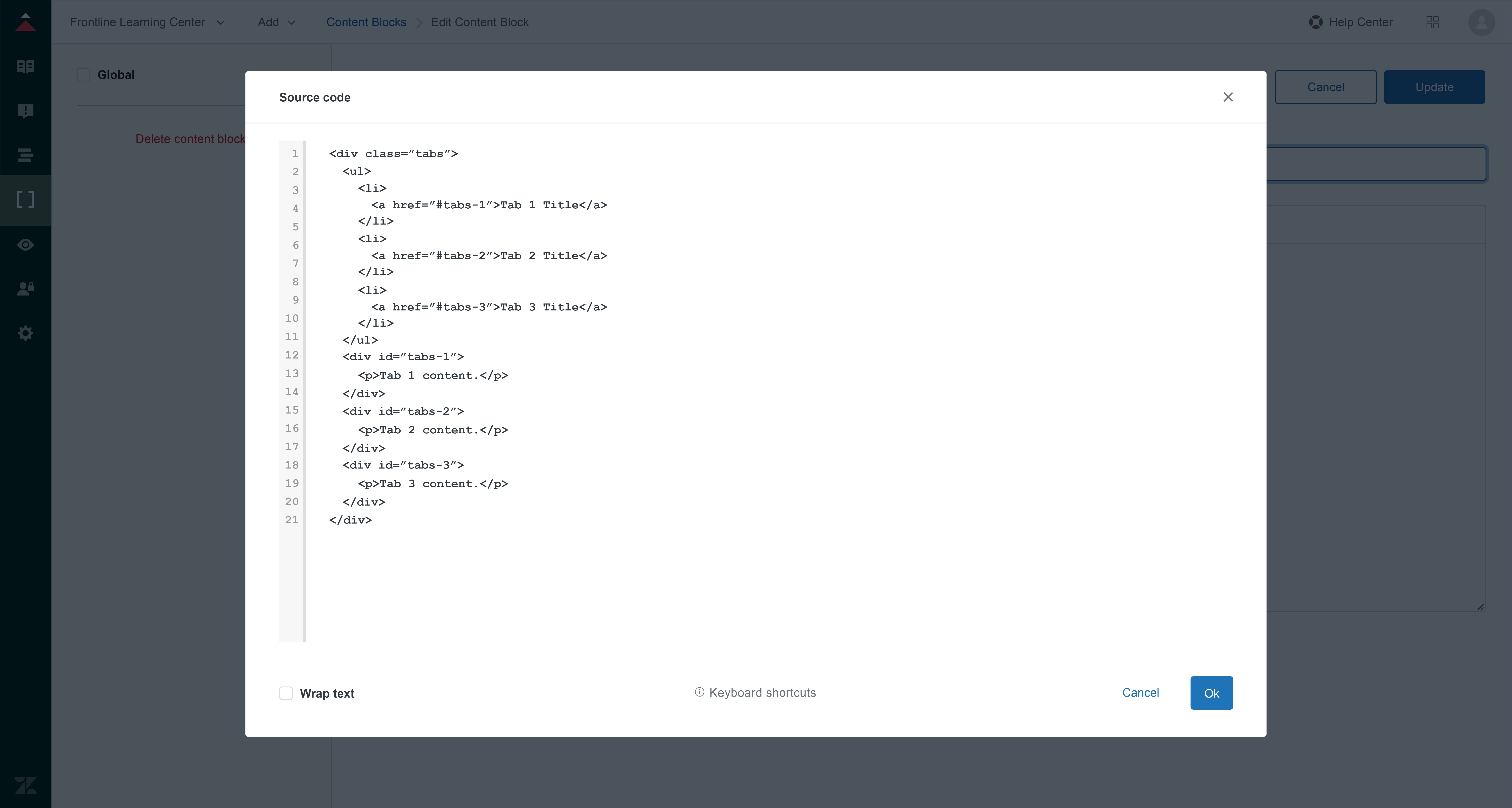
  • The ability to edit the source code of a content block (to create customized component "templates" that can dropped into any article, and then edited).
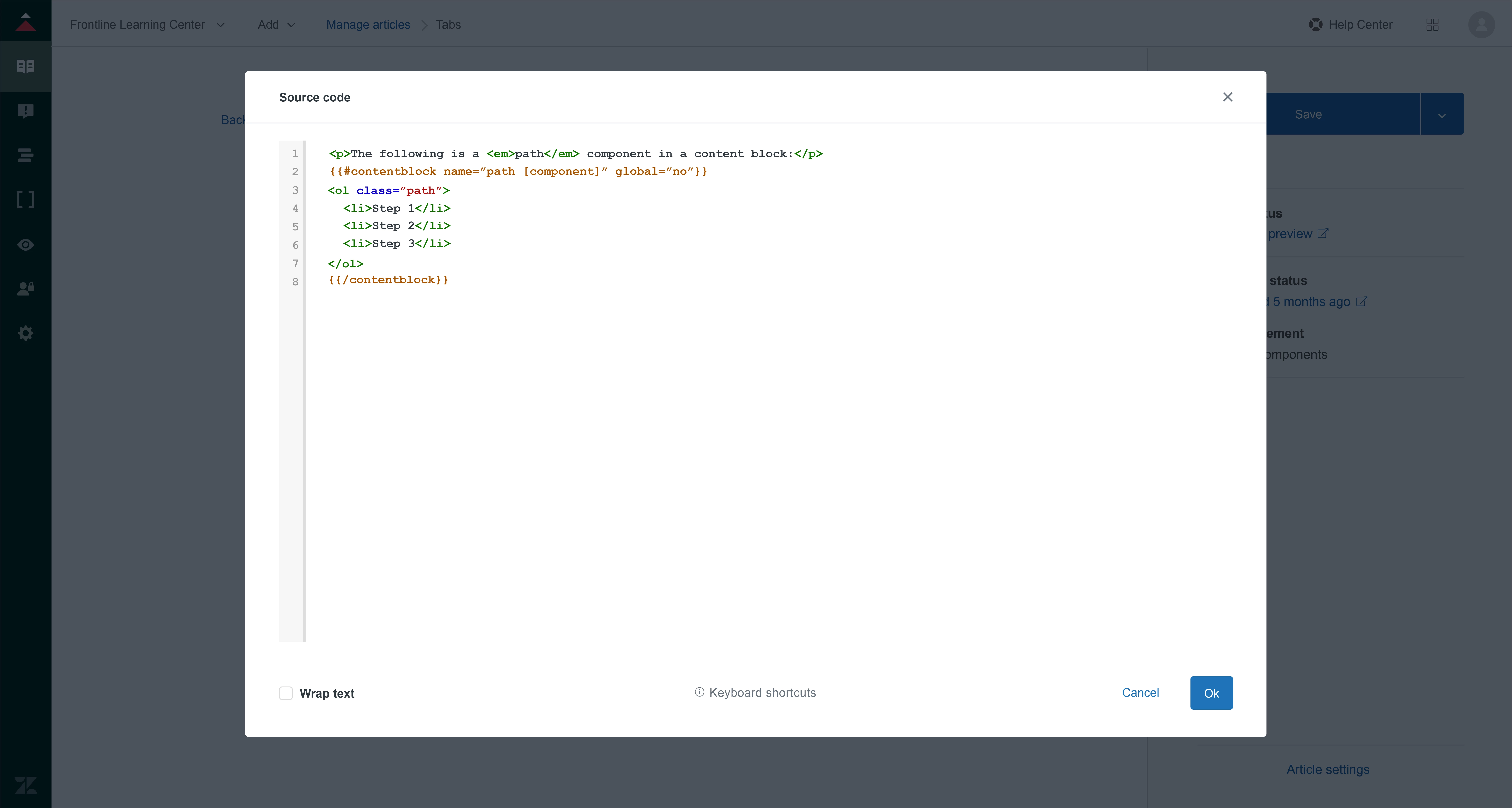
  • The ability to view/edit the content block when viewing the article source code.
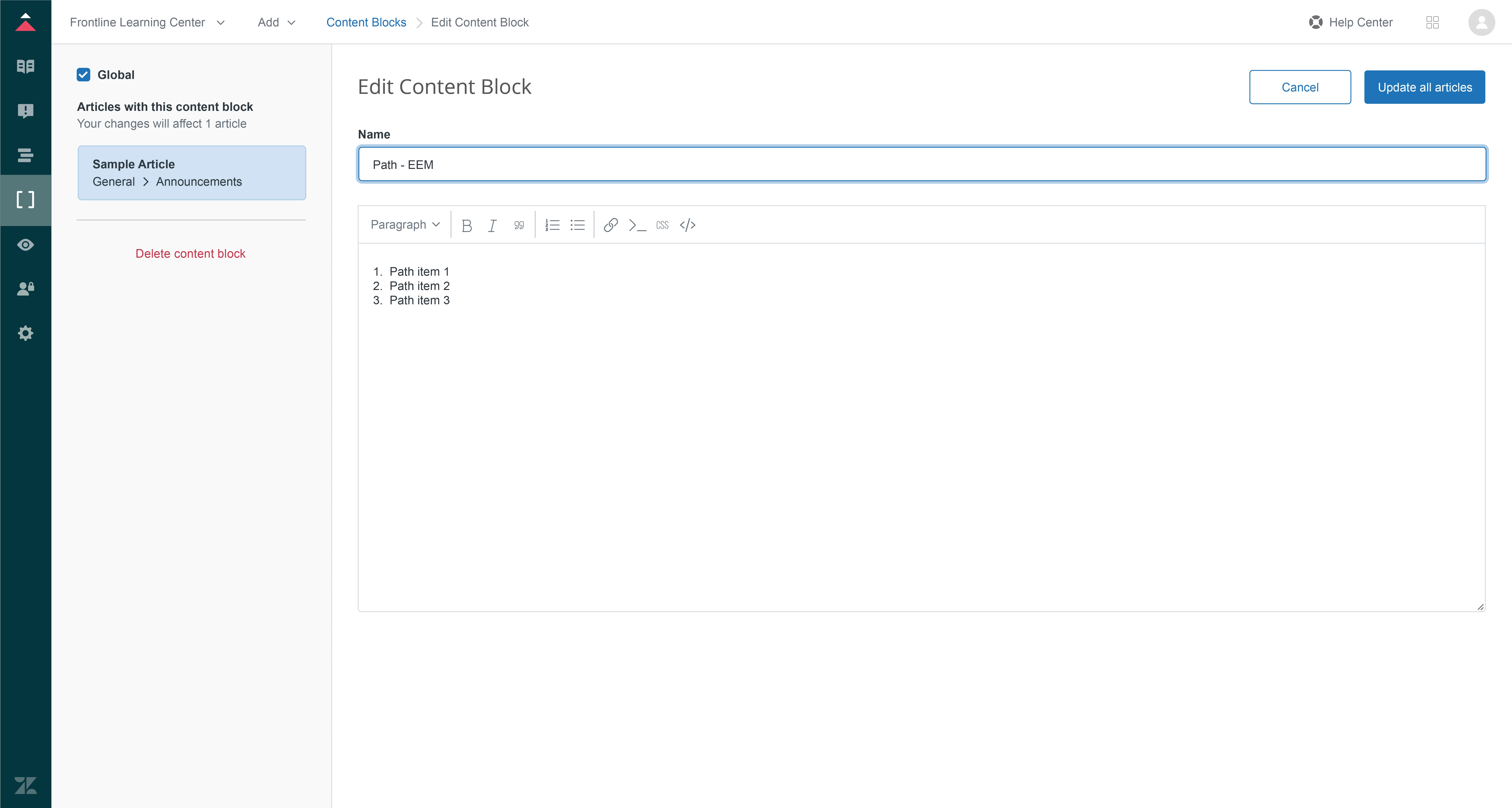
  • For content blocks to be non-global by default, with the option to make them global upon creation.
  • The inclusion of a CSS button in the standard article WYSIWYG editor.

Some illustration mockups

Content Block Central Management in Guide
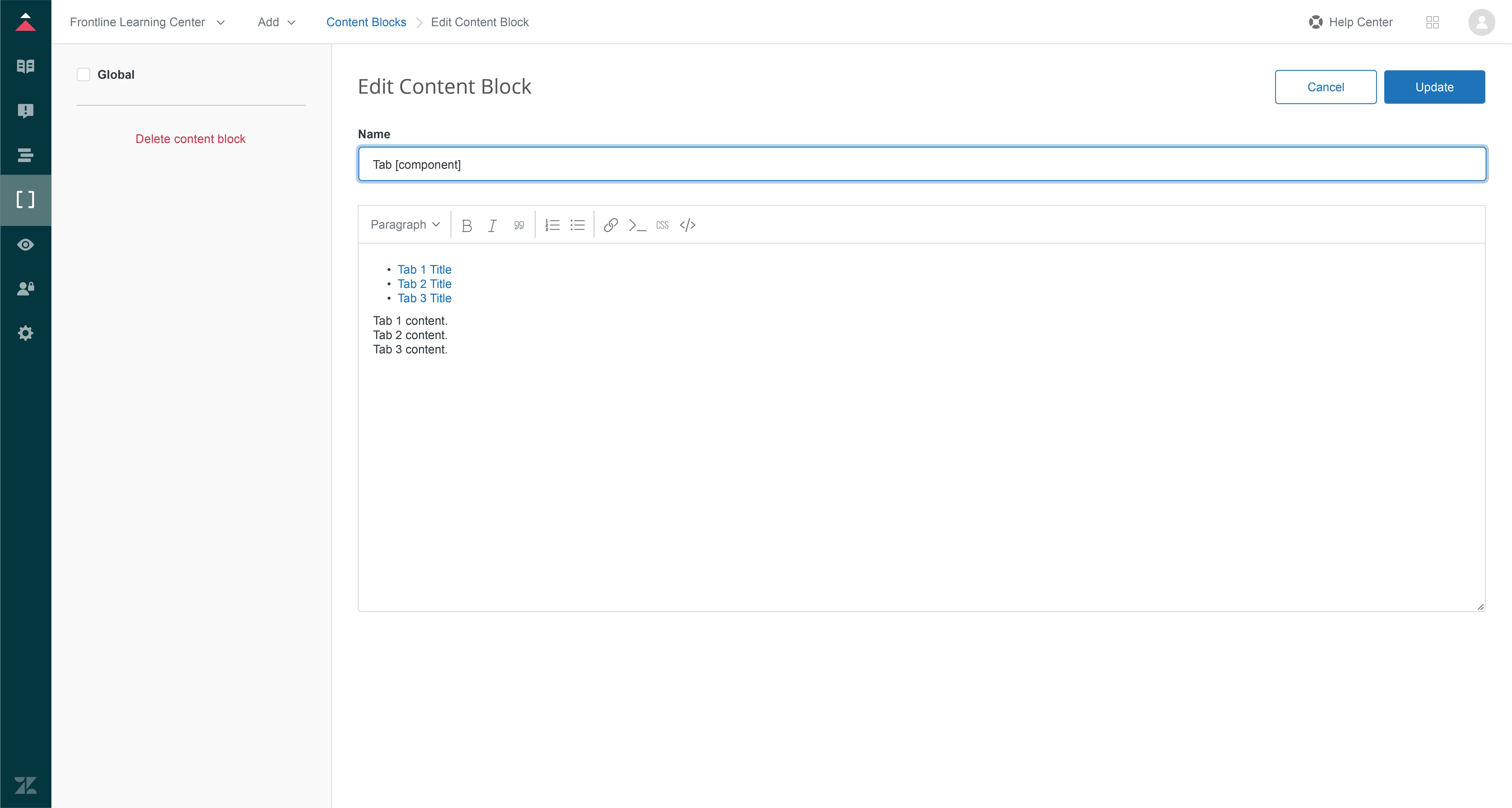
Editing a standard Content Block
Applying a "global" option to a Content Block
Content Block Source Code Editor
6 replies

David47
  • Author
  • January 27, 2021

Here's what it might look like to view a content block within an article source code view.


Katarzyna13

Hi @David Bjorgen

Thanks for your feedback it's really great! And the mockups bring it to another level! Let me try to answer your asks:

  • A central location (outside the article editor) to manage all content blocks -> This is something that we are working on. We hope to have an initial version pretty soon and then we'll be improving it in time.
  • The ability to edit the source code of a content block (to create customized component "templates" that can be dropped into any article, and then edited). -> We are hearing this request from other customers as well and we'll try to accommodate it in the future.
  • The ability to view/edit the content block when viewing the article source code. -> as above
  • For content blocks to be non-global by default, with the option to make them global upon creation. -> Could you able to tell me a little big more about it. Do you see it as an aspect of setting permissions? E.g. agents or managers in one brand are able to create content blocks set to this brand as default?
  • The inclusion of a CSS button in the standard article WYSIWYG editor. -> I'm happy to hear you find it useful. We have in plans this year to unify our editor experience and we'll definitely take your comment in consideration

David47
  • Author
  • February 4, 2021

@Katarzyna Karpinska Glad to hear that Zendesk is working towards solutions in these areas.

To clarify what I am referring to when it comes to global/non-global, let me give you a use case:

We've customized our theme to include visual components, which our authors use to create a more rich, visual experience in articles. Examples of components include tabs, toggles, buttons, callouts, stylized lists and tables, and more. In order to add a component, our authors have to copy lines of HTML code and paste into the article source code editor.

I can visualize and environment where our design team can create pre-configured components into Code Blocks that can be dropped into the WYSIWYG editor by an author, and then edited as needed. In this case, we wouldn't want the Code Blocks to be "global" by default since the intent is to customize the component for a specific article.

To summarize, we rarely reuse identical content across our plethora of Help Centers (although we have a few cases where we do). Instead we would like to create a library of component "snippets" or "templates" that can be easily inserted into an article and customized.


Katarzyna13

377857634054 Thank you for this explanation. I wonder if what you are describing is not already available under "Unlink" option.

When you place a "global" content block in an article and unlink it becomes a part of this article so that you can change its content according to your need without impacting the content block itself.


David47
  • Author
  • February 8, 2021

@Katarzyna Karpinska Yes, I understand that is the default behavior. But in the instance one of our authors neglects to unlink the Content Block, then any changes could jeopardize the original Content Block or other areas in other articles...even across different brands.

I'm proposing that Content Blocks should be independent (or "unlinked") by default, with the option to set as "global" (or "linked") as needed.


  • February 8, 2021

I believe the idea behind Content Blocks is that they are "global" and "reusable" sections by default and why they were created.  They're not supposed to be one-off templates, which could be saved in a non-public article.  It would be counterintuitive and frustrating to me if I had to check a "Make global" box for every one.

If you're creating a template, which is not intended to be reused, then I'd argue that it either shouldn't be stored as a Content Block (intended to be reused by definition), or you should have to uncheck a "Make global" box for that specific one.  If you want to use them as templates/snippets, which require further customization, then including something like "TEMPLATE ONLY" in the name or text should help authors remember that they need to be careful about what they change.

It just needs to be clear in Zendesk how many times a Content Block is being used and where it is linked so it's clear to authors that publishing a change will modify them all.