Captions for images | Community
Skip to main content

Captions for images

  • October 2, 2024
  • 4 replies
  • 0 views

David47

We now have the ability to add a <figcaption> to tables using the editor, but where is the feature for images? After all, they're both wrapped in <figure> elements.

4 replies

  • April 29, 2025

I would like to +1 this as well.

If I understand you correctly (I think I do anyway) - if you use this:

<figure ..>
<img ..>
<figcaption ..>
</figure>

The new EAP Editor just seems to drop the <figcaption> element from the HTML source code?

This is very odd.


  • June 11, 2025

Feel like it's worth trying to bump up this topic.


The new EAP editor no longer drops the <figcaption> element from the HTML source code - but the tools that appear when you're editing a figure/image should have a button to insert a <figcaption> so you don't have to manually insert it.


  • June 11, 2025

I'm not sure how a community post generated a ticket - but here's some follow-up feedback:


The new editor does not drop the <figcaption> element from the HTML source code any longer.

I think it would be very helpful though if the tools that appeared when you click an image/figure - had a button to let you insert a <figcaption> so it doesn't have to be done manually.


Patrycja12
  • August 11, 2025

@brandon46  Thank you for the update on the thread. Correct, on our side, we have fixed the issue:

The new editor no longer removes the <figcaption> element from the HTML source code.

Regarding the suggestion:

"I think it would be very helpful though if the tools that appeared when you click an image/figure had a button to let you insert a <figcaption> so it doesn't have to be done manually."

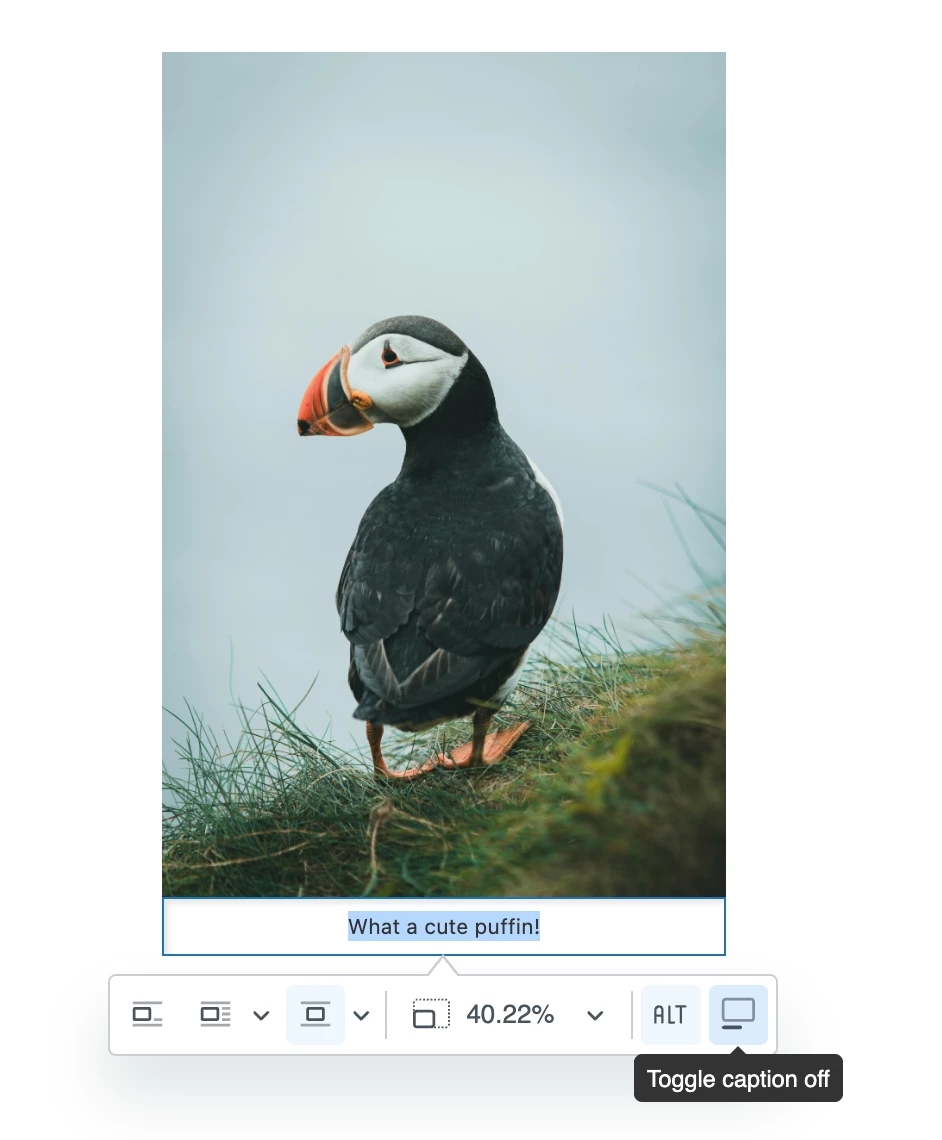
Currently, this is possible when you add an image. I’m sharing a screenshot below showing the last button at the bottom right corner.