Agent page usability | Community
Skip to main content

Agent page usability

  • April 9, 2021
  • 3 replies
  • 0 views

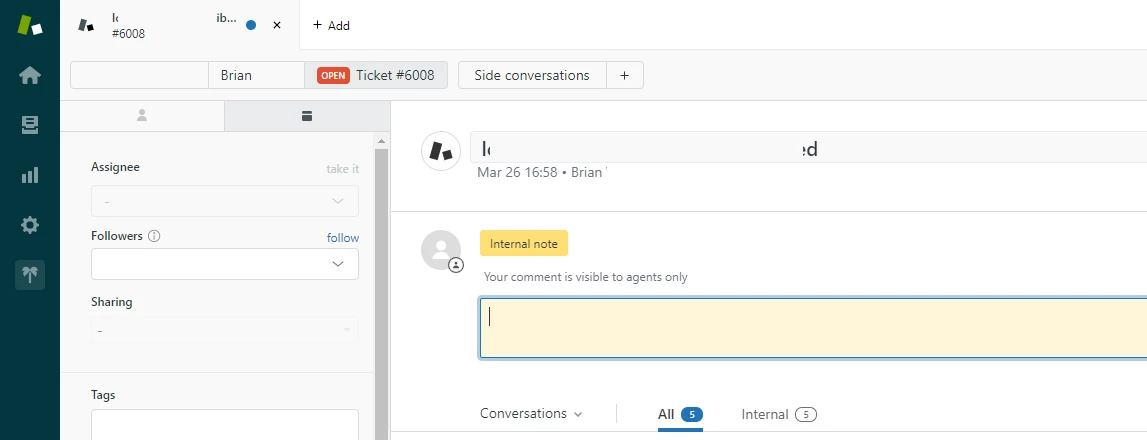
When users navigate to a ticket on the agent page, they are presented with an alert window suggesting "Changes you made may not be saved.".

Can this be prevented when no changes have been made?

3 replies

  • April 9, 2021

I presume this is all in the agent screen and that the user is an agent.
The alert screen is not normally present and should only show when there are changes.
This can be changed made by an app in the background, or something very minor.
If this doesn't sound right, please explain the situation in more detail.
I don't get the part about navigating TO a ticket page, the alert is based on the page you are leaving. Maybe you can clarify that.


  • Author
  • April 9, 2021

Hi Andrew,
When we navigate to a ticket, the page autofocuses to the input element. If we try to navigate away, we always get the alert box, even if we have not modified it and only wanted to read it.


  • April 9, 2021

Try ctrl-alt down-arrow. Does this still cycle to the next ticket?
This should take you directly to the next ticket in the view. If you get a warning when doing this then something is being modified in the ticket I believe, probably by an app.
Do you have any third party apps running?