Triggers | Community
Skip to main content

Triggers

  • February 25, 2021
  • 9 replies
  • 0 views

Hi Have an issue where a ticket has been automatically assigned to the managers group from one of my email channels. i have set a trigger to do this. However on occasion i want to assign the ticket to an agent who is not a member of the managers group. I can assign it via select assignee by searching for the agent group and finding the agent in the list.

Upon saving the ticket is assigned back to the managers group. I am assuming the trigger is still being used but i cant seem to figure out else i need to set to enable me to assign tickets to agents. Some emails that come in via this particular channel i don't want agents to see so adding them to the same group is not an option. 
This topic has been closed for replies.

9 replies

  • February 25, 2021

Hi Darren! My guess is that the trigger that is assigning specific tickets to this group is doing this upon ticket update rather than ticket creation (a one time event).

If you check the Events tab of that specific ticket, you should be able to identify the exact trigger that is doing the group/user reassignment. If you elaborate a bit more or share a screenshot which shows the specific logic that is being used for that trigger, I'd be more than happy to take a closer look & help provide a recommendation. 


  • Author
  • February 25, 2021

Hi Chandra

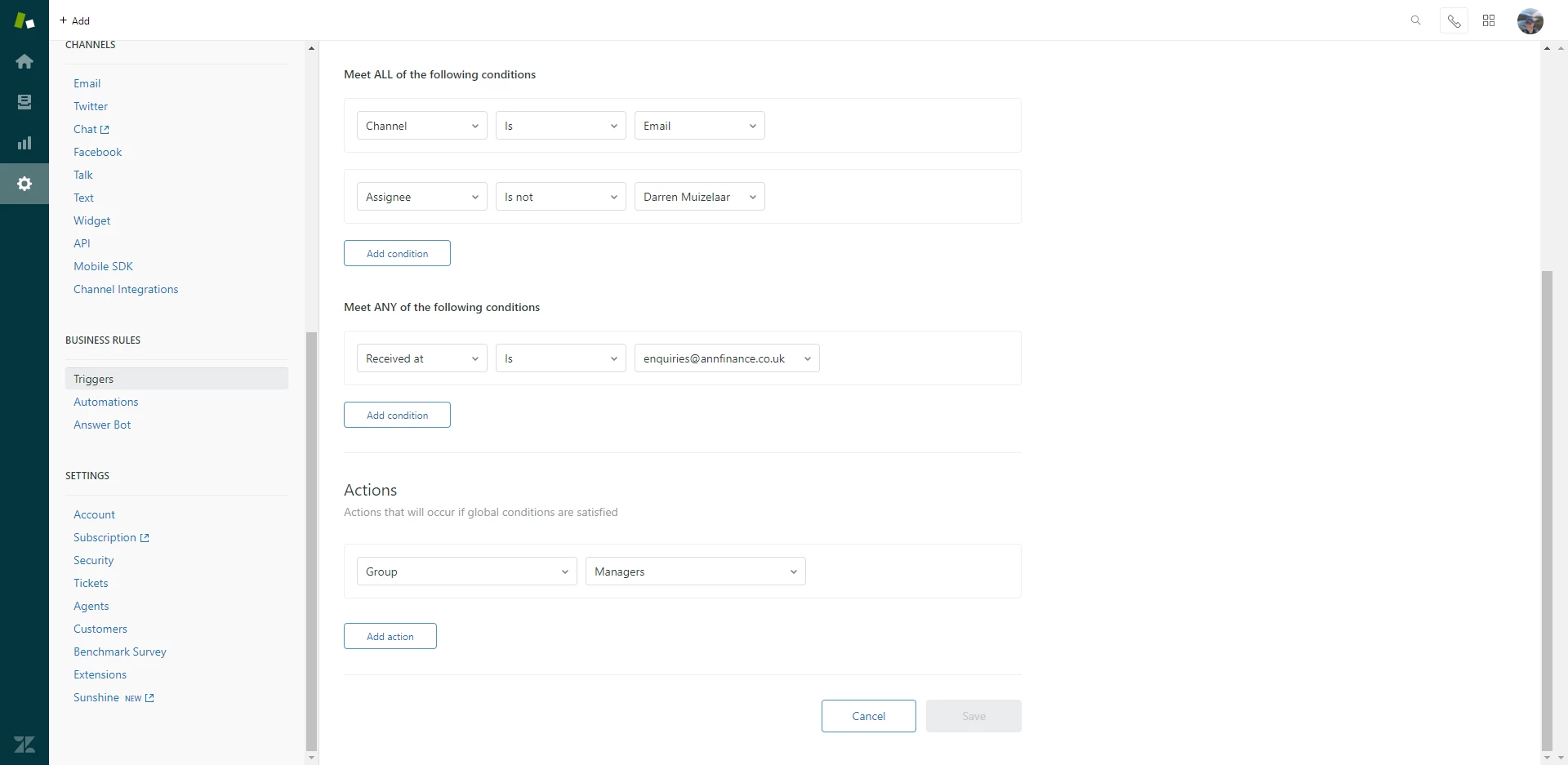
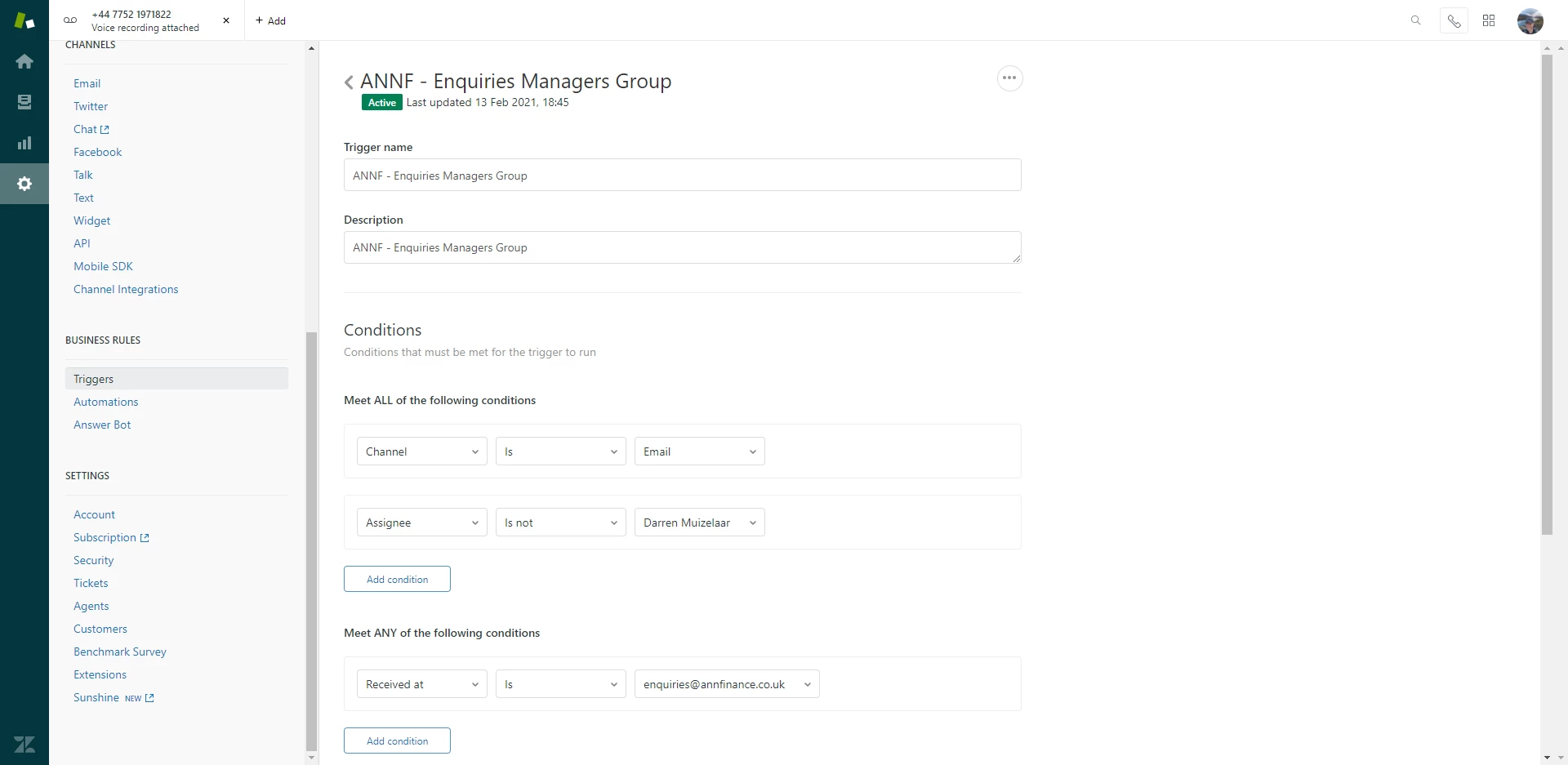
I have attached a screenshot of the trigger which is causing the issue.


  • February 26, 2021

Hi Darren Muizelaar - what's the action of your trigger?


  • Author
  • February 26, 2021


  • Author
  • February 26, 2021

Apologies i thought you would be able to scroll down the image, anyway its attached now.


  • February 26, 2021

@Darren Muizelaar Thanks for passing these along!

Right now, this trigger is going to fire upon every ticket update, which would explain why it'd rerouting the ticket back to the Managers group upon selecting a different Assignee Name.

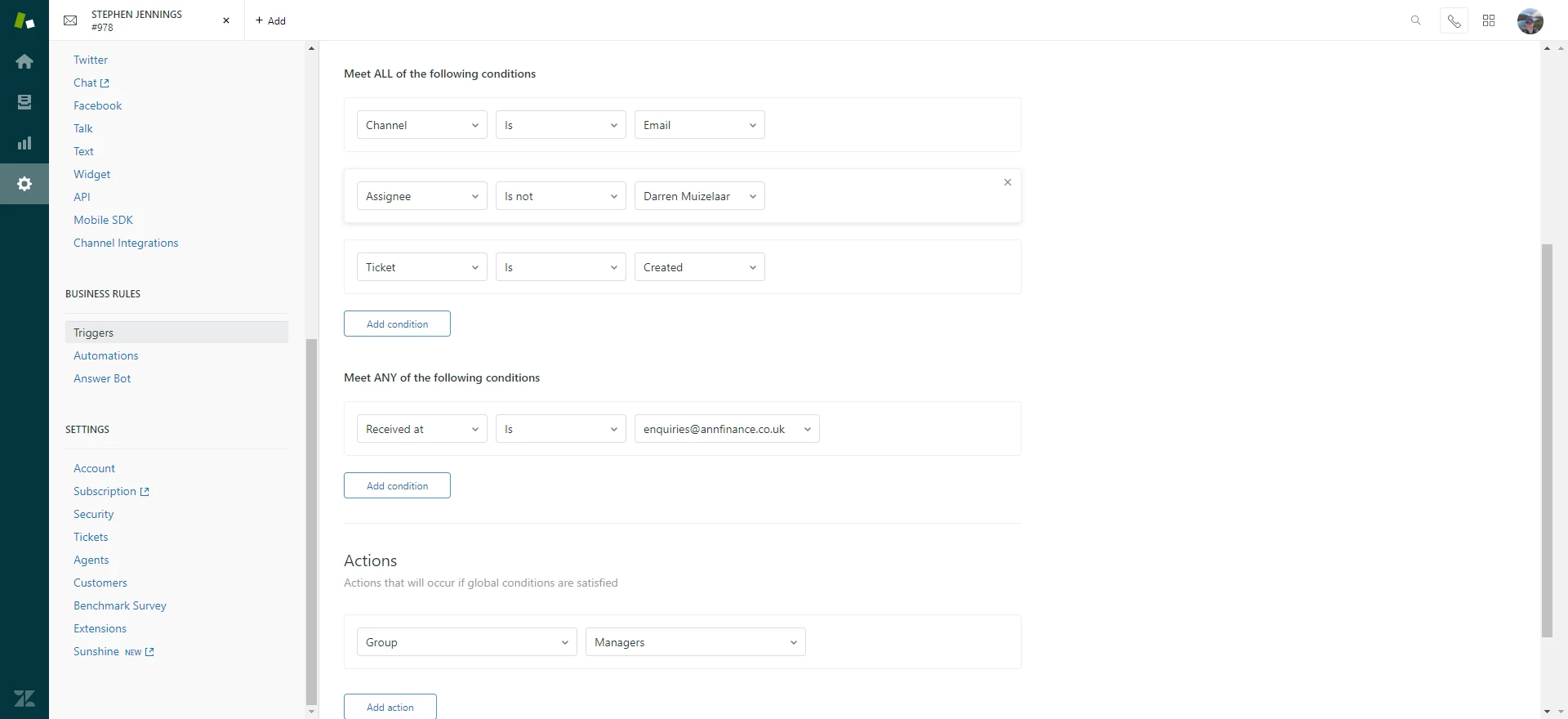
Try adding a Ticket is Created condition to the 'Meet ALL of the following conditions' section and that should do the trick for you.

Let me know if you're still having trouble once that condition has been added.


  • Author
  • February 26, 2021


  • Author
  • February 26, 2021

Hi Chandra, thanks for the suggestion.

Unfortunately that doesn't look like its worked, i have sent over another screenshot.

Let me know if you have any further questions.


  • Author
  • February 26, 2021

Hi Chandra, I think i have found the issue.

I had another trigger set during testing (we only went live at the beginning of this week) which was interfering and sending the ticket back to Managers. it looks like its working now.

I will monitor it for the next few days and will let you know.