Trigger TEXT Color | Community
Skip to main content

Trigger TEXT Color

  • August 23, 2019
  • 5 replies
  • 0 views

Hi All -

Trying to change the color of Text in a trigger. Seems simple enough, but maybe not. Can someone provide the code on how to accomplish? 


Trigger message.

Please be aware we will be out of the office Thursday August 22nd - Monday August 26th. If this is an emergency, please reach out to. If not an emergency we will respond on Tuesday the 27th.

Thank you for contacting

Your request (#{{ticket.id}}) has been received, and is being reviewed by our support staff. To review the status of the request and add additional comments, follow the link below:

http://{{ticket.url}}

{{ticket.comments_formatted}}


We will get back to you shortly :-)

Regards,


5 replies

Brett13
  • Community Manager
  • August 29, 2019

Hey Lance,

Triggers will render HTML content so you could use the font color attribute to change the color of the text sent to the user. I would recommend taking a look at this external document from W3schools.com.

HTML <font> color Attribute

I hope this helps!


  • Author
  • August 29, 2019

I'll give that a go. Thanks Brett


Brett13
  • Community Manager
  • August 29, 2019

Happy to help Lance!


  • Author
  • August 29, 2019

No Luck. Here is the text in the trigger.


<font color="red">

Thank you for contacting xxxxxxxxxx.

Your request (#{{ticket.id}}) has been received, and is being reviewed by our support staff. To review the status of the request and add additional comments, follow the link below:
</font>
http://{{ticket.url}}

{{ticket.comments_formatted}}


Brett13
  • Community Manager
  • August 29, 2019

Hi Lance,

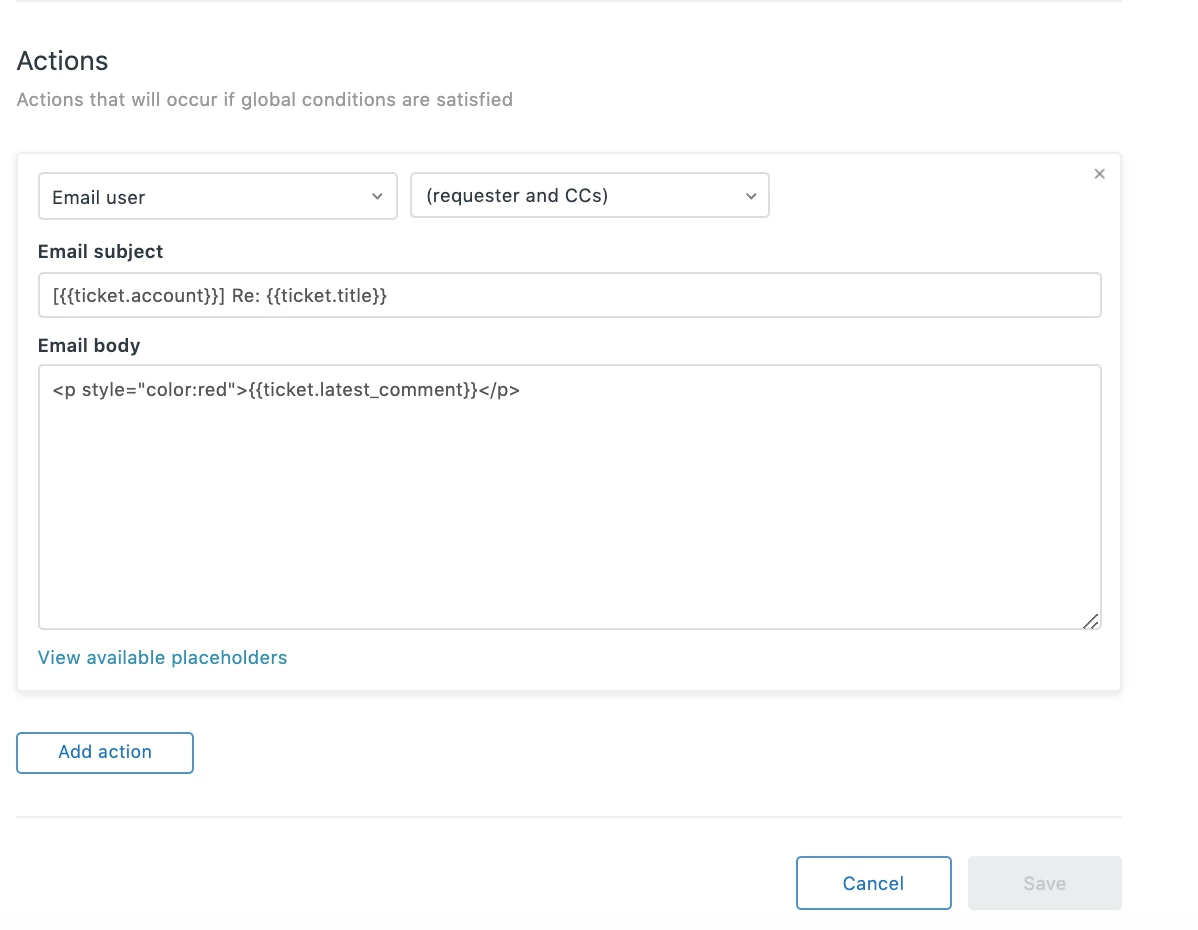
I used this code instead in my trigger:

You'll need to use the unformatted placeholder as HTML will not work with any of the formatted placeholders.

Hope this helps!