Tags creating | Community
Skip to main content

Tags creating

  • October 16, 2019
  • 3 replies
  • 0 views

Hello community. 


Our team is using Zendesk for a long time but I'm new member of the team and I've got my view in Zendesk 

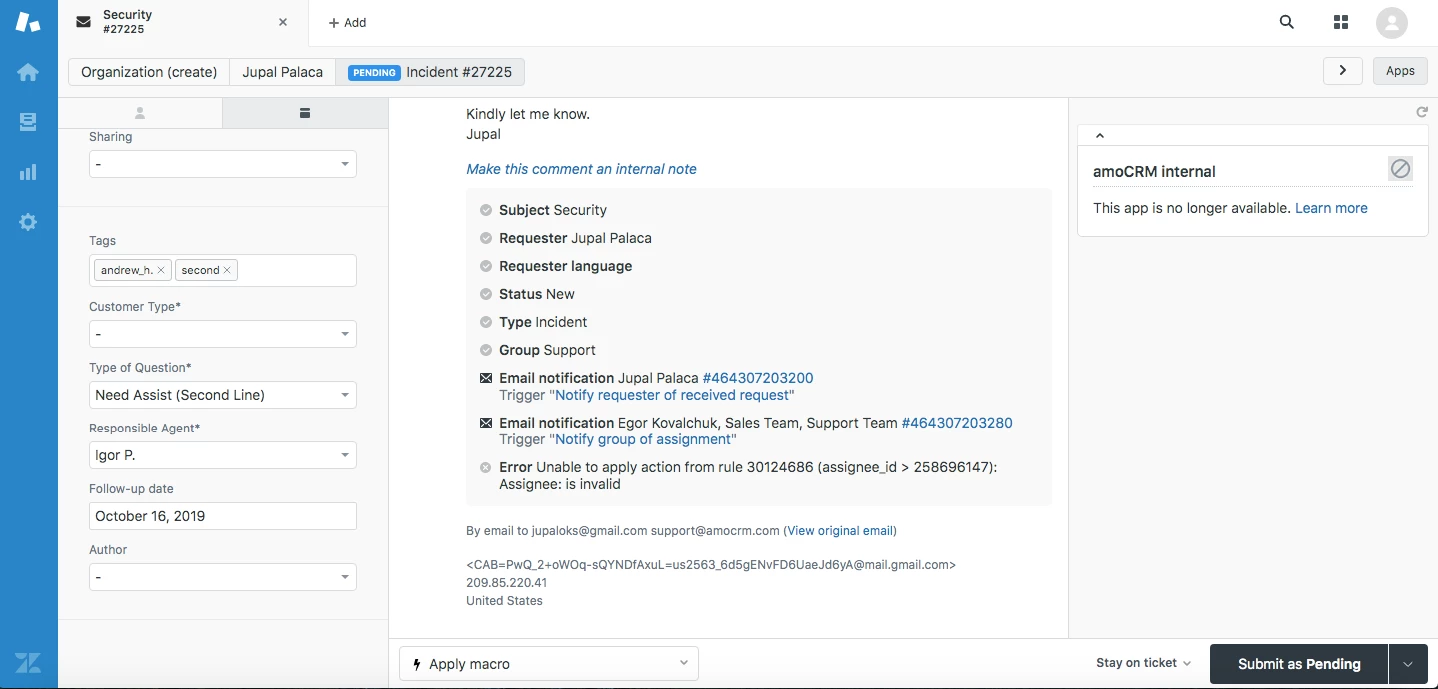
https://prnt.sc/pk6e2h

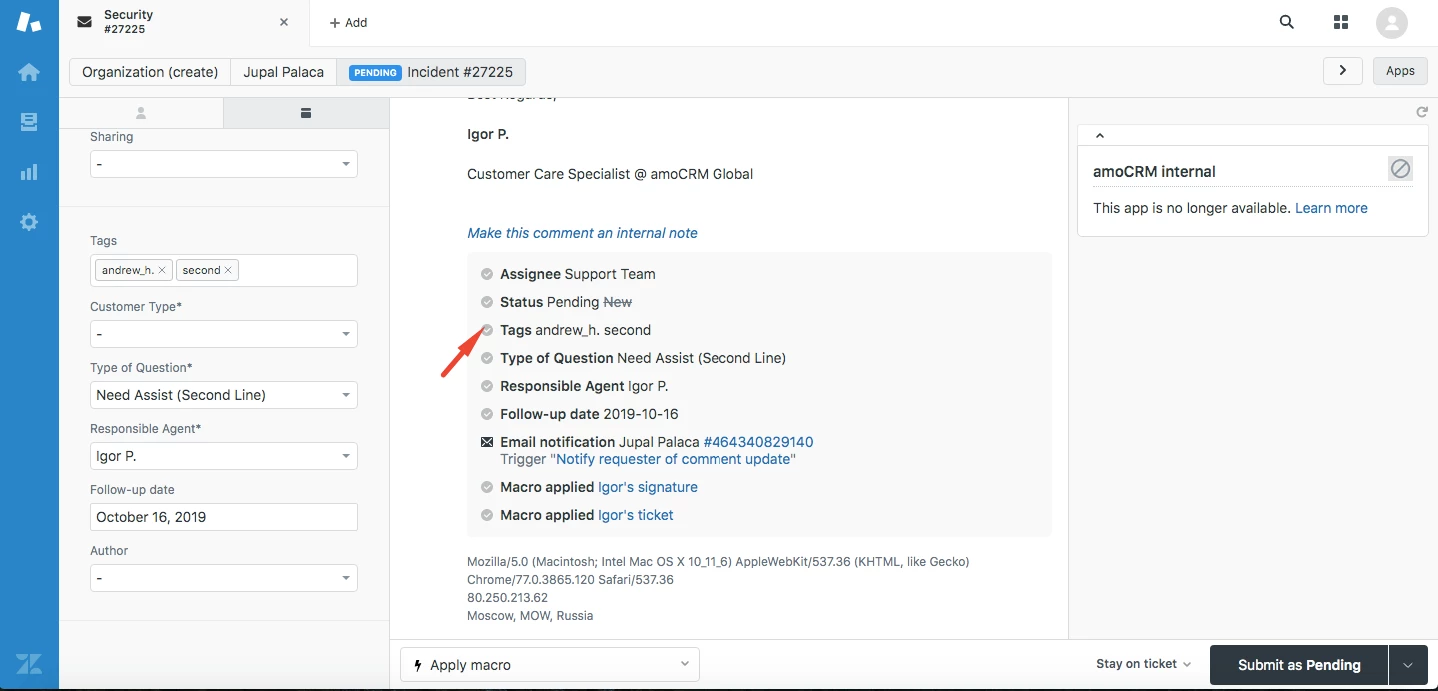
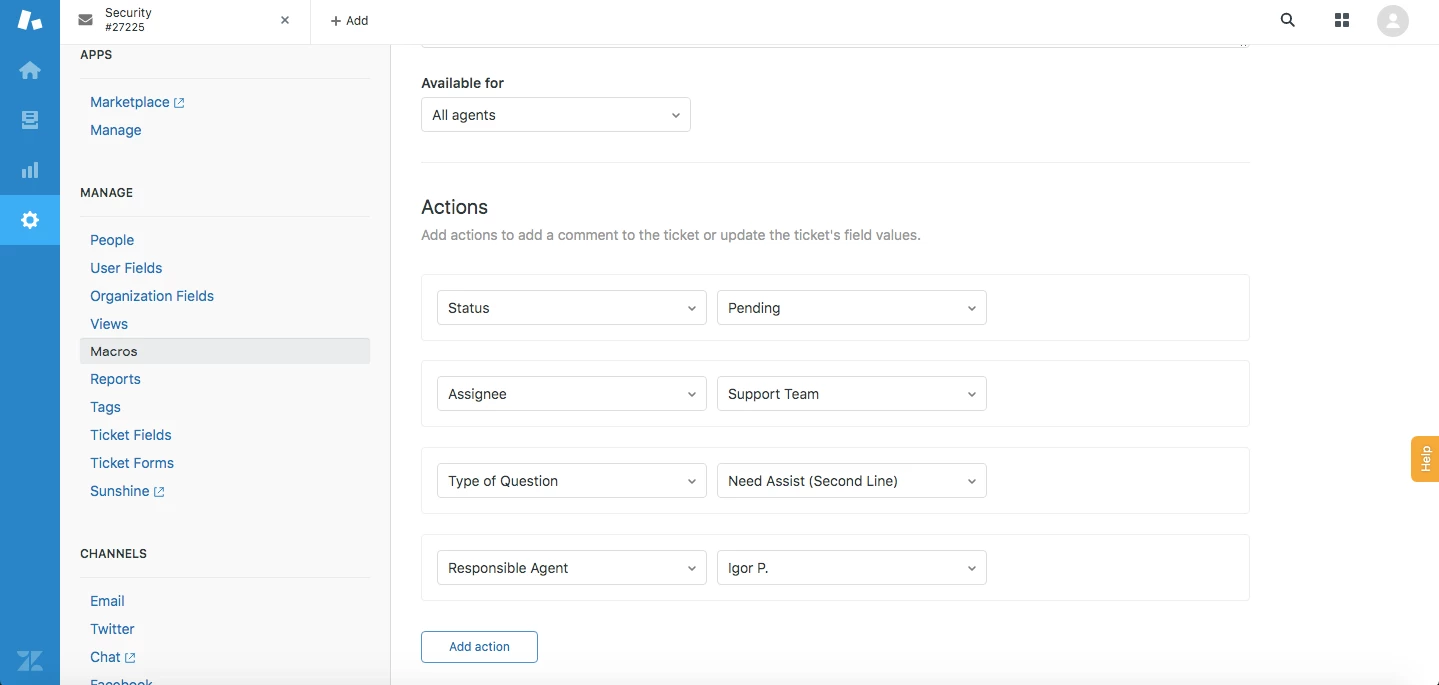
The question is - when I send a new unassigned ticket to my view by using macro - https://prnt.sc/pk6eu0 I've got a tag automatic set https://prnt.sc/pk6fc9 andrew_h . It's the tag of an old manager and we don't need this anymore. Where I can manage the creating of those tags? If I delete this tag andrew_h it will automatically appears again after page refreshing.

Please, help!
This topic has been closed for replies.

3 replies

  • Author
  • October 16, 2019

Hello, Thomas and thank you for your answer. So I checked the macros and didn't found any tags adding 

So then I go to the ticket and did all the steps that you recommend to me:

1. Here is ticket coming to the unassigned

2, Here is the ticket coming to Igor's view and andrew_h tag was setted


Dan28
  • October 21, 2019

If you don't have access to view the drop-down fields, you could test this by toggling the field off and saving the ticket.  If the tag disappears, you'd be able to confirm that the tag is tied to the field and that your admin needs to update the drop-down to match the field. 

Note that if they update the field it can have impacts across the system (causing values to be lost on tickets).  Before changing the tag on the value, it might be worth creating a new drop-down option instead depending on how many tickets you have associated with your selection as you may have to reset those field values.  


  • Author
  • October 22, 2019

Hello guys and thank you for your support.

I found that tag setting when following Thomas's instructions.

Also, Dan, Thank you for the additional info regarding this case. It was very useful.

I very appreciate it.

Have a nice day!