
SLA setup not working as intended | Community
Skip to main content

SLA setup not working as intended

  • September 18, 2021
  • 3 replies
  • 0 views

Hi,

I have recently created an SLA policy:

1st reply 24 hours (for all 4 ticket priorities)

Next reply 24 (for all 4 ticket priorities)

I have also set a trigger that assigns Normal priority upon creation so tickets would have the SLA policy applied.

However, none of the existent tickets had a priority set (the Priority field was active but all the tickets had Priority "-").

So I also created an automation to assign Priority normal to any tickets in status "less than closed" and that had "-" as a priority. I left it running a few hours. When I came back to check, I found:

  • Tickets created after I set the trigger have a correct SLA counter. All good.
  • Tickets that existed before the creation of this Policies and Trigger, were caught by the automation that applied the Priority. For these, the logic of their SLA counter is beyond my understanding.

    Example 1: Ticket created 37.6 hours ago, unreplied, in new status, shows:

    Example 2: Ticket created 32.2 hours ago, unreplied, in new status, shows:
    Example 3: Ticket created 175 hours ago, unreplied, in new status, shows:

The automation caught the first two tickets around 8 hours ago and the third around 3 hours ago. So it counted the breach when the policy was applied.

They all display this event:
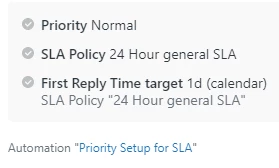

But the moment in which the policy was applied should have no bearing on the status of the SLA. The first reply target should be calculated from the creation of the ticket.

Is this a bug?
Did I make a mistake? Can I correct it?

Is this working as intended and it's "fine" that the first implementation of an SLA policy goes wrong for pre-existent tickets?

Thank you!

3 replies

Jacob20
  • September 20, 2021

Hi Alejandro,

A breach can't be applied retroactively, so once you changed the priority for tickets that were already breached, the breach-time was defined as that instance. Once you update those tickets, your time to "next reply SLA" breach should show instead.

I must commend you on your very clear description of the issue, SLAs can get complicated 😀

Ideally, you would have updated the priority on existing tickets before enabling the SLAs, but if this is your first time setting up SLAs in Zendesk you're already ahead of where I was when I did that.

I don't think you can do anything about the artificial First reply breaches, but I don't see any problem going forward from what you have shared.


  • Author
  • September 20, 2021

Thanks Jacob! Kinda impressed on how quickly I've gotten a response after I got the post approved.

Just to fully understand my mistake and how/if I could have prevented it:

Ideally, you would have updated the priority on existing tickets before enabling the SLAs

Let's picture a scenario where this has been done preemptively. All the tickets have a priority. Then when I set the SLAs, if I understood your comment correctly:

  • The breach time stamp on each previously existent ticket would still be wrong, as in, it would just be the time of the SLA setup, not the time it would normally have according to the replies received.
  • The difference with my actual scenario is that, since there is no automation running every hour for the SLA to start applying, all the tickets would have the same breach time stamp (as oppposed to "8 hours ago vs 3 hours ago, etc" in my initial description).

Are the 2 assumptions above correct?

If my assumptions are correct and I am (finally) getting this right (thanks to you), then it would be great if this:

A breach can't be applied retroactively, so once you changed the priority for tickets that were already breached, the breach-time was defined as that instance.

... could be improved. It would not be too bold to assume that, sometimes, by the time people get to set SLAs, they already have a backlog, and being able to start using that SLA for the normal views would be a great improvement. Just my two feedback cents.

Again, impressed to have received a quality response so fast. Thanks a lot and have a good one!


Jacob20
  • September 29, 2021

Hi Alejandro,

Sorry I missed your follow-up post! I believe you're correct in your assumptions, and I agree with you that there is a potential for improving both the precision of breach timestamps and the admin process of setting up SLAs.

If you haven't done so already, I recommend you create this as a Product Feedback post. You'll have my vote!