How to change the name of the "subject" field in the ticket forms? | Community
Skip to main content

How to change the name of the "subject" field in the ticket forms?

  • November 14, 2019
  • 28 replies
  • 0 views

We have an interesting situation that is causing us some grief. We support students and educators. When they fill out our support ticket forms, they see a field that says "subject". To most users, this would seem to be the subject of their issue report. But for our users, a huge number of them think it's the subject they are studying or teaching in school. 

This means that we receive an inordinate number of tickets with the subject "math" or "english" and nothing useful that we can work with in our various reporting and tracking needs.

I realize that the "subject" field is a system field that cannot be altered via the Zendesk admin interface. However, I know that in the past I have seen creative solutions posted here that take advantage of code to make alterations to many parts of the interface. 

However, all my searches are coming up empty on this one.

Bottom line: I am looking for a way to change the field title "subject" to something else, such as "topic of your request".

Any help would be appreciated!
28 replies

  • November 14, 2019

Hi Marci,

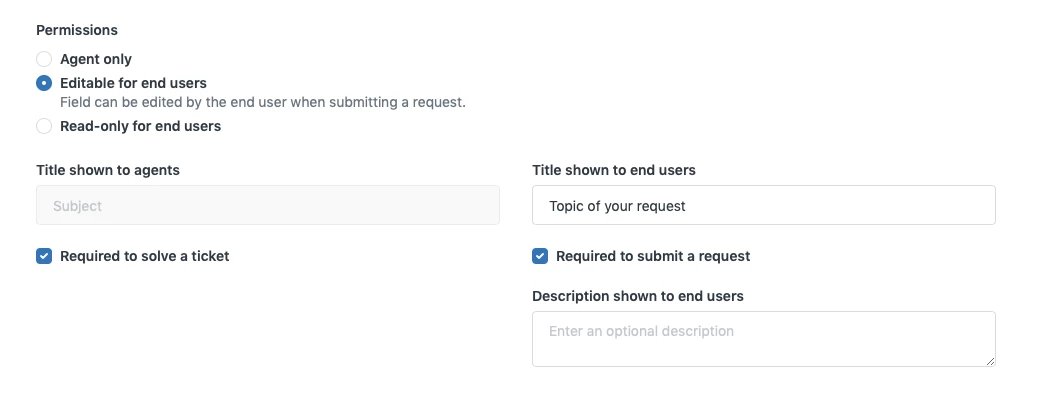
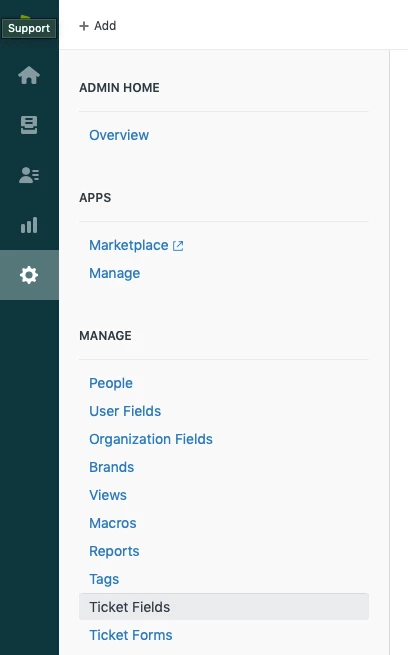
You should be able to change the Subject field label in the Admin > Manage > Ticket Fields:


Find the Subject field and Edit it:


Then change the "Title shown to end users" field:

That should do it.


  • December 5, 2019

O....M....G...... This is nuts! Yes, that worked. Hah! 

But what the heck....I have read and been told repeatedly -- even by Zendesk support staff -- that this is a system field that cannot be altered. 

Well...problem solved!! Thank you.


Devan
  • December 5, 2019

Hey @Marci Abraham,

Our mods are pretty incredible like that, and @Simon Celen is no exception! Glad you were able to find a solution in the Community, and thanks for posting such a well thought out question for other users to learn from!


Louis12
  • August 26, 2020

Hi Devan,


How can you make "Title shown to end users" appear different on other forms? i.e.

Form 1: Subject = Topic of your request

Form 2: Subject = Issue

Form 3: Subject = Short Summary

Thanks,

Louis


  • September 7, 2020

Hey @Louis Evangelista

Where are you presenting your forms to your end-users? On your Help Center or the Web Widget? Or both?

On the Help Center you're able to change this text with a little bit of coding.

$( document ).ready(function() {
//Store the ticket form ID
const ticketForm = location.search.split("ticket_form_id=")[1];

//Create if statement for each of your forms
if (ticketForm == FORM_ID_HERE) {

//Change the subject label text
$(".request_subject #request_subject_label").text("Add your desired Subject text for the specific form here");

}
});

If you're using Copenhagen Theme with the v2 framework, you need to add a reference for jQuery in the document_head.hbs template in order for the above snippet to work.

I don't believe it's possible to change the Subject label in the Web Widget though.


Louis12
  • September 8, 2020

This worked for me! Thank you for sharing!


Grant21
  • September 9, 2020

@Simon Blouner Is it possible to also do this for the "Attachments (optional)" field?


  • September 9, 2020

Hey @Grant Foster

You sure can!

It's all about locating where to change the text in the DOM.

For the "Attachments (optional)" the code would look like this:

$( document ).ready(function() {
//Store the ticket form ID
const ticketForm = location.search.split("ticket_form_id=")[1];

//Create if statement for each of your forms
if (ticketForm == FORM_ID_HERE) {

//Change Upload Label
$("#upload-dropzone").prev("label").text("Add something here")
}
});

You can leave out the if check for formid if this is not relevant for you :-)


Grant21
  • September 9, 2020

Awesome that works perfectly, thanks Simon. Was just the upload-dropzone stuff I was missing.


Just for future reference if someone stumbles on this using the code above, you can substitute out the last line for //Change Upload Label with the below to change the subject, description or attachment label/titles

//Change the subject label text
$(".request_subject #request_subject_label").text("Add your desired Subject text for the specific form here")
//Change the description label text
$(".request_description #request_description_label").text("Add your desired Description text for the specific form here")
//Change the attachment label text
  $("#upload-dropzone").prev("label").text("Add your desired Attachment text for the specific form here")

  • February 26, 2021

Hello, 

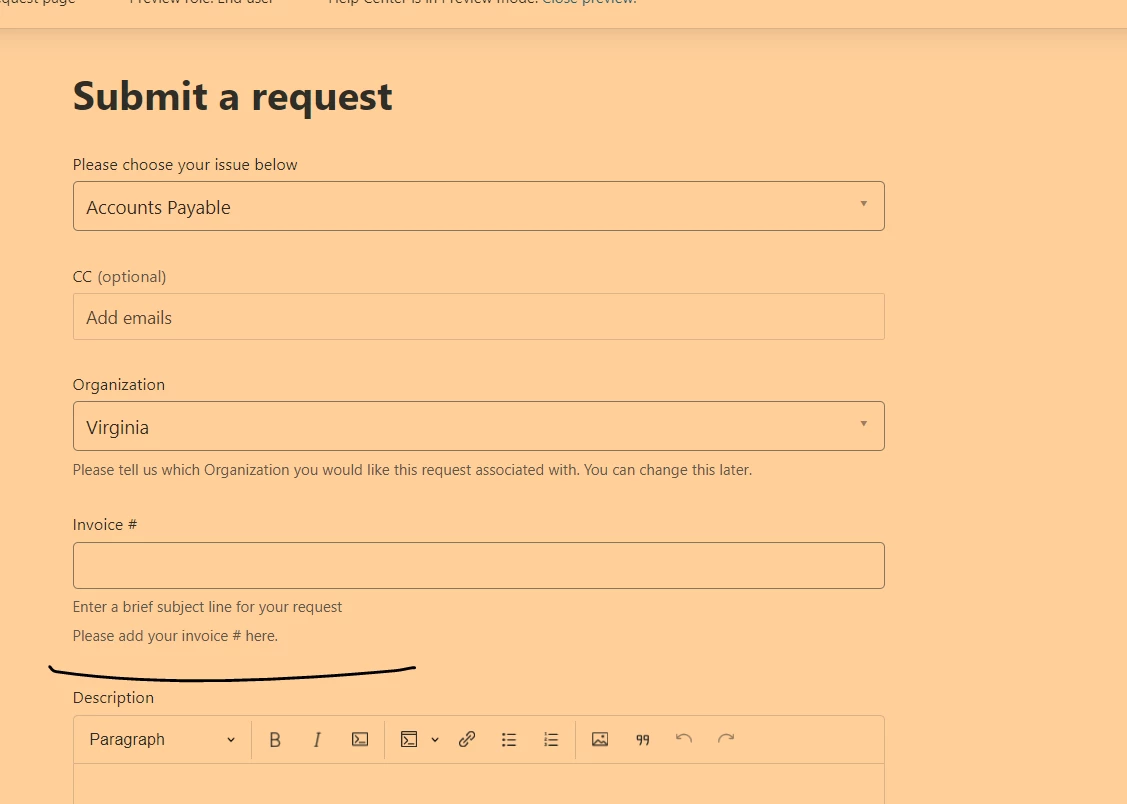
I have a similar request, I am looking to add a 'hint' to my subject for one specific form. Can anyone tell me how to do this? 
I have accomplished this for the description but cannot seem to find the correct syntax for the subject. 

I have tried replacing Description with subject and that didn't work. Also if anyone could point me to where I could find the correct syntax for future reference that would be appreciated.

Thanks in advance! 

// Description - Subtext

if(window.location.href.indexOf('XXXXXXXXXXXX') > -1){ // XXXXXXXXXXXX is the ticket id
$("#request_description_hint").html('This is the custom hint for the description');
}

Brandon12
  • March 4, 2021

Hi @Jonathan Cavey - 

Try This

$(".request_subject").append('<p id="request_description_hint">This is the custom hint for the subject.</p>');


Thank you @Brandon Tidd, this worked perfectly! 


Grant21
  • March 7, 2021

Do we know if it's also possible to change the name of the "CC" field too?


  • March 27, 2023

Hey, do you know if it's possible to change the"Name" field ?

In french we use "Name" for "Last Name" then when filling fields in the widget, customers just indicate their Last Name .. 

I wish we could just specify something like Complete Name or a description "Please indicate First name and last name"

Any thoughts on that ?


Hi Maxime,

Currently, it is not possible to edit the system fields 'Name' and 'Email' on the web widget. It is not possible to add a description on the fields as well.

As a workaround, you can include a text before gathering info to let the customer know to include their first and last name on the 'Name' field. For example:


Zach36
  • April 13, 2023

@simon24 is it possible to do this based on a field value?

ie.

if support issue = "document upload" then description title reads: "please attach documents"
& if support issue = "tech issue" then description title reads: "please provide screenshots of the issue"


Julio18
  • May 1, 2023
Hi Zach,
 
Thanks for your feedback.

This is not currently possible. As a workaround, you can use conditional fields. 

Creating conditional ticket fields

When an end user selects a value from the field support issue. Then the system can show a different type of fields to request different information from each value in that field. 

For example:

If user selects support issue = "document upload" then show the following fields: Do you attach your documents? (yes / no)

I hope it helps. 

  • February 6, 2024

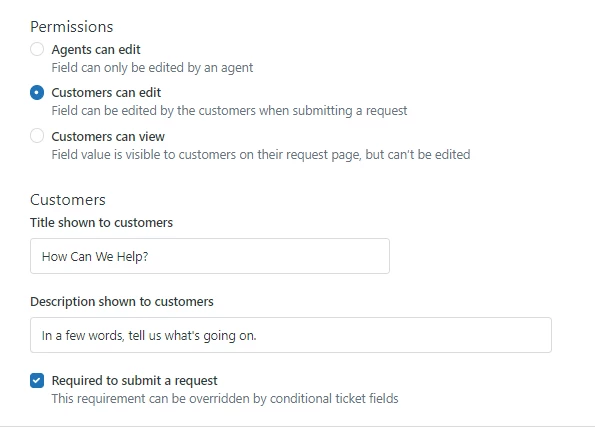
I'm needing help, I used the code above to append to the subject description, but I would rather just have that old default description be hidden. What code would I need to do that?


Brandon12
  • February 8, 2024

Hey Lydia,

You should be able to edit this in the Admin Center > Ticket Fields > Subject, no code necessary!

Hope this helps!

Brandon


  • February 8, 2024

Hi Brandon, thank you for letting me know! I'm needing the description to just be different for this one form, but otherwise want it the same across the board and am not sure how to do this. I really appreciate your help! 


  • February 8, 2024

ah ha! I was able to figure it out, I needed to filter it by the specific text for it to know what text to change. Code below: 

if (ticketForm == 26011737489683) {
         
          //Change the description for the subject field
          $("#request_subject_hint").filter(":contains('former text here')").text("new text here");

  }


Brandon12
  • February 9, 2024

Glad to see you figured it out @lydia16 - and thanks for sharing it back here!


Matt70
  • February 21, 2024

Hi @brandon12

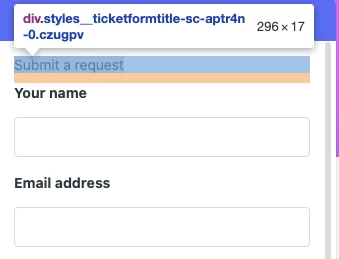
On a related note... how do I edit/remove the Ticket Form Title?

When inspecting the page I can achieve this by altering the code, but can't work out where to put this in my CSS etc. Thanks for any pointers!


Brandon12
  • February 22, 2024

Hey @matt70,

Two options here - make sure you have jQuery installed:

Option 1: 

var ticketFormName = $('#request_issue_type_select').find(':selected').text();
var $ticketTicketTitleEl = $('.new-request-title').first();
if (ticketFormName) {
    $ticketTicketTitleEl.text(ticketFormName);
}

Option 2:

  $('section.main-column h1').html('Your Custom Title Here');

Hope this helps!

Brandon


Matt70
  • February 22, 2024

Thanks a bunch @brandon12!
Whereabouts should I put that code? I've tried the usual places but nothing is changing for me :hmm