Custom Form - add attachement section | Community
Skip to main content

Custom Form - add attachement section

  • February 10, 2021
  • 12 replies
  • 0 views

Hi, i'm making a custom form for our end-users on our Zendesk Portal. I want to add an attachment section on the form - I want to use the default attachment section on the native request form but I'm not sure how to get/access the file uploaded so I can send it with the request via API.

Is there anything I can do in order to use the native attachment section?


Thanks 

12 replies

Holly20
  • March 4, 2021

Hi Bonaliza! If you're looking to allow customers to add an attachment when creating a ticket through the form on your "Submit a request" page, "Customers can attach files" must be enabled in the "Attachments" section of Admin > Settings > Tickets in the Support interface. Once this is enabled, end users will see this option — you do not need to add a ticket field for it to appear.

When a customer attaches a file with their ticket submission, you will see the attachment included with their ticket when viewing it as an agent.

I hope this helps! Please let us know if you have any questions or if you had something else in mind. Thanks!

Customer Advocate


Jay48
  • January 14, 2022

@holly20 Thanks! So how do I add the attachment field to the custom form via api?


Tipene
  • January 18, 2022

Hi @jay48

As long as you've enabled attachments, the field to submit an attachment should display on your custom form by default.

Let me know if you have any issues!

Tipene


Jay48
  • January 20, 2022

Hi @tipene

We created a custom form here: https://ticket-form-influencers.herokuapp.com/create_ticket

How do we add the attachment field?


Tipene
  • January 20, 2022

Hi @jay48,

Apologies, I assumed you were working with a custom ticket form directly in the help center. Here's an article which goes in to a bit more detail on how to add attachments to tickets via API - I think this should be more suitable for your use case:

I hope this helps. Feel free to reach out with any questions!

Tipene


Jay48
  • January 20, 2022

@tipene

Thank you so much!


Ian11
  • May 31, 2022

I have the attachments enabled

However, i wondered if anyone knew how i can make it required when submitting a form?

Example:

Customer reports a damaged product, visits our helpcentre and selects the damaged items form

Before the ticket can be submitted by the customer, they need to attach an image


Brett13
  • Community Manager
  • May 31, 2022
Hey Ian,

I'd recommend taking a look at the following user tip: Requiring a ticket attachment if a particular dropdown option is selected
 
You may be able to use the custom code shared to set this up in your own Guide theme.

I hope this helps!

  • June 7, 2022

Hi there,

I have a few questions about attachments in "Submit a request"
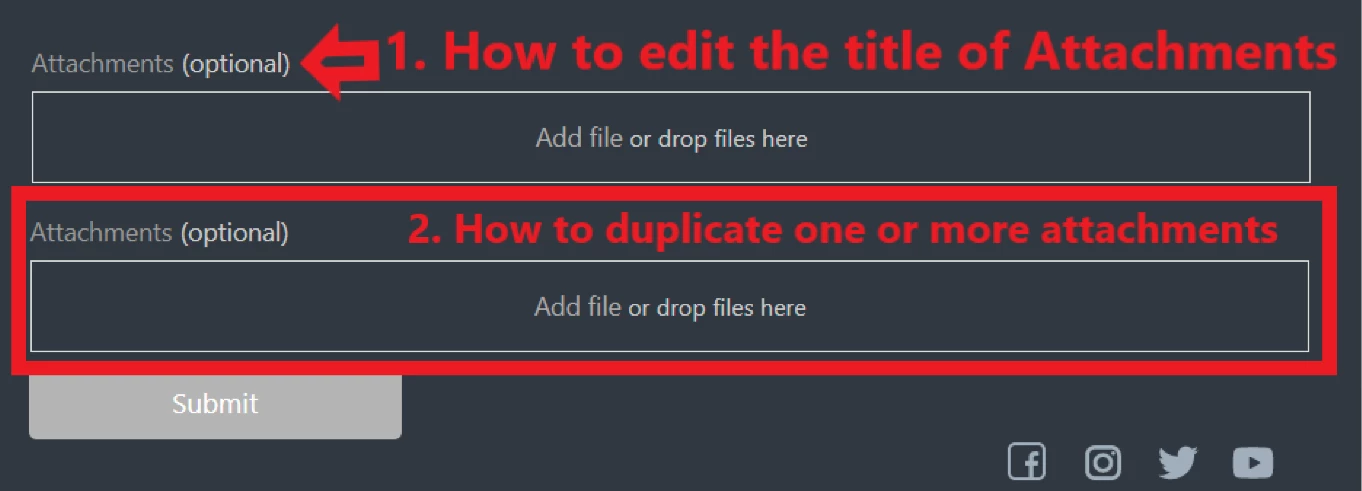
1. How to edit the title of the default attachment
2. How to duplicate one or more attachments?
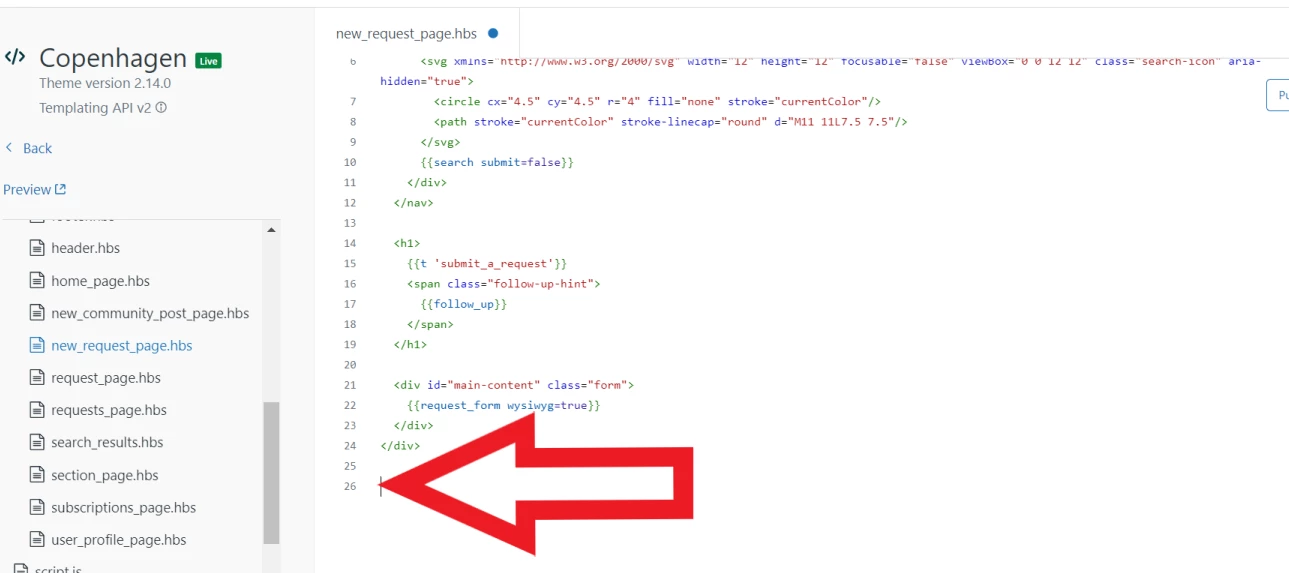
3. Should I add some command at the very bottom at the page "new_request_page.hbs"?

Thanks.


  • October 16, 2023

Can i edit which attachment type i can place in i want to reject specific type of attachments ??


Francis14
  • October 21, 2023
Hello Sandesh,
 
I'm afraid that Zendesk does not offer a native feature to selectively edit or reject specific types of attachments for incoming tickets. In its default configuration, Zendesk generally permits a variety of file types to be attached to tickets without extensive filtering or restriction.
 
If you have the need to restrict or manage certain attachment types, you would typically need to explore solutions beyond Zendesk's core functionality. This may involve implementing custom processes, leveraging third-party tools, or engaging in custom software development to meet your specific requirements.
 
In essence, while Zendesk provides a solid foundation for managing customer support interactions, customizing attachment handling to reject specific types would likely involve external processes and tools. These adaptations can help align Zendesk with your organization's attachment management policies and security needs. Always keep in mind that Zendesk's features and capabilities may evolve, so it's advisable to stay informed about any new developments or features in this area.

  • February 26, 2024

@francis14

Hey! 
I followed your instructions, but the attachment thing on my "submit a request" doesn't show when opening the page from a mobile. just when opened via PC