Automatically Populate Subject and Description Based on Drop-Down | Community
Skip to main content

Automatically Populate Subject and Description Based on Drop-Down

  • June 5, 2017
  • 31 replies
  • 0 views

Show first post
This topic has been closed for replies.

31 replies

Lila11
  • January 13, 2020

We've since changed our contact form but the following worked for us to hide the default ZD subject field and set it to a custom drop down field value selected by the end user at submit (we also renamed the page in the broser tab).

<script>
$(document).ready(function() {
document.title = 'xxxxxxxxxx'; // Sets custom page name for browser tab (Default = "Submit a request - Your Help Center Name")
$('.form-field.string.required.request_subject').hide(); // Hides contact form subject field
});
$('#request_custom_fields_xxxxxxxxxx').change(function() {
var subject = $('.nesty-input')[0].innerHTML;
$('#request_subject').val(subject); // Sets Subject = to Custom Field Drop Down Item Chosen
});
</script>


  • March 4, 2020

There's one thing that is a big downer about using this code to hide the system fields. If you have any Required Fields, and the customer doesn't fill it out, once the system reloads the page to show the warning that the field cannot be blank (or whatever the requirement is), it drops the ticket form id from the URL. Once this happens, all the hidden fields will show back up, including any custom text you've added to said fields.


  • September 16, 2020

I wanted to do something similar... I have several "forms" that will create different types of tickets, and I want to auto-fill each subject and maybe description with text... So I did something like the below. Note that I used web developer options in Chrome or Firefox to find the dropdown ID, "request_issue_type_select".

If this seems wrong or if anyone thinks it'll cause problems, please let me know.

// Set the value of the selected dropdown option to a variable
var $request_type = $('#request_issue_type_select option:selected').text();

// Test for option you want, eg, you would have one of these for each form
// you have that you want to auto-fill
if ($request_type == 'Virtual Brunch Sign Up') {
$('#request_subject').val('Virtual Brunch Sign Up');
}

// Conditionally hide description while setting the subject text
if ($request_type == 'Virtual Brunch Sign Up') {
$('#request_subject').val('Virtual Brunch Sign Up'); // Autofill subject
$('.form-field.request_description').hide(); // Hide description
}

  • July 21, 2021

Dear All,

I am able to set value for Subject by below script but unsuccessful for Description. Would you please help me. I was stuck here few days already.

 $('#request_subject').val('Customize subject');
$('#request_description').val('Customize description');

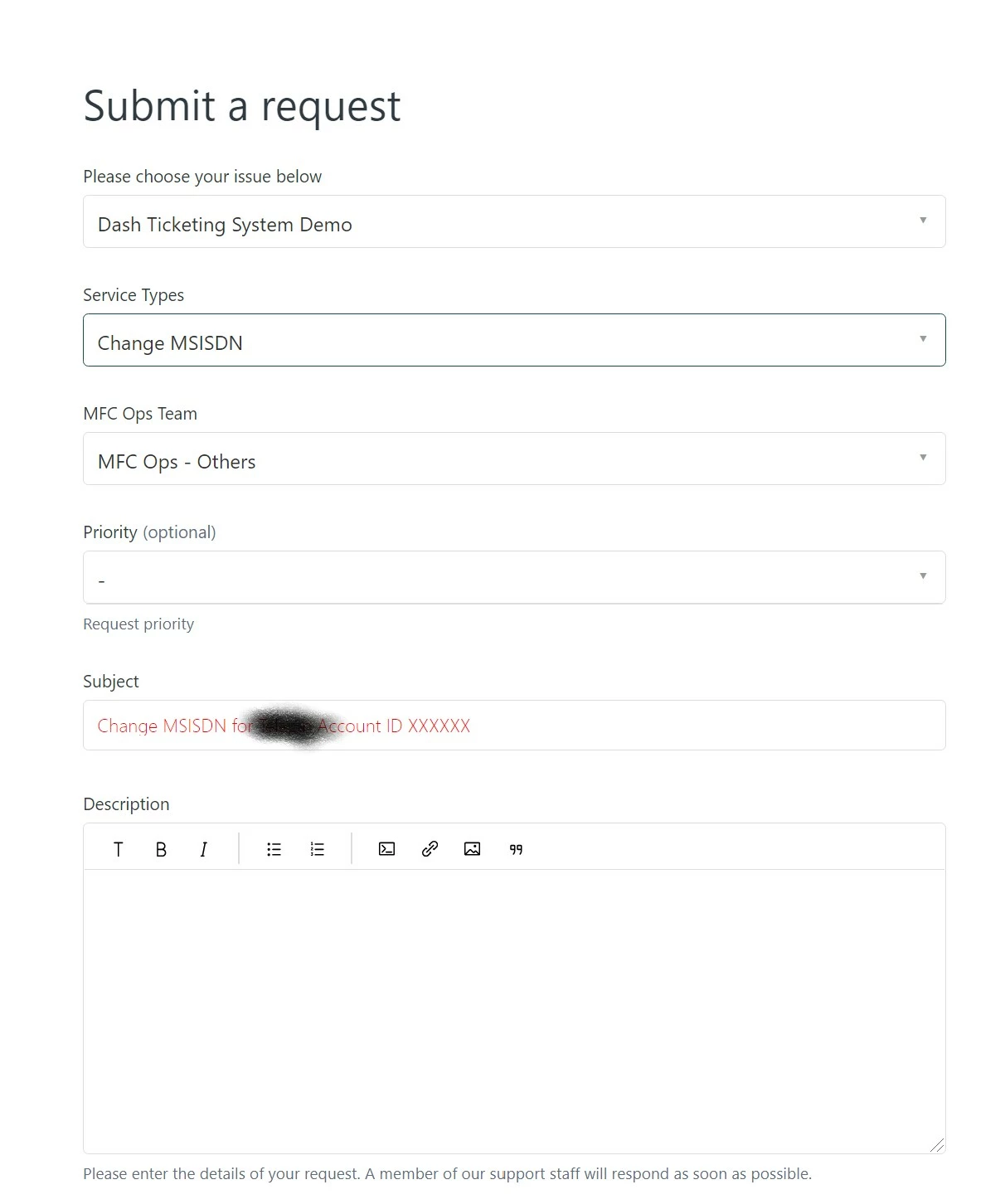
The end-user interface as below.


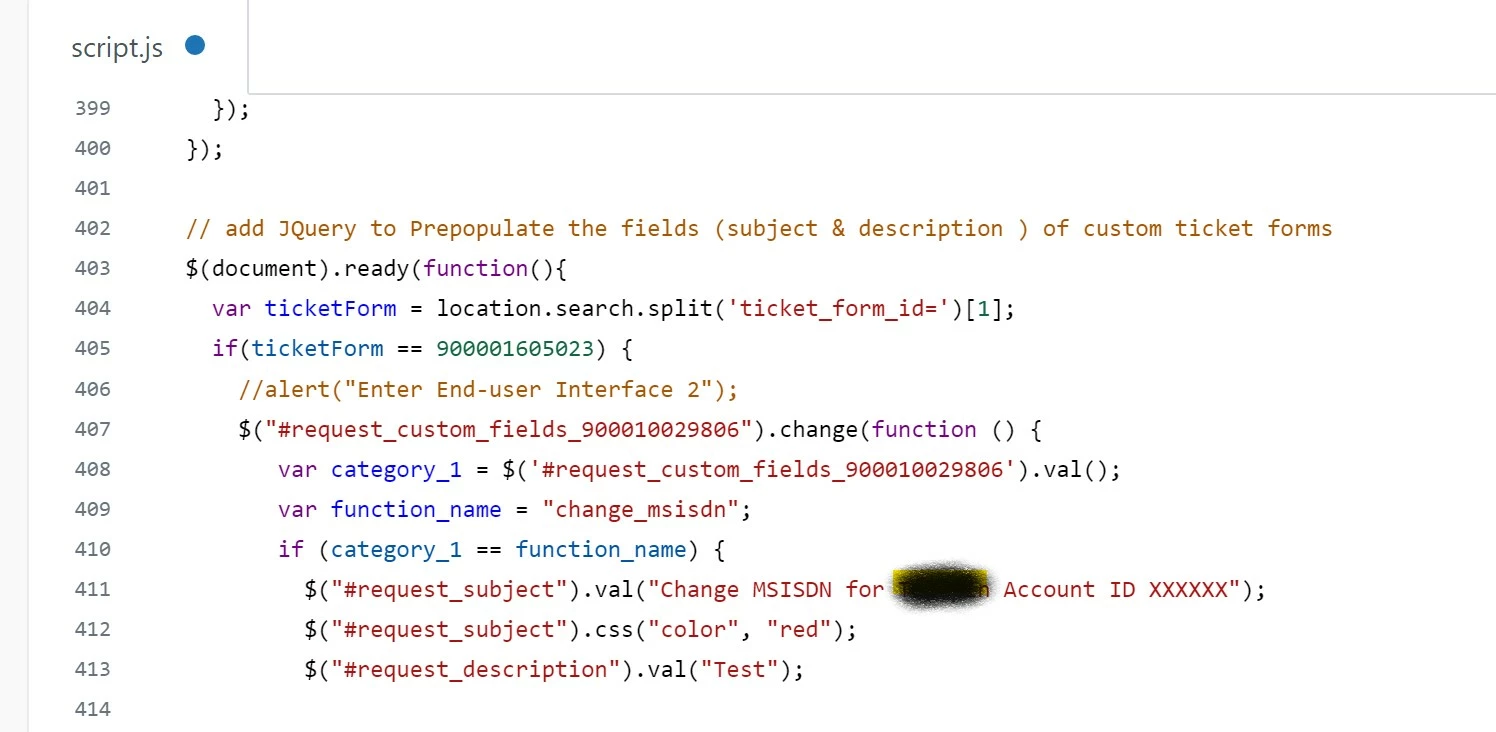
The code in script.js as below.


Sam15
  • July 22, 2021

@TAN BING Do you have brackets to close out those functions below the screenshot, and single quotes instead of double for the #request_description? If not, it should be something similar to:

$('#request_description').val("Test");
} // closes `if` statement for category_1 == function_name
} // closes `change` function
} // closes `if` statement for ticketForm

The following works on my end:

var selected = $('#request_issue_type_select option:selected').text();
if (selected == "Demo form for Zendesk") {
$('#request_description').val("Hello");
}

(Note that in the above example, I use the Ticket Form text instead of the form ID.)


Kristian12
  • August 31, 2022

Have anyone figured out how to get the suggestion list to show and suggest articles? 

@martin19 or @william11?