Where to find full history of article updates | Community
Skip to main content

Where to find full history of article updates

  • September 29, 2022
  • 5 replies
  • 0 views

Christina14

Hi, 

I'm trying to find out if I can access an article's full update history, rather than just revisions (I'm using Zendesk Guide Enterprise).   

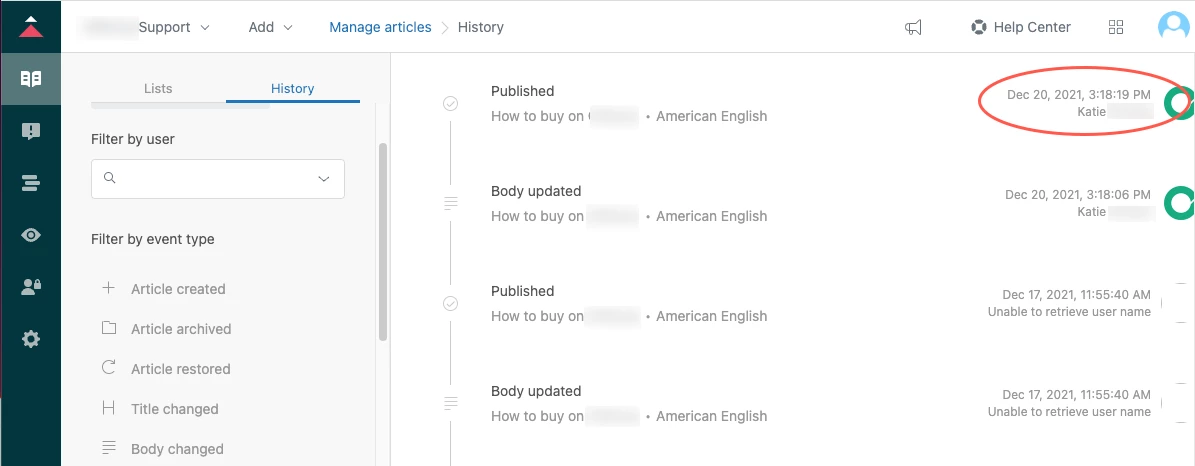
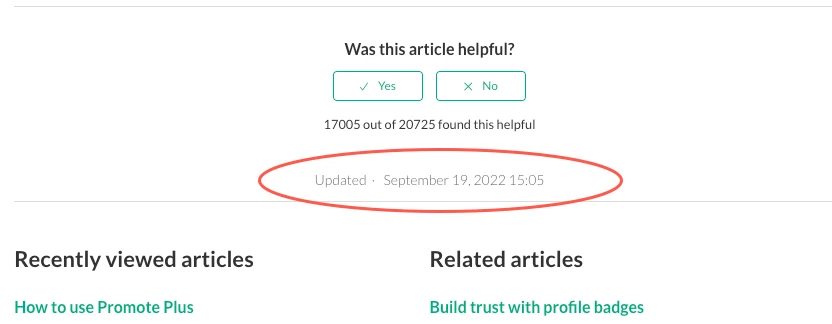
Use Case: On Sept. 19, 2022, I did a bulk update to reassign management permissions on our articles (Managed By). Now, on the end user pages, the "Updated" date reflects the date that I reassigned who manages those articles (Sept. 19, 2022). When I go into the articles in Zendesk, neither the History nor Revisions features show any record of the change. The end user pages say the articles were Updated Sept. 19, 2022, but the article history shows no updates since Jan. 26, 2021. This is confusing because it looks like the articles were updated recently, but in fact, we only changed who manages them. 

Where can I see all changes to my articles so I have a more accurate view of all updates? Also, you may want to reconsider what types of changes are captured as updates on the end user pages. I wouldn't expect that a change to management permissions would reflect as an update on the end user page. 

5 replies

Ifra
  • September 30, 2022

Christina14
  • Author
  • September 30, 2022

Hi Ifra,

Thanks for your response. I did stumble on that article yesterday, but it doesn't address my specific situation. The History doesn't include a filter for the event type I'm looking for: Managed by. If changing this setting on an article causes the Updated date to change on the end user pages, I'd expect this event to show up in the History as well. Otherwise, it just looks like a mistake when you compare the article's History vs the Updated date on the end user pages.  


VS 

Is there somewhere else I can look for a more robust History of events? 

Thank you!


Ifra
  • October 7, 2022

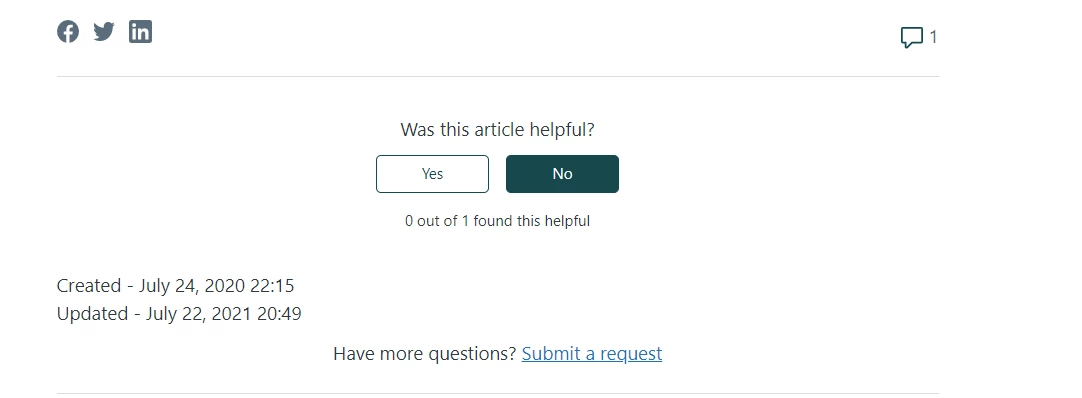
Hi Christina Hernandez, when you update your articles with the permission setting (managed by), the date will be updated on your template if you write code for that.

I wrote the code for both dates created and updated:

 <div>
   {{t 'created'}} -
    {{date article.created_at timeago=true format="long"}}
     <br>
    {{t 'updated'}} -
    {{date article.edited_at timeago=true format="long"}} 
 </div>


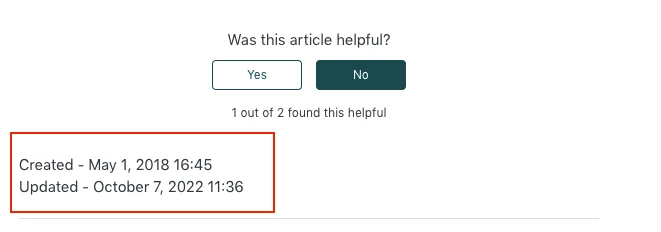
Output: I only updated Managed By setting yet and code showing me correct date and time on the template.


I also checked as you said above, you can leave feedback for the Managed By setting history.

Thanks


  • March 29, 2023

Can you walk me through that? I've got the same request and I'm not following or understanding how to make it available to see in the history. I too, would like to see the history of changes made to managed by or visible to. 


Ifra
  • March 30, 2023

Hi Ashley Kimsey,

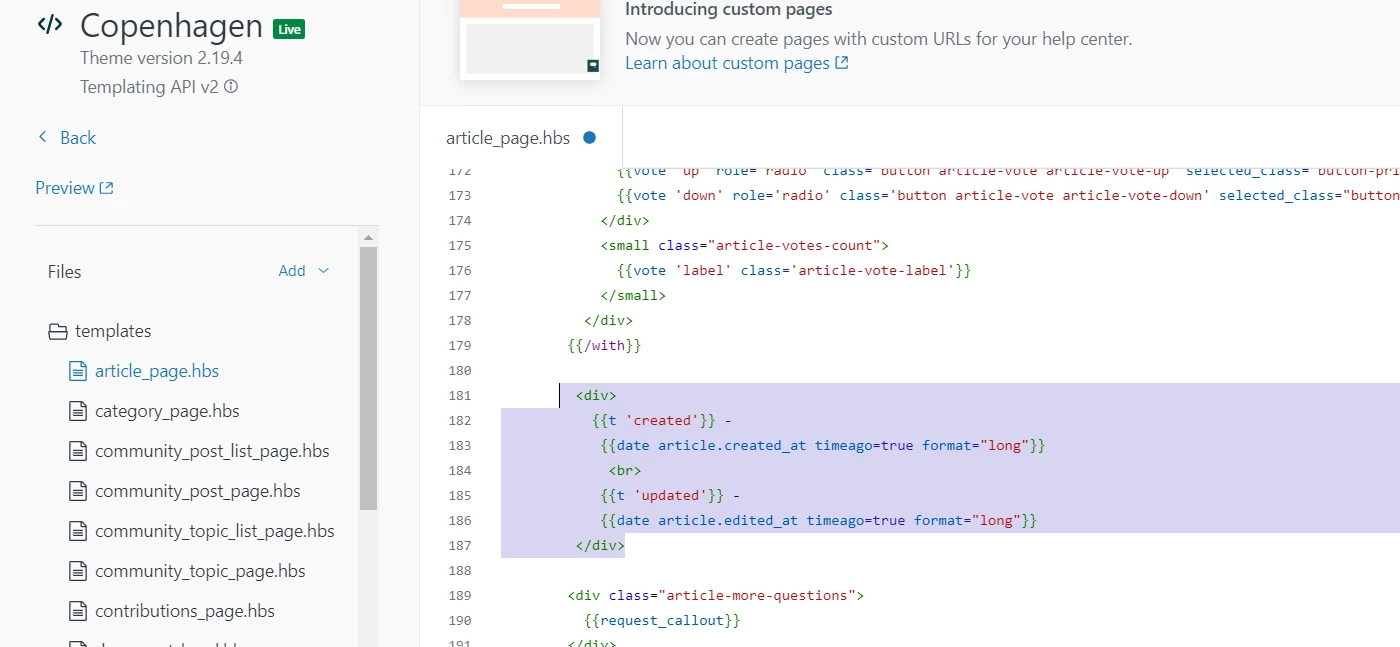
Just go to your article_page.hbs file.

Add the given code after the article-vote blocks, you can see the shared image below.

<div>
   {{t 'created'}} -
    {{date article.created_at timeago=true format="long"}}
     <br>
    {{t 'updated'}} -
    {{date article.edited_at timeago=true format="long"}} 
 </div>


Screenshot:


Output:


You can style it by adding CSS as per your requirements.

Thanks :)