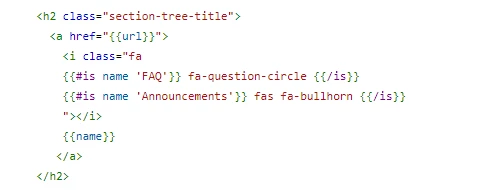
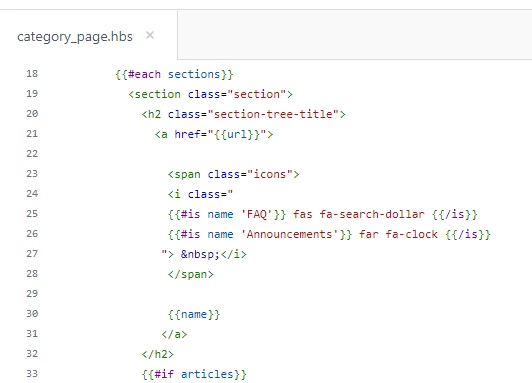
I'm trying every trick I can find to add FontAwsome before the section name, and create a div that would look like a button.
I added the header code, and then added the spans
However, it's not rendering into the test view. I tried the fa images on the home page and it worked fine. Is there a different way I should approach this with the category_page.hbs?
I don't mind not displaying the articles in each section, so I tried removing this part, but it didn't help.
Here's my code - any help much appreciated:
{{#each sections}}
<section>
{{#is name 'catA'}}
<span class="fas fa-search-dollar"> </span>
{{/is}}
{{#is name 'catB'}}
<span class="far fa-clock"> </span>
{{/is}}
{{#is name 'catC'}}
<span class="fas fa-hand-holding-usd"> </span>
{{/is}}
<h3 class="section-tree-title">
<a href="{{url}}">{{name}}</a><br>
</h3>
{{#if articles}}
<ul class="article-list">
{{#each articles}}
<li class="article-list-item{{#if promoted}} article-promoted{{/if}}">
{{#if promoted}}
<span data-title="{{t 'promoted'}}" class="icon-star"></span>
{{/if}}
<a href="{{url}}" class="article-list-link">{{title}}</a>
{{#if internal}}
<span class="icon-lock" title="{{t 'internal'}}"></span>
{{/if}}
</li>
{{/each}}
</ul>
{{#if more_articles}}
<a href="{{url}}" class="see-all-articles">
{{t 'show_all_articles' count=article_count}}
</a>
{{/if}}
{{/if}}
</section>
{{else}}
<i class="category-empty">
<a href="{{category.url}}">{{t 'empty'}}</a>
</i>
{{/each}}