
Hi All,
I've created a user facing from on guides with some conditional check boxes that are supposed to show other fields when they are check... unfortunately they are aligned vertically and it looks like butt. I have them in a section with these styling attributes:
.form-container {
  display: flex;
  flex-direction: column;
}
Below is the closest I've gotten to getting them to look nice, but is also ruined the spacing on all the other fields in the section.
const checkboxes = document.querySelectorAll('.form-field.boolean.optional');
const checkboxContainer = checkboxes[0].parentNode;

checkboxContainer.style.display = 'flex';
checkboxContainer.style.flexWrap = 'wrap';
checkboxContainer.style.justifyContent = 'space-between';

checkboxes.forEach((checkbox) => {
  checkbox.style.margin = '10px';
  checkbox.style.width = 'calc(20% - 20px)';
});
Any advice out there?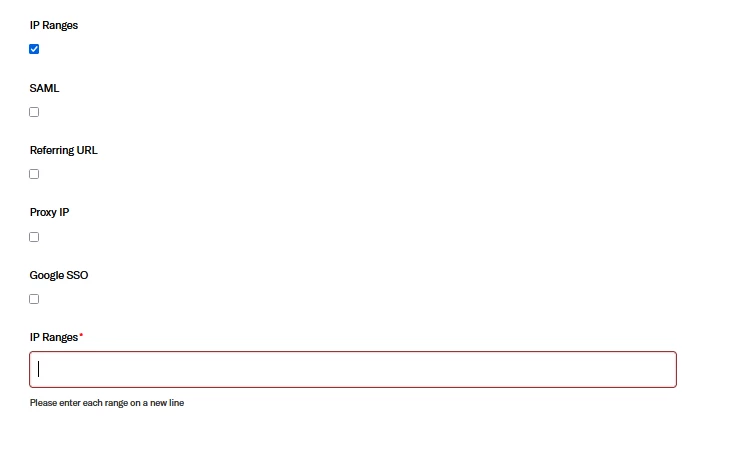

I'd like to make sure I understand your end goal. Are the fields not appearing in your desired sort order? Or is it specifically the positioning? Can you provide some details about what you're looking to see?