Title in the middle within a Given Category + Image under it | Community
Skip to main content

Title in the middle within a Given Category + Image under it

  • March 18, 2021
  • 29 replies
  • 0 views

Show first post
This topic has been closed for replies.

29 replies

  • Author
  • March 22, 2021

p.s: I'm talking about the Category Header + the Icon picture that I added also


  • March 22, 2021

Hi,

Maybe you could try to set this condition for Img and H1: You could try to set it in the category template. 

<h1 style="text-align: center; padding-left: 0px;padding-right: 0px;">
<img src="//theme.zdassets.com/theme_assets/801130/5b98032efb793091d69dba715a44a7b3264a9686.svg" width="40" height="40" align="middle">

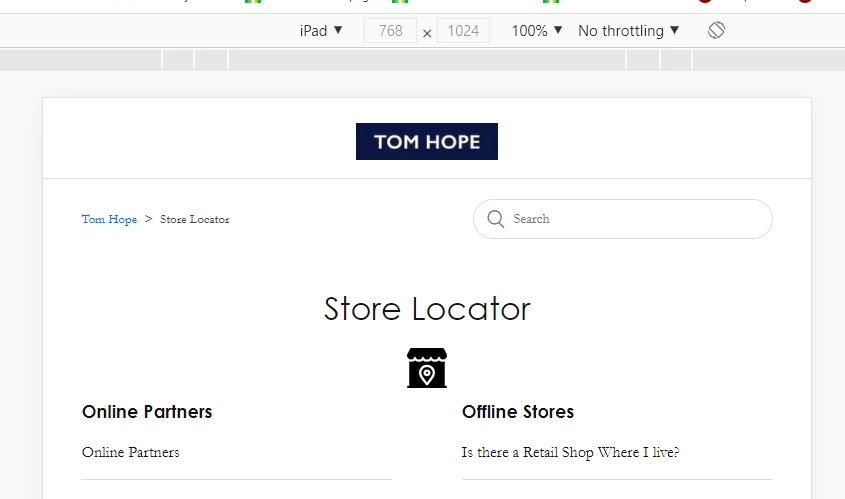
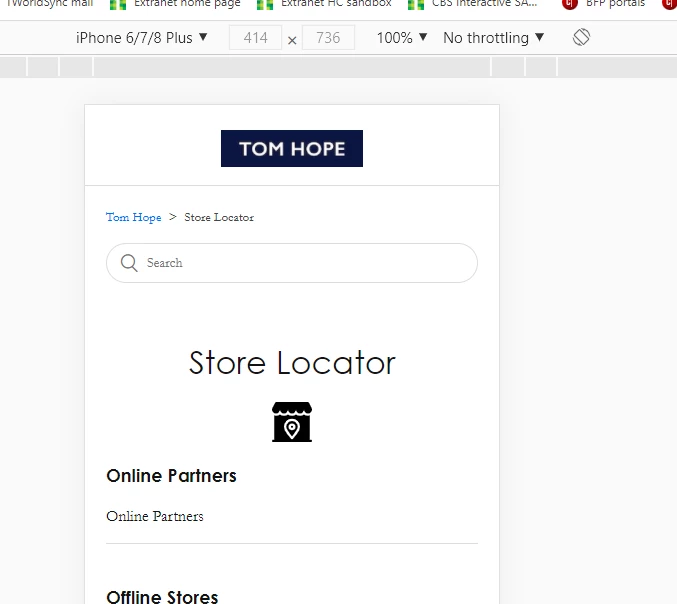
I  checked on your help center.I think looks fine on different devices. You could find below screenshots for iPad and iPhone


I'm not as much an expert on this as Ifra Saqlain - she's a cool developer from the dizana team.


  • Author
  • March 22, 2021

Yeah, well you both are pretty cool to me.

This helped me resolve the issue,

Somehow the Collaboration wasn't working with middle so I set it up with "center" and all the other icons with "middle" and it works perfectly on mobile now. REALLY HAPPY ABOUT THAT!!

Now when I look at the Desktop version, well it's almost perfect, it just depends on how big of a window they have on desktop, depending on how big your window is the title + icon is in the perfect middle or not hehe, but I guess it's good enough!

Maybe I should look at how to make amazing Category buttons now ;) 

Thanks again for all your help guys! You've been amazing! 


  • Author
  • March 22, 2021

Or do you have a way to seperately control the Title + icons on Mobile versus Desktop?

I probably should leave it on text-align: left, then both version looks equally good somehow, feels that if you make it look Top-notch on mobile, you will have it look a tiny bit less good on Desktop hehe ^^

You see my point? I mean try now, the help-center looks awesome on Mobile but on desktop, depending on your window, it's not perfectly the middle ^^ 

Perhaps smarter to leave it on the left what do you guys think?