

Hello
We are using a custom Theme and we care very much about details. For that reason we would like to adjust the pop-up which opens when the user is editing his profile.
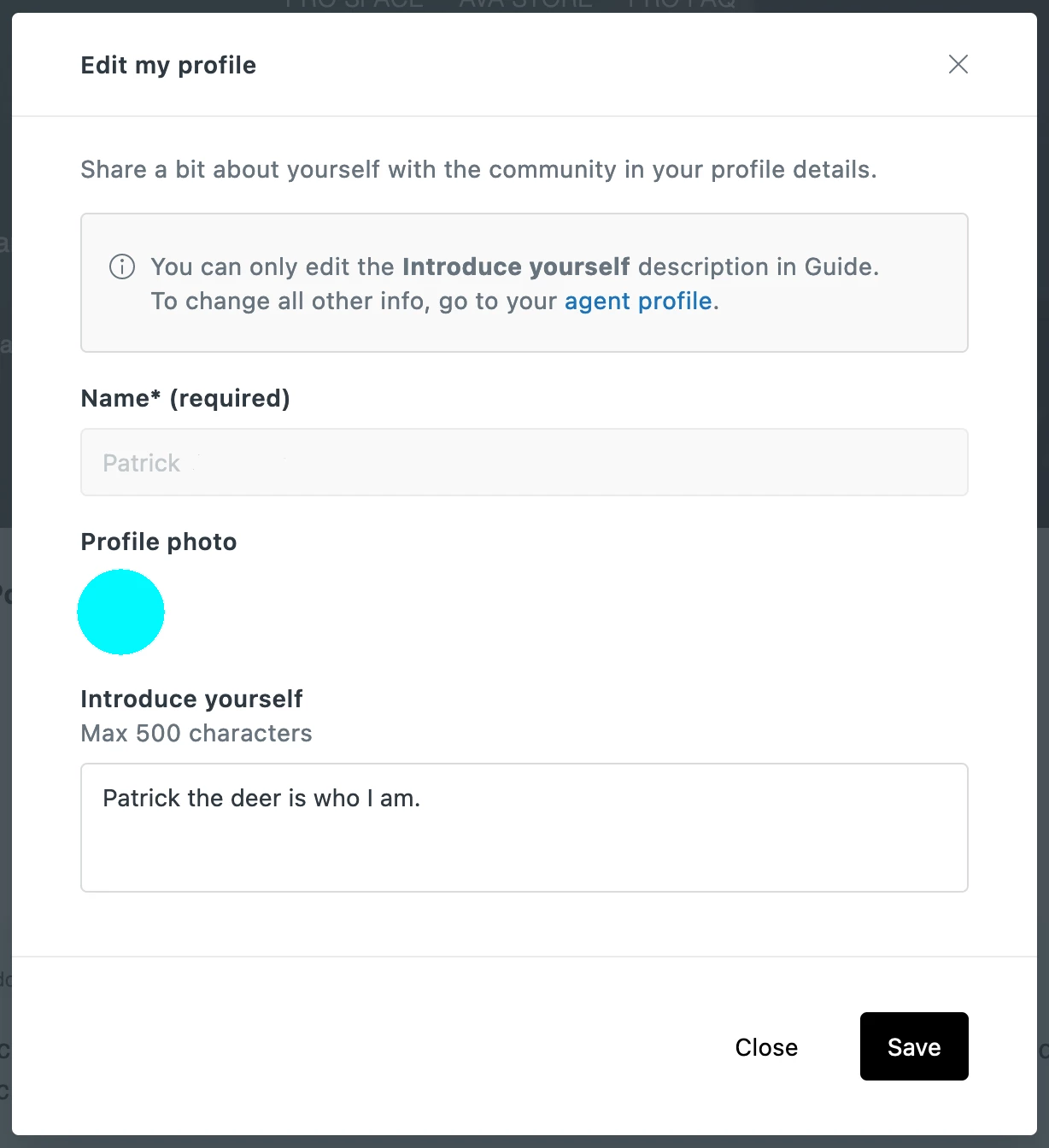
Theming
How can certain elements in the form be adjusted to fit our style? How do we apply specific CSS definitions to it, is there an option to make this happen?
For adjusting the colors of the instant search results we use this:
zd-autocomplete-title-multibrand {color: #000000 !important;}
zd-autocomplete-breadcrumbs-multibrand {color: #333333 !important;}
So for this pop-up we thought we could do the same, but the setttings are not being applied, here is an example we tried:
zd-edit-profile-description-label {color: #FF0000 !important;}
SSO Message
We are also using SSO for users to sign in. This results in this really confusing and unnecessary message for the users in the pop-up.
You can only edit the Introduce yourself description in Guide. To change all other info, go to your agent profile.
So we tried overwriting it like this, but again, nothing is applied:
  $(".zd-edit-user-sso-notification").text(function () {
    return $(this).text().replace("", "TEST");
  });