Themes: Additional Custom Blocks | Community
Skip to main content

Themes: Additional Custom Blocks

  • December 21, 2022
  • 6 replies
  • 0 views

Casey15

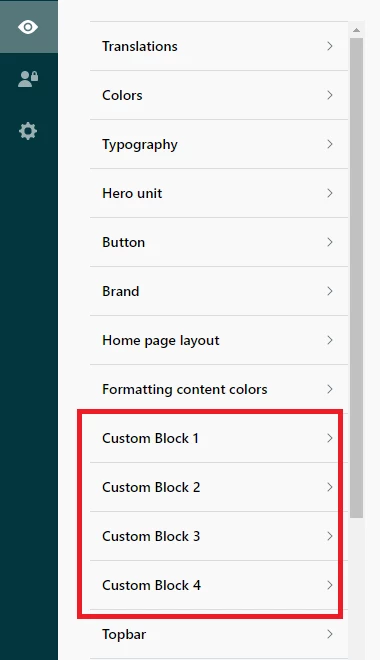
Hi Zendesk! Currently using Mink theme and would like to add additional Custom Blocks in Theme Admin (and on Guide). Attempted through home_page.hbs , but received several errors. Any suggestions? Thank you!

6 replies

Pulkit12
  • December 21, 2022

Hi c.keefe

Please add the below code after the end of the predefined custom block code 

<a class="custom-block__link" href="BLOCK URL GOES HERE">
    <div class="custom-block__icon">
         BLOCK ICON IMAGE GOES HERE 
     </div>
     <h4 class="custom-block__title">BLOCK TITLE GOES HERE</h4> 
    <p class="custom-block__description">BLOCK DESCRIPTION GOES HERE</p>
</a>

Let me know if it solves your issue 

Thanks 

Pulkit

Team Diziana


Casey15
  • Author
  • December 21, 2022

Thank you @pulkit12 - I'll give that a try!


Pulkit12
  • December 21, 2022

Sure, c.keefe  Let me know if you need any help 


Casey15
  • Author
  • December 22, 2022

Hi @pulkit12 - this worked great and I was able to get the block onto the page! Another question for you (if you are able to assist, and no worries if this is beyond the scope of assistance): Do you know how I would go about lining-up the new block(s) with those of the row above? I have pasted code from the last block (custom_block_4) in the existing row:

 {{#isnt settings.custom_block_4_type 'hidden'}}
            <!--<div class="column column--sm-6 column--md-3 custom-block">-->
            {{#is settings.custom_block_4_type 'custom'}}
            <a class="column column--sm-6 column--md-3 custom-block"
                href="{{#if settings.toggle_translations}}{{dc settings.custom_block_4_url}}{{else}}{{settings.custom_block_4_url}}{{/if}}">
                <div class="custom-block__link">
                    <div class="custom-block__icon">
                        <img class="custom-block__image" src="{{settings.custom_block_4_icon}}" alt="">
                    </div>
                    <div class="custom-block__title">
                        {{#if settings.toggle_translations}}
                        {{dc settings.custom_block_4_title}}
                        {{else}}
                        {{settings.custom_block_4_title}}
                        {{/if}}
                    </div>
                    <p class="custom-block__description">
                        {{#if settings.toggle_translations}}
                        {{dc settings.custom_block_4_description}}
                        {{else}}
                        {{settings.custom_block_4_description}}
                        {{/if}}
                    </p>
                </div>
            </a>
            {{/is}}
            {{#is settings.custom_block_4_type 'community'}}
            {{#link 'community' class='column column--sm-6 column--md-3 custom-block'}}
            <div class="custom-block__link">
                <div class="custom-block__icon">
                    <img class="custom-block__image" src="{{settings.custom_block_4_icon}}" alt="">
                </div>
                <div class="custom-block__title">
                    {{#if settings.toggle_translations}}
                    {{dc settings.custom_block_4_title}}
                    {{else}}
                    {{settings.custom_block_4_title}}
                    {{/if}}
                </div>
                <p class="custom-block__description">
                    {{#if settings.toggle_translations}}
                    {{dc settings.custom_block_4_description}}
                    {{else}}
                    {{settings.custom_block_4_description}}
                    {{/if}}
                </p>
                {{/link}}
            </div>
            {{/is}}
            {{#is settings.custom_block_4_type 'submit_a_request'}}
            {{#link 'new_request' class='column column--sm-6 column--md-3 custom-block'}}
            <div class="custom-block__link">
                <div class="custom-block__icon">
                    <img class="custom-block__image" src="{{settings.custom_block_4_icon}}" alt="">
                </div>
                <div class="custom-block__title">
                    {{#if settings.toggle_translations}}
                    {{dc settings.custom_block_4_title}}
                    {{else}}
                    {{settings.custom_block_4_title}}
                    {{/if}}
                </div>
                <p class="custom-block__description">
                    {{#if settings.toggle_translations}}
                    {{dc settings.custom_block_4_description}}
                    {{else}}
                    {{settings.custom_block_4_description}}
                    {{/if}}
                </p>
            </div>
            {{/link}}
            {{/is}}
            <!--</div>-->
            {{/isnt}}

Pulkit12
  • December 25, 2022

Hi c.keefe

Is it possible to share the  URL of Your help center with the code added for the custom blocks I will go through it and provide you with the exact code which will match the UI of an additional Custom block with the current UI of your theme.


Thank You 

Pulkit

Team Diziana


  • January 25, 2023

Will this also work with ADA theme?