Support user cannot see their tickets | Community
Skip to main content

Support user cannot see their tickets

  • May 10, 2023
  • 10 replies
  • 0 views

Matt46

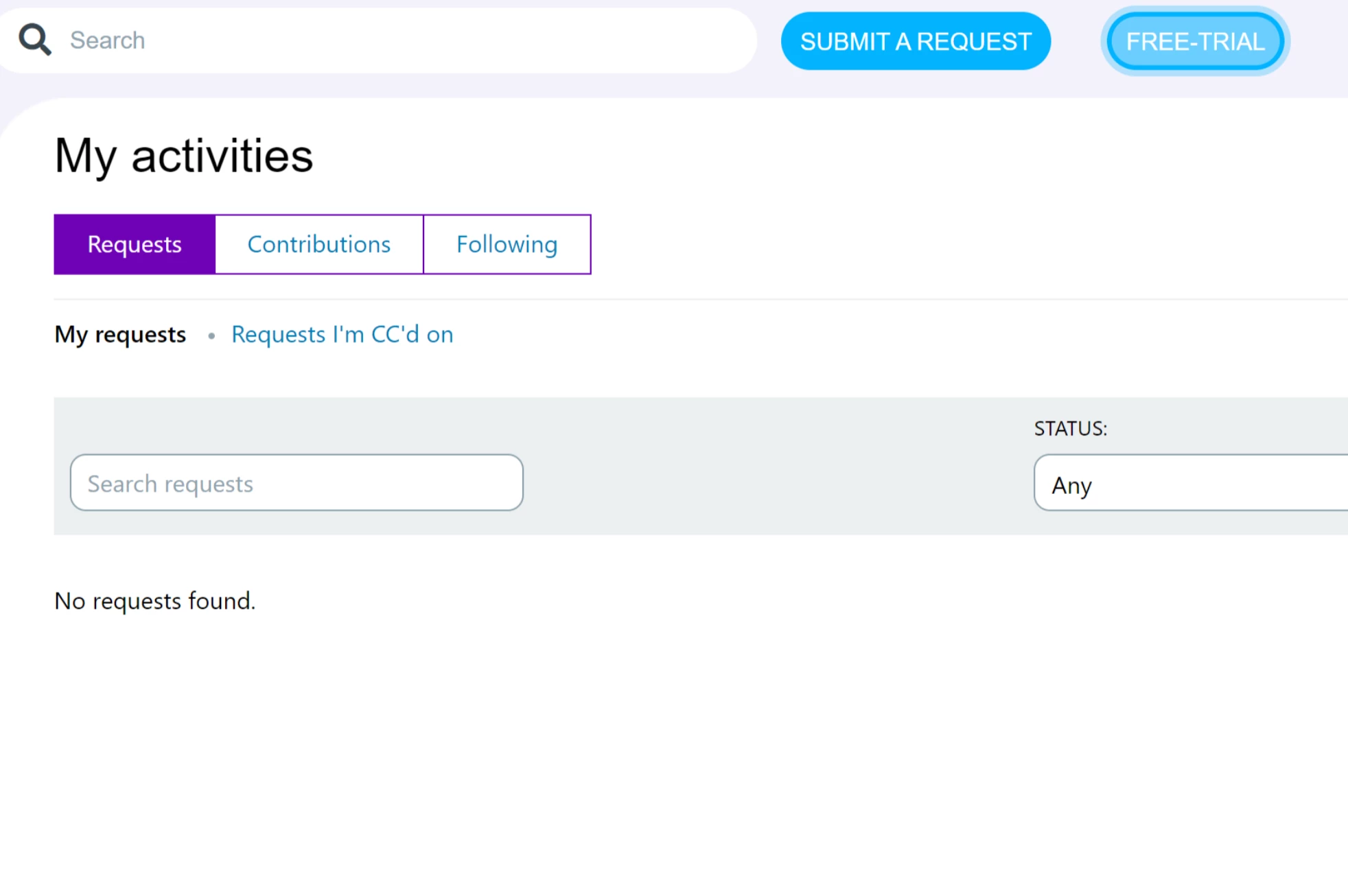
When I assume the user's identity I can see the tickets that they should see. When they login to the system they cannot see the tickets. We have tried clearing cookies and entirely new browsers. Any idea what could cause this? They see no requests found, but when I assume identity I see a list of 10+
 

10 replies

Ifra
  • May 11, 2023

Hi Matt Young, :)

click on My Requests instead of Request I'm on CC's on.


Hope this helps:

Why are tickets missing from my-activities in the help center -

https://support.zendesk.com/hc/en-us/articles/4408821096090-Why-are-tickets-missing-from-My-Activities-in-the-help-center-


Thanks


Matt46
  • Author
  • May 11, 2023

Hi @ifra That didn't resolve the issue, the user is still unable to see the expected tickets. 


Ifra
  • May 11, 2023

@Matt, that link I shared above, did you see, I mean may be one of them is the cause of your issue.


Matt46
  • Author
  • May 11, 2023

@ifra thanks, but none of those resolve the issue. Also, as I mentioned, if I assume the user's identity I can see the tickets.


Ifra
  • May 11, 2023

I didn't understand, how you assume? 

Can you share the URL of this page?


Matt46
  • Author
  • May 11, 2023

Hi @ifra


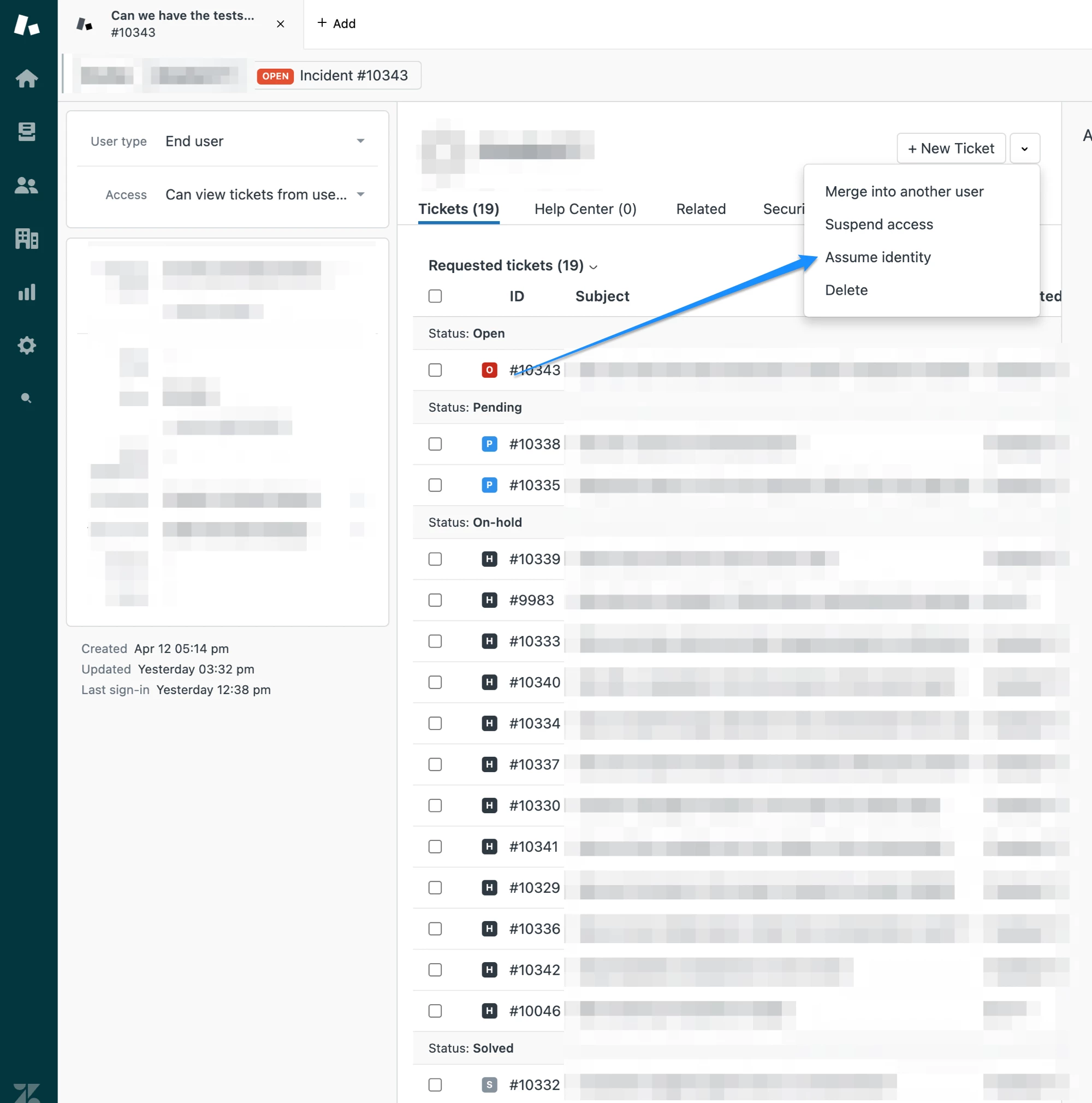
I use this button to assume the user's identify and it shows all the tickets you see here, which I've blurred out. The user cannot see these tickets however.


  • May 11, 2023

@ifra I don't know if it helps, but I have the option to assume identity of an end user, but not an agent. 


Dane13
  • May 12, 2023
Hi Matt,

Once you have verified that it was indeed happening on a different browser, you can contact our support directly so that we can investigate what could be causing this. I would suggest to check if it's only happening to a specific, multiple, or all users. Cheers!

Ifra
  • May 12, 2023

Teresa, are facing any issue like Matt?


Matt46
  • Author
  • May 15, 2023

Hi @dane13 it's only happening to a single user and we have tried other browsers. I'll contact support now.