Sticky table header in Zendesk Guide | Community
Skip to main content

Sticky table header in Zendesk Guide

  • June 30, 2023
  • 4 replies
  • 0 views

Cho

Some my posts in Zendesk Guide have table inserted with multiple rows & columns. When I vertically scroll to the end of table, I can not refer the content belong to which column. 

Is there any way to sticky table header for this usecase?

4 replies

Darenne
  • July 5, 2023
Hi Nguyen, hope you're doing great! I'd like to understand your concern here, can you please provide more information when you say to the sticky table header? Also, can you please provide us screenshots of what you're seeing on your end so we can better understand your concern? This way, we can give you an accurate response for your concern. I'll wait for your response. 

Cho
  • Author
  • July 13, 2023

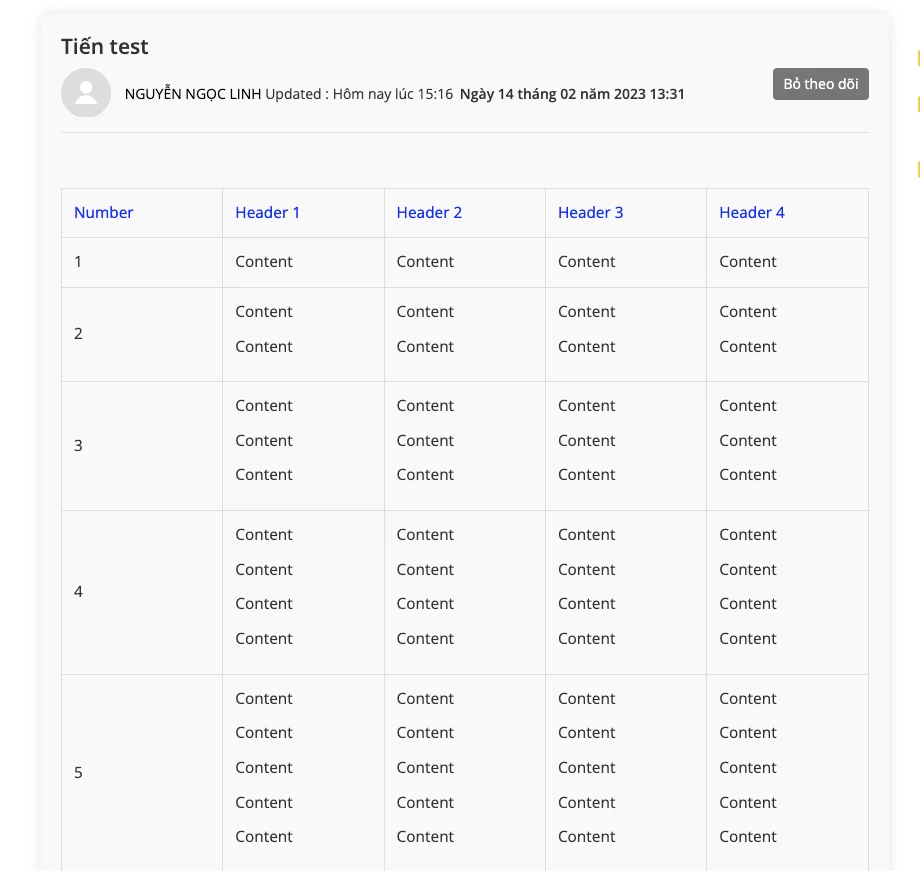
Hi Darenne, please refer the example below:

- The table could not show full content (only show to number 5)


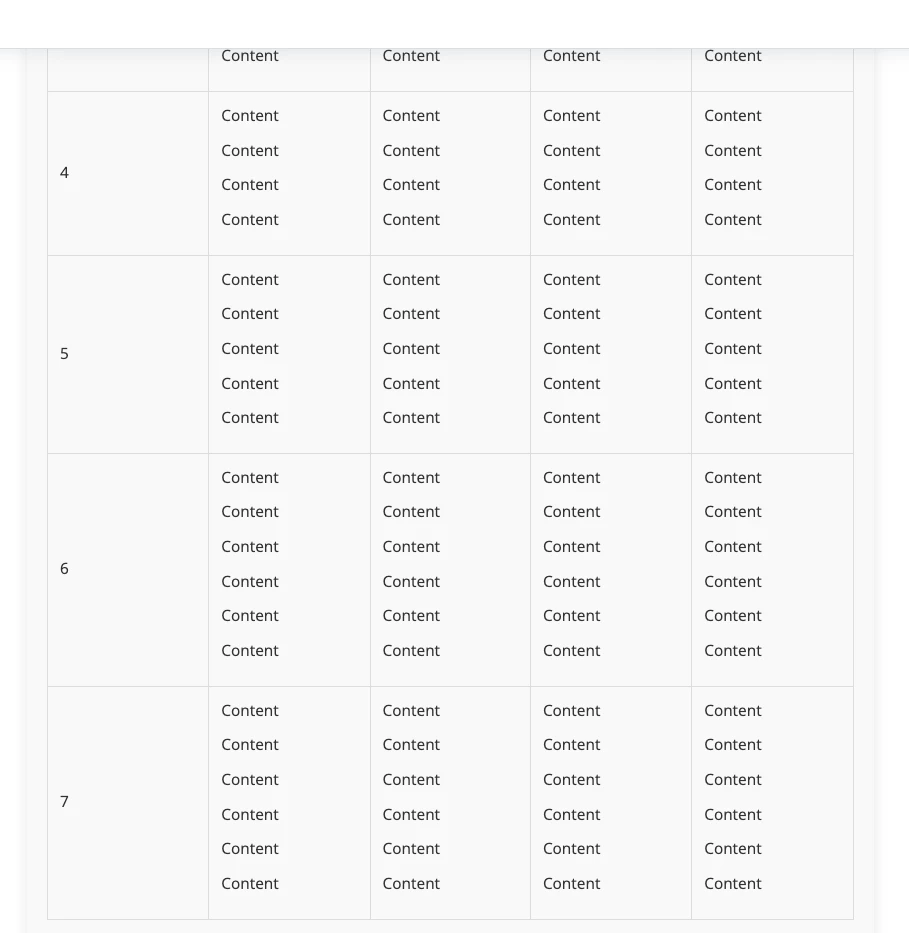
- When I scroll down to see content of number 5,6, ... the headers disappear.

Without header, it is difficult for reader to refer the content in the column 2 to 4. So is there any way to stick/freeze first row (header) of a table for this case ?


Darenne
  • July 13, 2023
Hi again, due to the complexity of this concern, I may have to create a ticket for this on your behalf so this will be further checked and investigate. 

Rosie15
  • May 30, 2024

Hi @darenne was there any html that we could use for this? Thanks!