Sticky header menu | Community
Skip to main content

Sticky header menu

  • April 5, 2018
  • 2 replies
  • 0 views

Hi there,

We are relatively new to Zendesk and don't know all its functionality.

We'd like to make the header menu sticky so that it doesn't disappear when you scroll the page down.

How is it possible to do?

This topic has been closed for replies.

2 replies

o2dis
  • April 5, 2018

Hello @Lucas,

You have to need to customize some code.

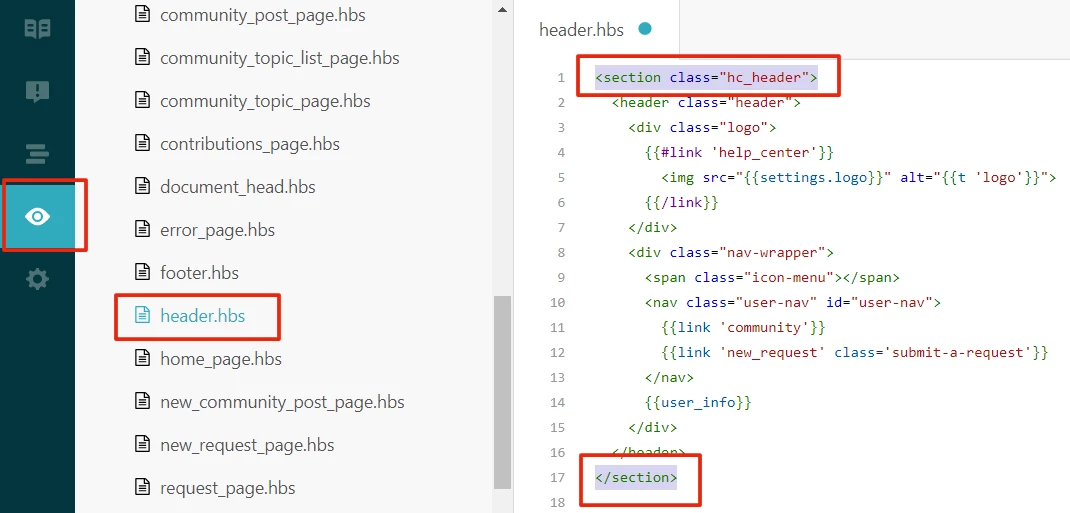
After login > Go to the "Customize design" option (appearing on the left side) > Edit your Live Theme

If you are using "Zendesk Copenhagen Theme" just do steps - 

Go to the "header.hbs" file > Add an HTML tag in the top and also close the tag in the bottom.

<section class="hc_header">
ZENDESK DEFAULT CODE
</section>

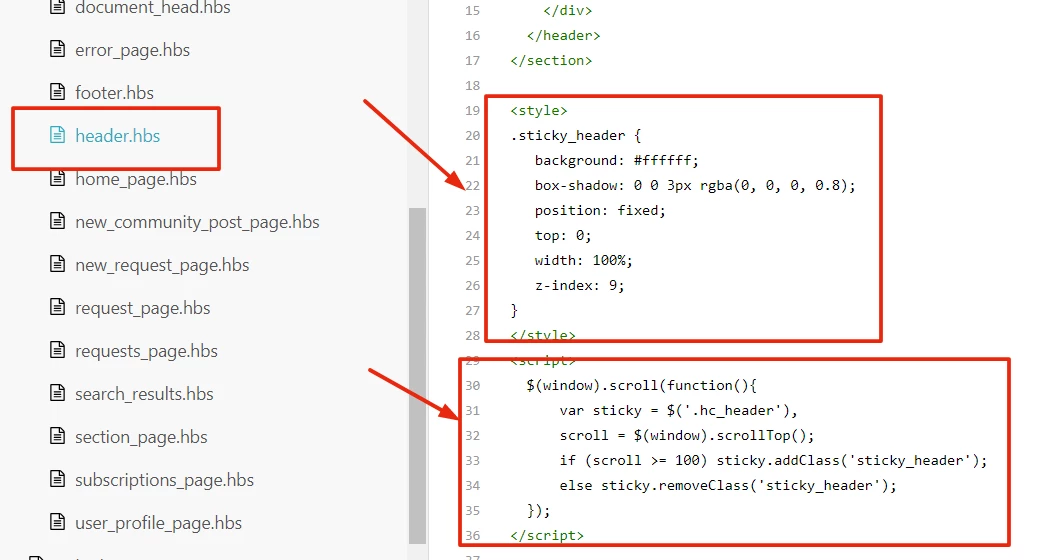
Add CSS in the bottom area - 

<style>

.sticky_header {
background: #ffffff;
box-shadow: 0 0 3px rgba(0, 0, 0, 0.8);
position: fixed;
top: 0;
width: 100%;
z-index: 9;
}

</style>

Add SCRIPT in the bottom area - 

<script>

$(window).scroll(function(){
var sticky = $('.hc_header'),
scroll = $(window).scrollTop();
if (scroll >= 100) sticky.addClass('sticky_header');
else sticky.removeClass('sticky_header');
});

</script>

You can also add your CSS and JS in "style.css" and "script.js" file.

After adding all this, click on the SAVE/PUBLISH button.

If face any issue please let us know.

Thanks

Customer Support Theme Team


  • Author
  • April 8, 2018

Thanks a lot, Customer Support Theme! I'll try your solution.