Showing product (license/SKU) relevance on Guide articles | Community
Skip to main content

Showing product (license/SKU) relevance on Guide articles

  • May 13, 2024
  • 1 reply
  • 0 views

Katie16

Hello! 


I'd like to implement something similar to what Zendesk has in their own help center, where each article shows which plans the article applies to (the images under the “What's my plan?” link, here for example).


I imagine this can be accomplished with article labels (Product1, Product2) and then a bunch of ‘if’ statements (If product1, show image1; if product2 show image2). 


Would love to know if anyone has implemented something like this – any sample code you can share, or any pitfalls you've encountered. 

1 reply

Pulkit12
  • May 14, 2024

Hi Katie Nix


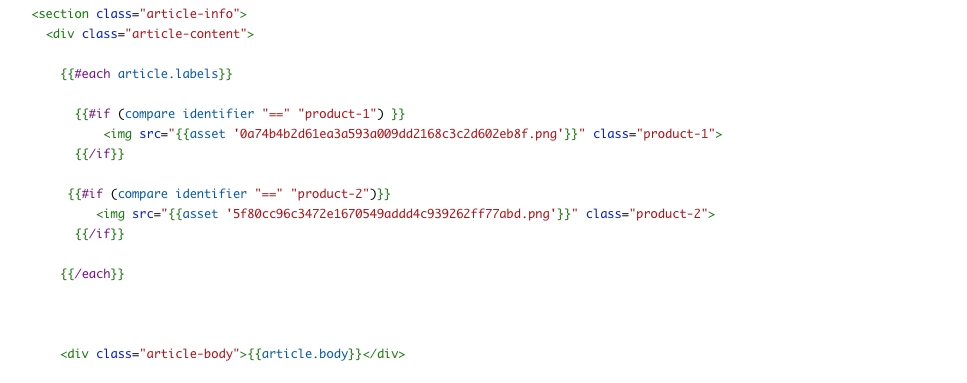
To add labels on targeted articles and display the corresponding image based on the label, you can use the following code. In the example below, "product-1" and "product-2" are used as labels for the article, but you can replace them with your own labels. Simply add this code above the "article-body" class on the article page.


{{#each article.labels}}
 {{#if (compare identifier "==" "product-1") }}
  <img src="{{asset '0a74b4b2d61ea3a593a009dd2168c3c2d602eb8f.png'}}" class="product-1">
 {{/if}}
 {{#if (compare identifier "==" "product-2")}}
  <img src="{{asset '5f80cc96c3472e1670549addd4c939262ff77abd.png'}}" class="product-2">
 {{/if}}
{{/each}}

Please see the attached screenshot. The code mentioned above needs to be added at the location indicated in the screenshot.


Let me know if its solves your issue 

Thanks 
Pulkit
Team Diziana