

Hello, I have the following code in the homepage of my sandbox.
<!--Custom Cards-->
 <li class="blocks-item">
 <div class="blocks-item-link blocks-item-link--inline">
 <img src="https://p3.zdassets.com/hc/theme_assets/1277568/200262349/knxlogo.png"/>
 <h4 class="blocks-item-title">ETS Professional</h4>
 <div id="link-wrapper">
 <!--Your direct links for the articles goes here-->
 <a class="link" href="en-us/categories/115000265345-ETS-Professional">Get started</a>
 <a class="link" href="en-us/categories/201667825-ETS-Inside">User guide</a>
 <a href="http://www.google.de">Tutorial</a>
 </div>
 <!--Your link for the whole card goes here-->
 <!-- <a class="full-width-link" href="google.de"></a>-->
 </div>
 </li>
 <!--Custom Cards End-->
 </ul>
Together with the following CSS:
/***** Blocks *****/
/* Used in Homepage#categories and Community#topics */
.blocks-list {
 display: flex;
 flex-wrap: wrap;
 justify-content: flex-start;
 list-style: none;
 padding: 0;
}

@media (min-width: 768px) {
 .blocks-list {
 margin: 0 -26px 0 -15px;
 }
}

.blocks-item {
 border: 1px solid #ddd;
 background-color: #f9f9f9;
 box-sizing: border-box;
 color: $color_1;
 display: flex;
 flex: 1 0 340px;
 flex-direction: column;
 justify-content: center;
 max-width: 100%;
 text-align: center;
 margin-bottom:30px;
 margin-right: 30px;
}

@media (max-width:768px){
 .blocks-list {
 margin: 0 -26px 0 -15px;
 }
 .blocks-item {
 margin-right:15px;
 }
}

.blocks-item i{
 font-size:48px;
 margin-bottom: 10px;
 height: 128px;
}

.blocks-item i:before{
display: table-cell;
 vertical-align: middle;
 height: 128px;
}


@media (min-width: 1020px){
 .blocks-item{
 max-width: 30%;
 }
}

@media (min-width: 768px) {
 .blocks-item {
 margin: 0 15px 30px;
 }
}

.blocks-item-link--inline{
 position: relative;
}
.blocks-item-link--inline a{
 display: block;
 position:relative;
 z-index:20;
}

#link-wrapper{
 margin-top:10px;
}

#link-wrapper a:after{
 content:">";
 padding-left:3px;
}

#link-wrapper a:hover:after{
 text-decoration: none;
}

.blocks-item-link--inline .full-width-link {
 position: absolute;
 left: 0;
 right: 0;
 top: 0;
 bottom: 0;
 z-index:10;
}

.blocks-item:hover, .blocks-item:focus, .blocks-item:active {
 background-color: darken( $color_4, 2%);
}

.blocks-item:hover *, .blocks-item:focus *, .blocks-item:active * {
 color: darken($color_1,10%);
 /*text-decoration: none;*/
}

.blocks-item-internal {
 background-color: transparent;
 border: 1px solid #ddd;
}

.blocks-item-internal .icon-lock::before {
 content: "\1F512";
 font-size: 15px;
 bottom: 5px;
 position: relative;
}

.blocks-item-internal a {
 color: $color_3;
}

.blocks-item-link {
 color: $color_1;
 padding:20px;
}

.blocks-item-link:hover, .blocks-item-link:focus, .blocks-item-link:active {
 text-decoration: none;
}

.blocks-item-title {
 margin-bottom: 0;
 font-weight: 500;
}

.blocks-item-description {
 font-weight: 400;
 margin: 0;
 color: $color_3;
}


.blocks-item-description:not(:empty) {
 margin-top: 4px;
}
Gives a result like the one attached.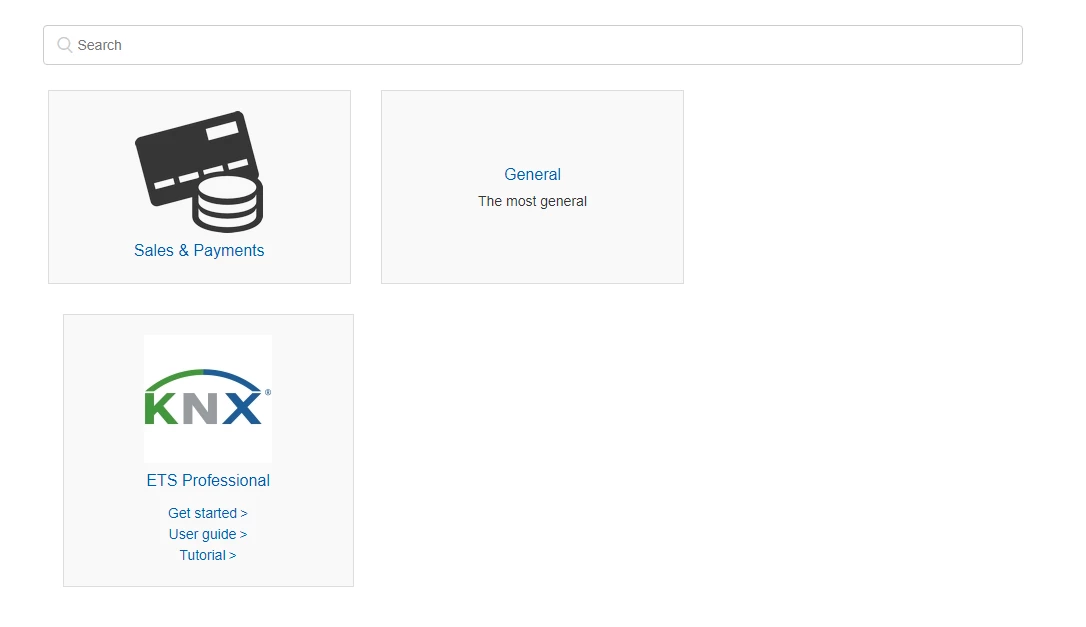 However, I would like to use different links for the 'Get started', 'User guide' and 'Tutorial' based on the languages selected in the guide. E.g. English, German, Greek, etc. Can someone help me to do it? I have been trying with the if statements in my source code, but I haven't managed it to do it.
Thanks a lot!

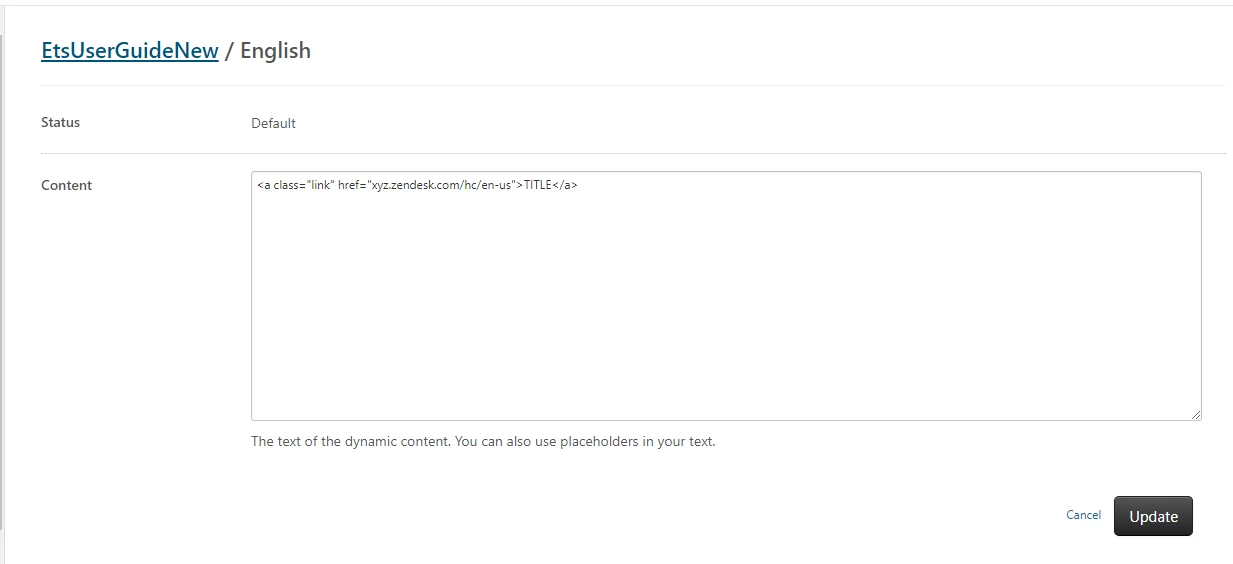
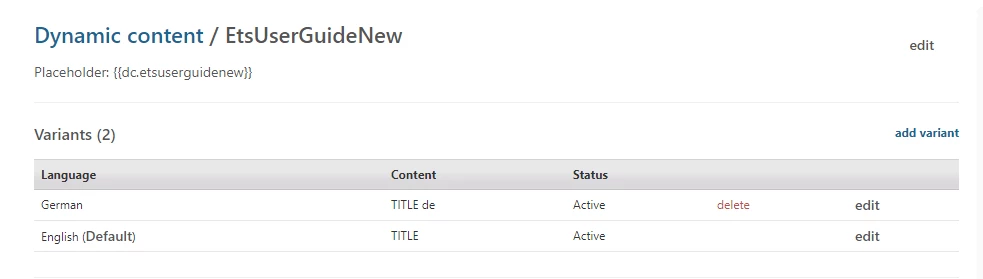
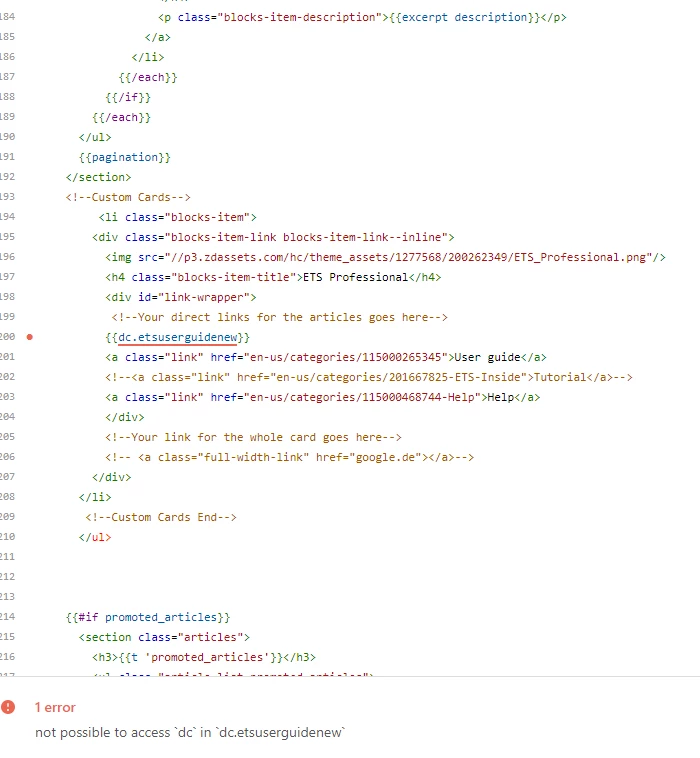 Could you please indicate me exactly where/how I should place it?