Show categories and sections on front page | Community
Skip to main content

Show categories and sections on front page

  • August 9, 2019
  • 12 replies
  • 0 views

Hi everyone

Is it possible to show categories and sections on the home page of the help center?

Something like this:
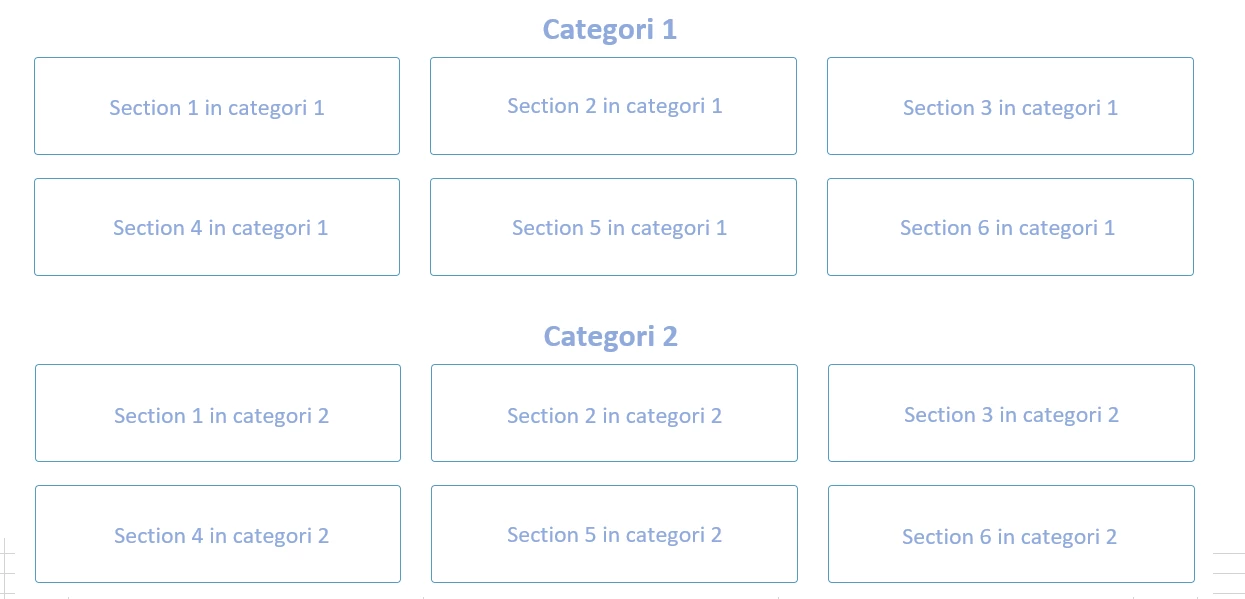
Best regards
Mikkel

12 replies

  • Author
  • August 9, 2019

It is actually someting like this: https://wisembly.zendesk.com/hc/en-us


Brett13
  • Community Manager
  • August 9, 2019

Hey LP,

This would require some custom code on your end to display categories and sections on your home page.

I'll also reach out to some of our Community Moderators to see if they can offer up some advice for you as well.

Cheers!


  • Author
  • August 11, 2019

Hi Brett

Thank you for your reply!

I think your url does not work, right?

Best regards
Mikkel


  • August 12, 2019

Hey LP,

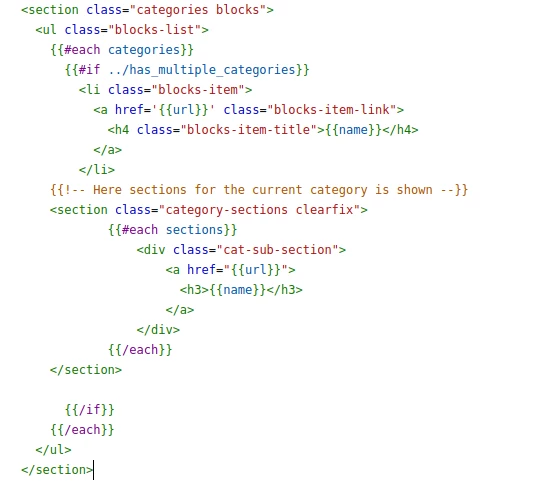
Below is a simple code example showing category title, and each section in that category.

#helpsome regards,
Simon Blouner
Zendesk Consultant @ helphouse.io


Lotus11
  • August 12, 2019

Hi Mikkel,

We can help you show categories and sections on the home page of your help center. 

Best regards,

Lotus Themes


Brett13
  • Community Manager
  • August 12, 2019

Apologies for that LP!

I've updated my link :) It looks like Simon was also able to help you out here.


  • Author
  • August 18, 2019

Thank you so much! Simons solution works perfect! 


Bryan39
  • December 9, 2021

@simon24

Your image is broken! Can you please reshare. Thank you.


Bryan39
  • December 9, 2021

@brett13 your link is broken again


Dave12
  • December 14, 2021
Hi Bryan,
 
I've fixed Simon's broken image link (not Simon's fault, to be clear), and removed the link in Brett's earlier comment, since a) Simon's image should answer the original question, and b) the link Brett pointed to is old enough that it has its own broken links and wouldn't answer this specific question anyway. Thanks for the heads-up on the broken links, and let us know if you have further questions!

  • May 10, 2022

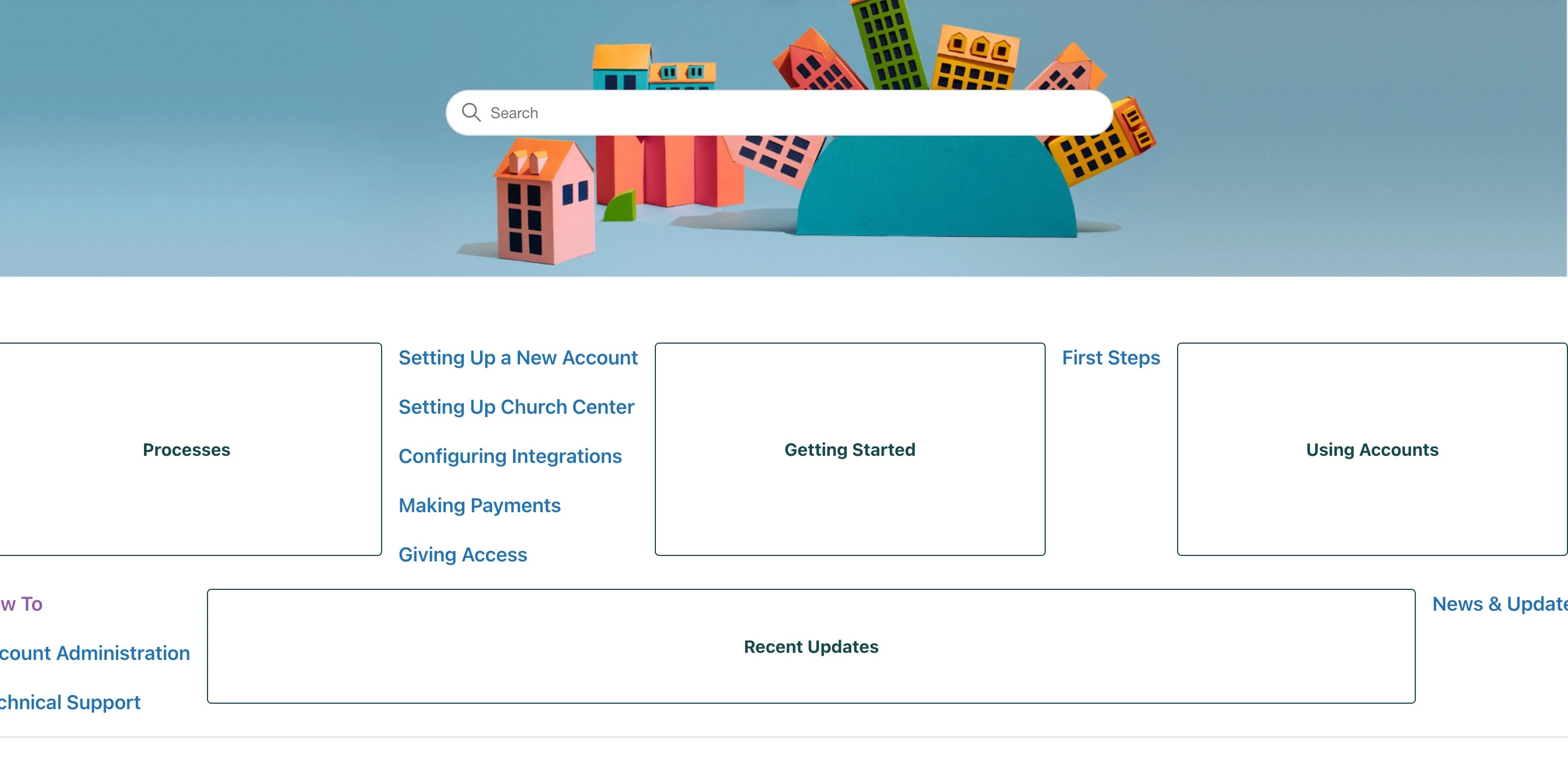
I tried entering the code into my home page, and my help desk isn't responding the same. From this image, can you shed some light on what I'm doing incorrectly?


Ifra
  • May 11, 2022

Hey Jessica Little,

Do the following;

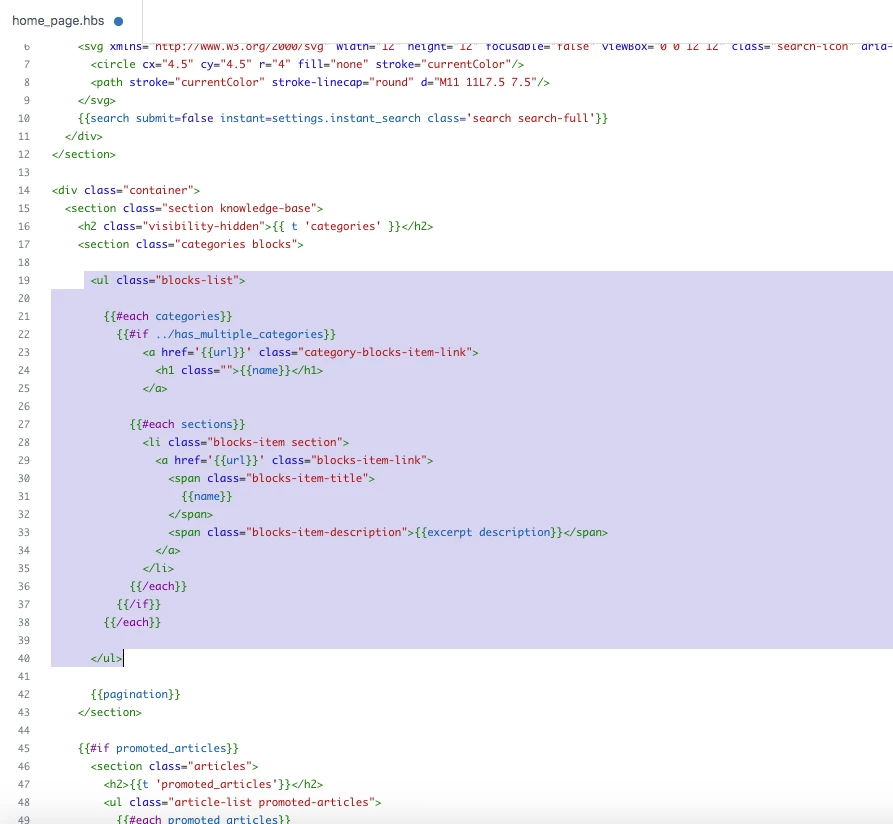
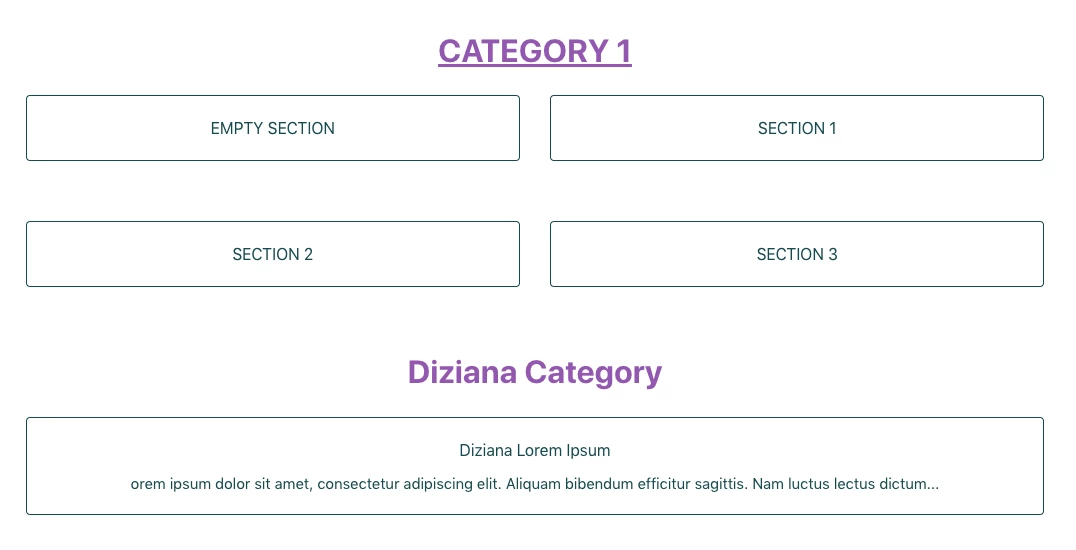
I). I'm using default Copenhagen theme. I changed the structure of homepage category blocks. See in the below image:

Image:


Code: I changed the structure of blocks-list ul

 <ul class="blocks-list">
        
        {{#each categories}}
          {{#if ../has_multiple_categories}}
              <a href='{{url}}' class="category-blocks-item-link">
                <h1 class="">{{name}}</h1>
              </a>
         
            {{#each sections}}
              <li class="blocks-item section">
                <a href='{{url}}' class="blocks-item-link">
                  <span class="blocks-item-title">
                    {{name}}
                  </span>
                  <span class="blocks-item-description">{{excerpt description}}</span>
                </a>
              </li>
            {{/each}}
          {{/if}}
        {{/each}}
        
      </ul>


Complete code of Homepage:

<section id="main-content" class="section hero">
  <div class="hero-inner">
    <h2 class="visibility-hidden">{{ t 'search' }}</h2>
    <svg xmlns="http://www.w3.org/2000/svg" width="12" height="12" focusable="false" viewBox="0 0 12 12" class="search-icon" aria-hidden="true">
      <circle cx="4.5" cy="4.5" r="4" fill="none" stroke="currentColor"/>
      <path stroke="currentColor" stroke-linecap="round" d="M11 11L7.5 7.5"/>
    </svg>
    {{search submit=false instant=settings.instant_search class='search search-full'}}
  </div>
</section>


<div class="container">
  <section class="section knowledge-base">
    <h2 class="visibility-hidden">{{ t 'categories' }}</h2>
    <section class="categories blocks">

      <ul class="blocks-list">
        {{#each categories}}
          {{#if ../has_multiple_categories}}
              <a href='{{url}}' class="category-blocks-item-link">
                <h1 class="">{{name}}</h1>
              </a>

            {{#each sections}}
              <li class="blocks-item section">
                <a href='{{url}}' class="blocks-item-link">
                  <span class="blocks-item-title">
                    {{name}}
                  </span>
                  <span class="blocks-item-description">{{excerpt description}}</span>
                </a>
              </li>
            {{/each}}
          {{/if}}
        {{/each}}
      </ul>

      {{pagination}}
    </section>

    {{#if promoted_articles}}
      <section class="articles">
        <h2>{{t 'promoted_articles'}}</h2>
        <ul class="article-list promoted-articles">
          {{#each promoted_articles}}
            <li class="promoted-articles-item">
                <a href="{{url}}">
                  {{title}}
                  {{#if internal}}
                    <svg xmlns="http://www.w3.org/2000/svg" width="16" height="16" focusable="false" viewBox="0 0 16 16" class="icon-lock" title="{{t 'internal'}}">
                      <rect width="12" height="9" x="2" y="7" fill="currentColor" rx="1" ry="1"/>
                      <path fill="none" stroke="currentColor" d="M4.5 7.5V4a3.5 3.5 0 017 0v3.5"/>
                    </svg>
                  {{/if}}
                </a>
            </li>
          {{/each}}
        </ul>
      </section>
    {{/if}}
  </section>

  {{#if help_center.community_enabled}}
    <section class="section home-section community">
      <h2>{{t 'community'}}</h2>
      {{#link 'community' class='community-link'}}
        {{t 'join_conversation'}}
      {{/link}}
      <div class="community-image"></div>
    </section>
  {{/if}}

 <section class="section home-section activity">
    {{#if settings.show_recent_activity}}
      {{recent_activity}}
    {{/if}}
  </section>
</div>


Output:


II). Copy and paste the CSS to your style.css file.

.category-blocks-item-link{
    width: 100%;
    display: block;
    text-align: center;
}


Try this and if any issue, feel free to ask :)


Thanks

Team