Section article lists - how to display articles lists in an <ul> | Community
Skip to main content

Section article lists - how to display articles lists in an <ul>

  • August 19, 2022
  • 4 replies
  • 0 views

Jaala

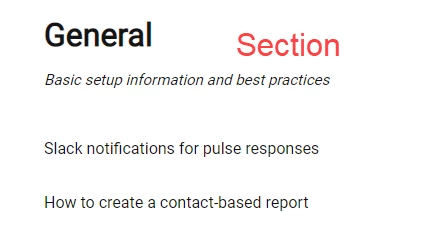
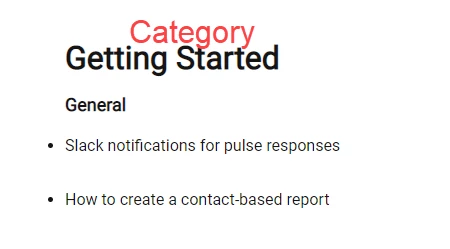
I added in some CSS from this post  to display my article lists as a bulleted list in my category pages. Oddly enough the CSS I used did not apply to section pages. My article lists on my section pages are not bulleted. How can I make all article lists (category and section) use a <ul> type format? 
4 replies

Ifra
  • August 19, 2022

Hey Jaala Seifipour, go to your style.css file via Edit Code and paste this code at the bottom.

li {display: list-item; list-style-type: disc;}


Thanks

Team


Jaala
  • Author
  • August 19, 2022

That did it! Thank you, @ifra.


  • August 24, 2023

Hi. How would you do it so that only article titles are bulleted and not subsection titles?


Ifra
  • August 25, 2023

Hi Adam Garcia :)

It depends on classes and list tags as you want to add bullets to article titles only so you can use class.

ex. 

li.article-list-items { 
display: list-item; list-style-type: disc;
}


same as, you have different classes in your subsections so you can use that class to remove bullets from subsectio items.

ex.

li.subsection-list-items { 
display: block; list-style-type: none;
}


There are more different types to achive this :)


Hope it will help you.

Thank You