Searchbar in article - Knowledge Base | Community
Skip to main content

Searchbar in article - Knowledge Base

  • October 5, 2022
  • 7 replies
  • 0 views

Xenia11

Hello dear community!

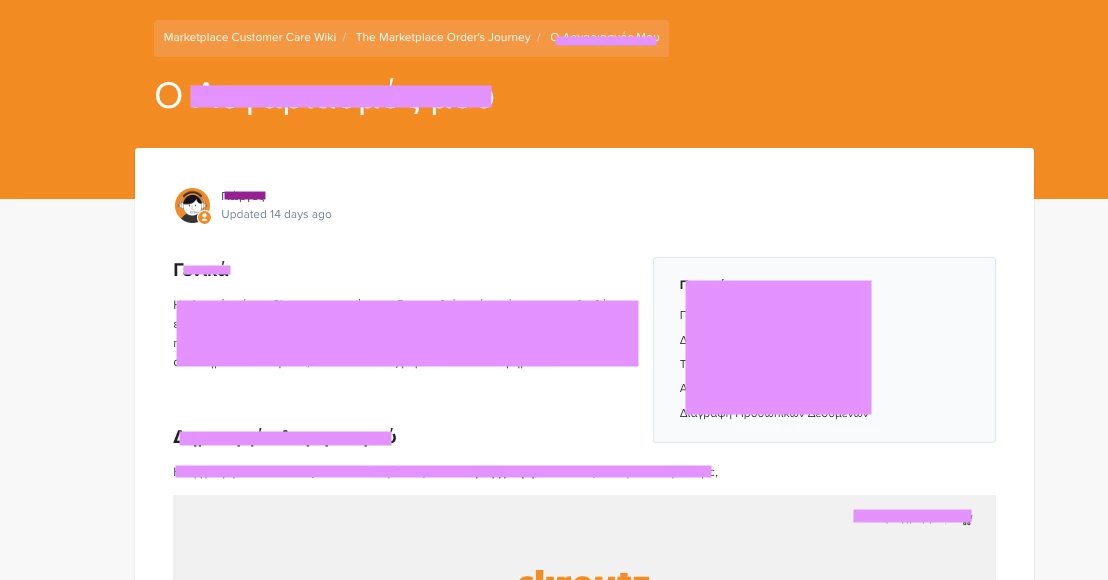
I am new here and have a question about the searchbar in an article in Knowledge Base.

We use Indigo Custom (Theme version 1.4.2) and cannot find an option for the searchbar to appear, even inside of every article.

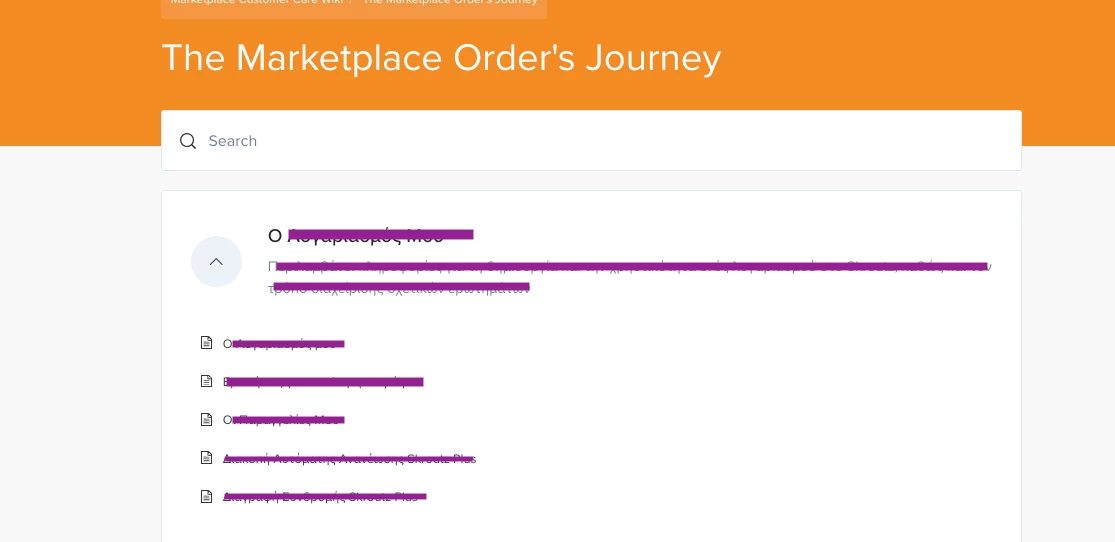
Now it appears only in our categories:
7 replies

  • October 6, 2022
Hi Xenia,
 
Thanks for posting your question to the Community!
 
Let me go ahead and pull you into a ticket so I can get a better look at the theme's code and see if we can help figure it out.
 
Best,
 
Erica

Pulkit12
  • October 6, 2022

Hi Xenia Georgopoulou

Is it possible for you to share the code of the two following template

-  category_page.hbs

-  article_page.hbs

so that I can help you out by adding the search-bar on the article template 


Thanks 

Pulkit


Ifra
  • October 7, 2022

Hi Xenia Georgopoulou,


Follow the below steps:

i). Go to your theme to edit mode.

ii). Open your category_page.hbs file.

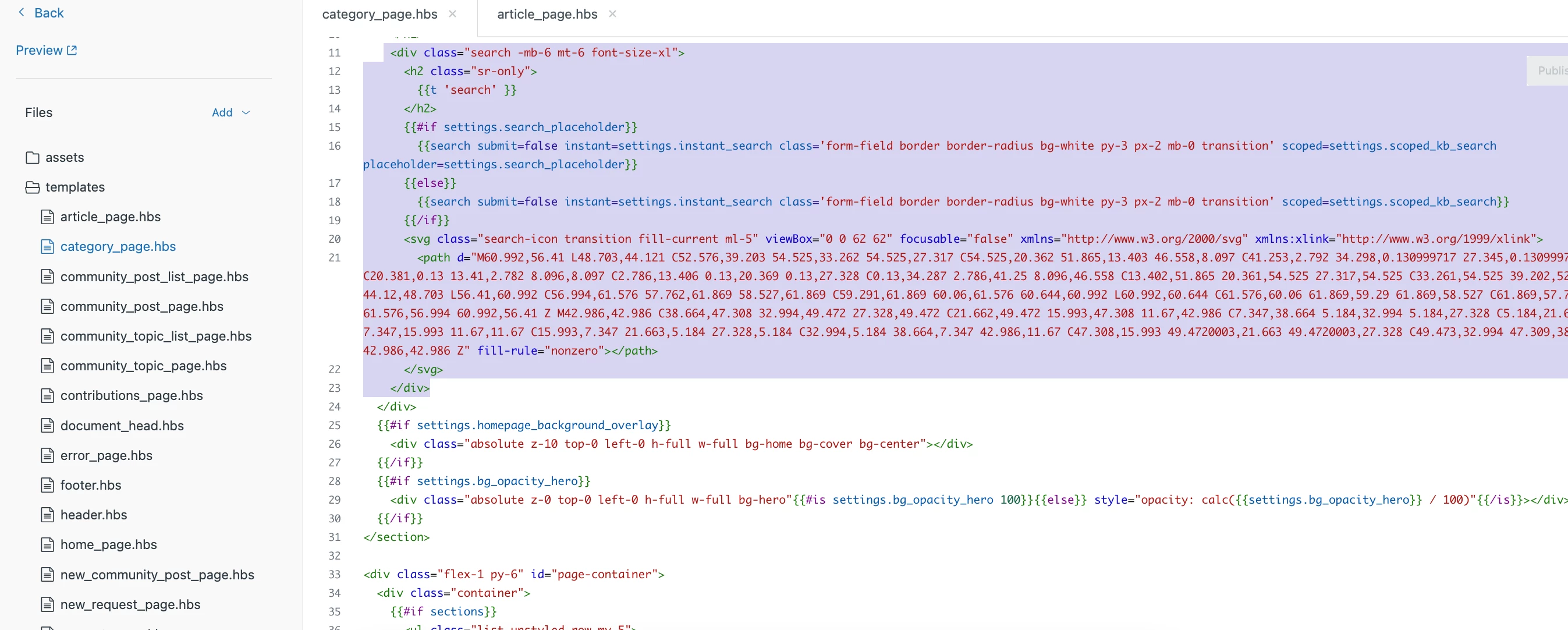
iii). Copy the searchbar code which start from a div -

<div class="search search-lg text-base font-size-lg lg:font-size-xl">


other code is here


</div>

 Screenshot for the same:


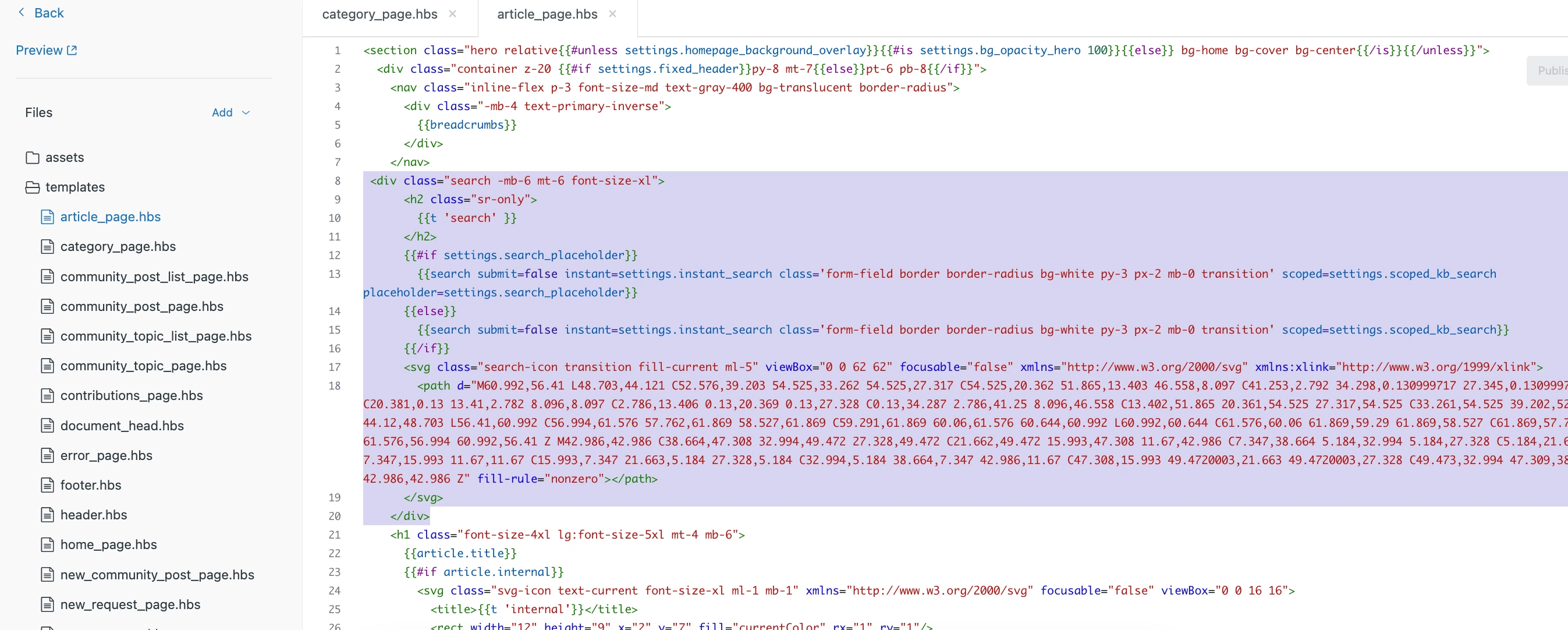
iii). Now, open your article_page.hbs file.

iv). Paste that copied code just after the <nav ..> </nav> code.

nav code:

<nav class="inline-flex p-3 font-size-md bg-translucent border-radius">

</nav>

searchbar code:

<div class="search search-lg text-base font-size-lg lg:font-size-xl">

<svg ....>

</div>


Screenshot for the same:


If any confusion feel free to ask :)

Team


Xenia11
  • Author
  • October 10, 2022

Thank you all so much for your help!
@Ifra Saqlain I tried your method and got the searchbar in every article.
Now the only thing I would like is it to be a little bit smaller in height, so that it doesn't "fall" on the title..


Category_page code that I copied was this:

And then paste it here in aritcle_page:


Can you please help me with that too?

Thank you in advance!


Ifra
  • October 10, 2022

Xenia Georgopoulou, you only need add a class name to your article_page.hbs search-bar, see how I did:

I added mb-6 class to the search-bar wrapper for article page. it doesn't relate to height, it causes of bottom space.


You can add space as per your requirement, 

mb-4 - margin-bottom: 1rem;

mb-6 - margin-bottom: 2rem;

mb-8 - margin-bottom: 4rem;


Xenia11
  • Author
  • October 11, 2022

Thank you so much! It worked!!
Have a nice week!


Ifra
  • October 11, 2022

You too :)