Require Posts Be Approved | Community
Skip to main content

Require Posts Be Approved

  • January 31, 2022
  • 5 replies
  • 0 views

We would like to require that all posts from our users obtain our approval before being posted.  Is there a global setting that requires all end users (non-admin) users post be approved by our admin before being posted?

5 replies

Amie11
  • February 2, 2022

Hey Bryan,

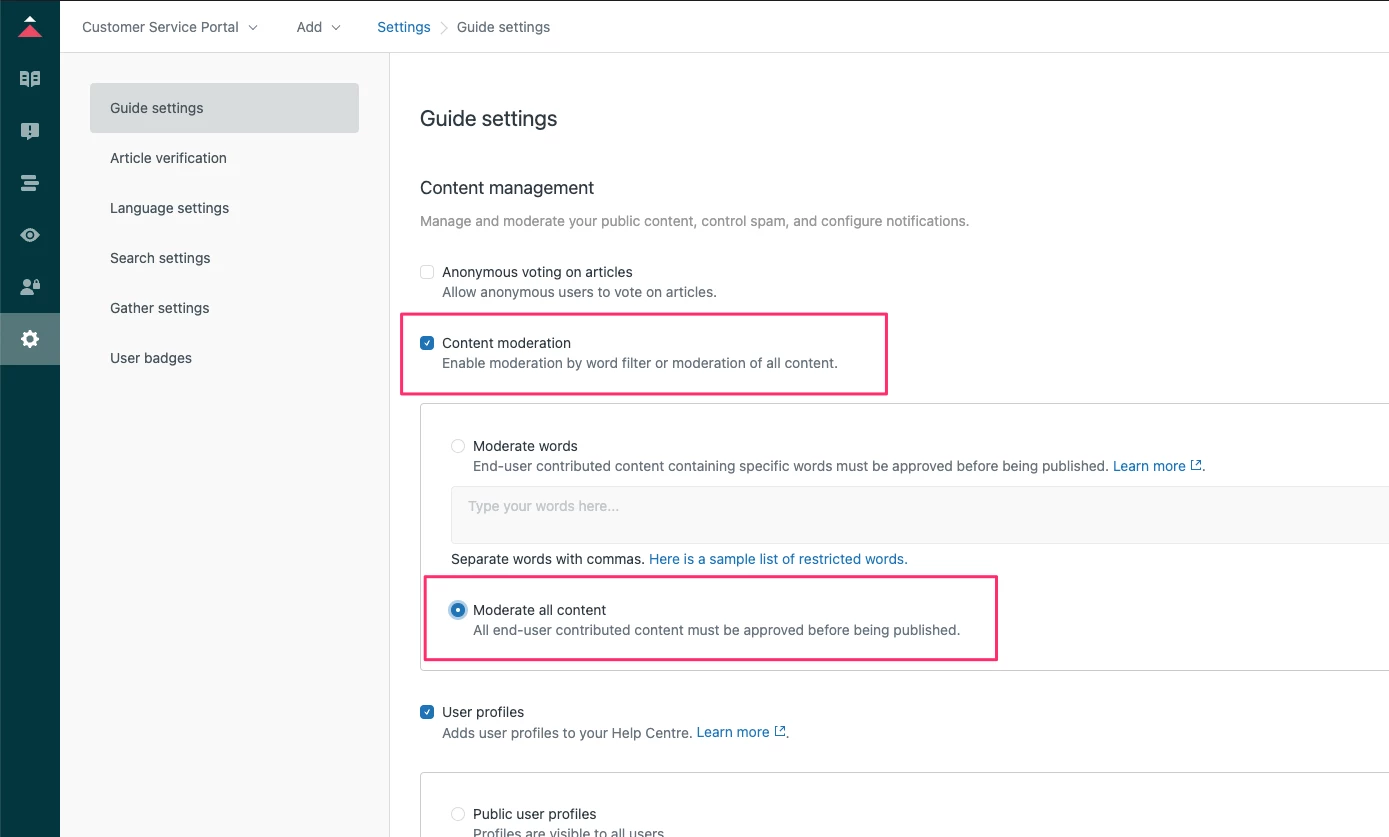
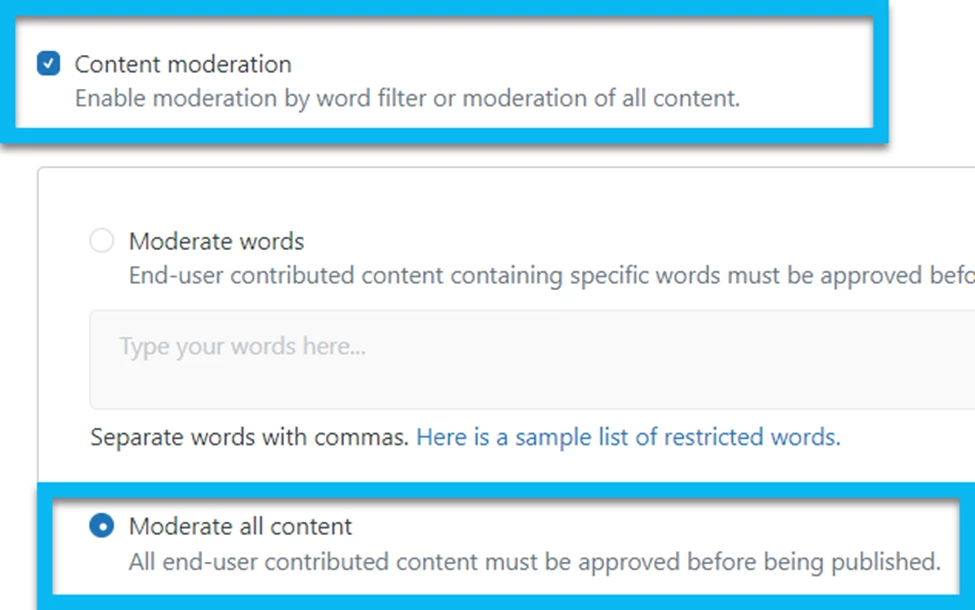
Yep, there is a setting that allows you to moderate all content posted by an end-user before it's publicly visible to other end-users to read. I've added a screenshot below so you know where to look within the guide settings to turn on the content moderation feature. :)


Hope this helps. :)

Best,

Amie


  • Author
  • February 2, 2022
Hello Anne,
 
Thank you so much for this great information.  I already performed the steps you indicated in your email.  
 
The issue is that I cannot seem to locate the posts/comments in our community forums that are marked 'Pending' so that I can approve or reject them.  I performed the additional steps below to see if I would be able to make this happen.
 
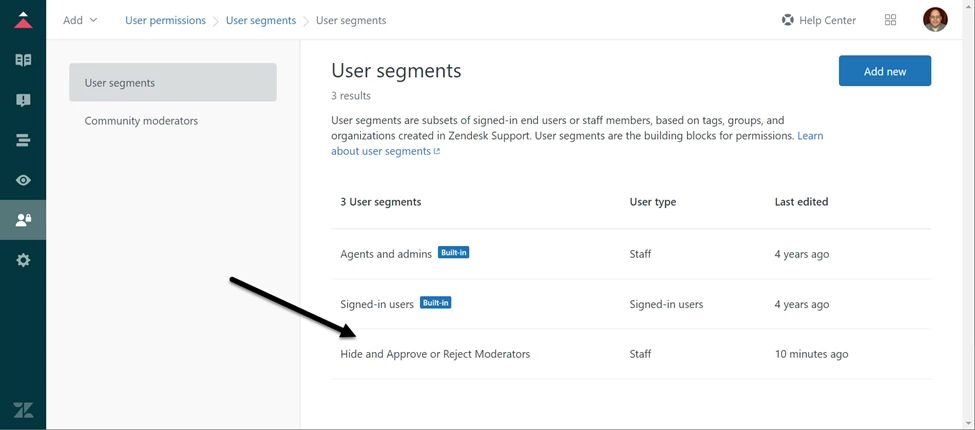
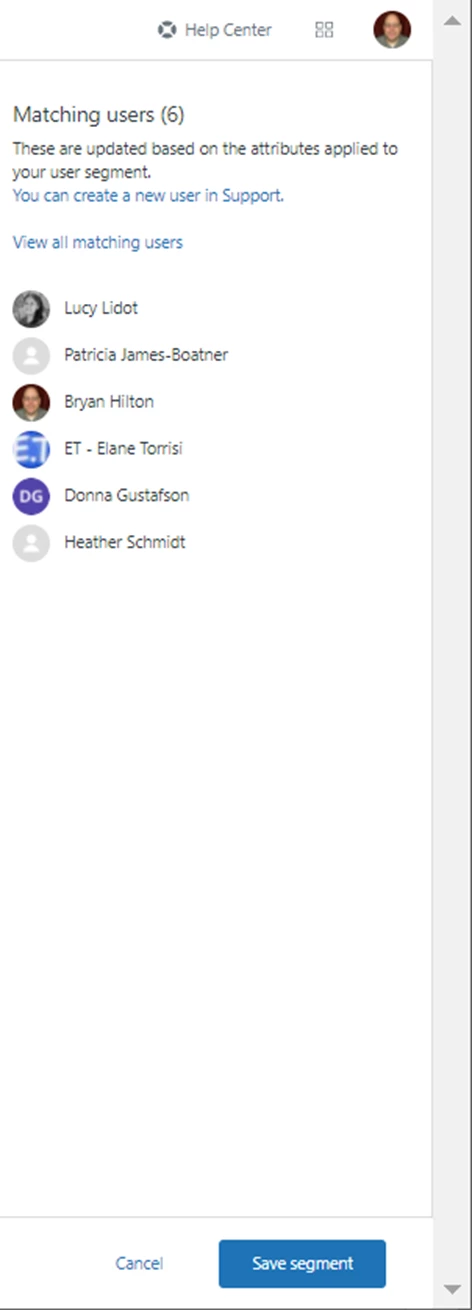
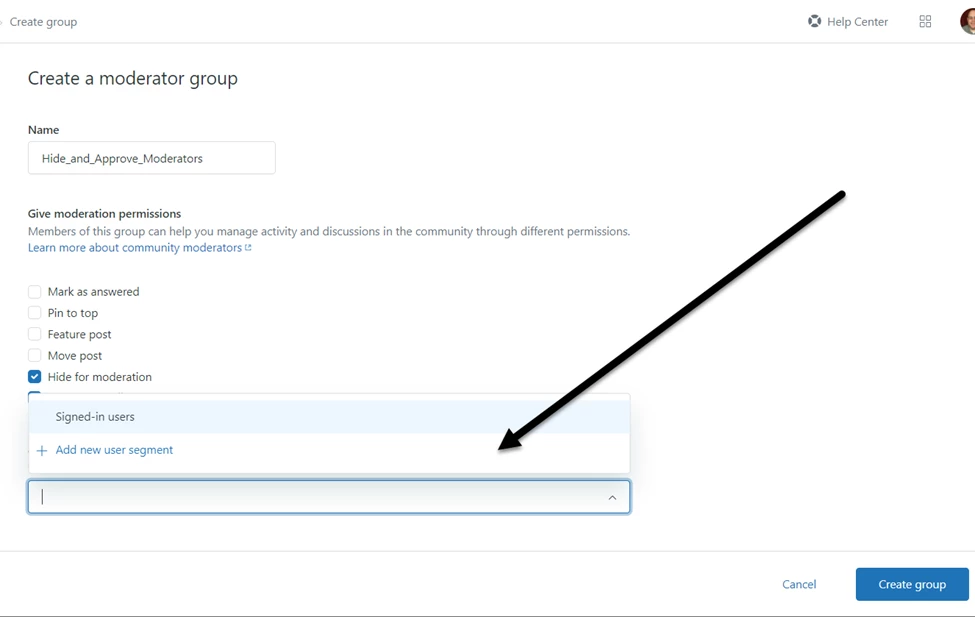
Then, I created a 'user segment'  titled, 'Hide and Approve or Reject Moderators' which seemed to save just fine.  However, I have now tried to create a 'Moderator' group.  When I attempt to select the 'user segment' titled,  'Hide and Approve or Reject Moderators'; in the 'Add moderators'
'Choose the user segment for this moderator group.'; it does not exist when I use the pulldown arrow.
 
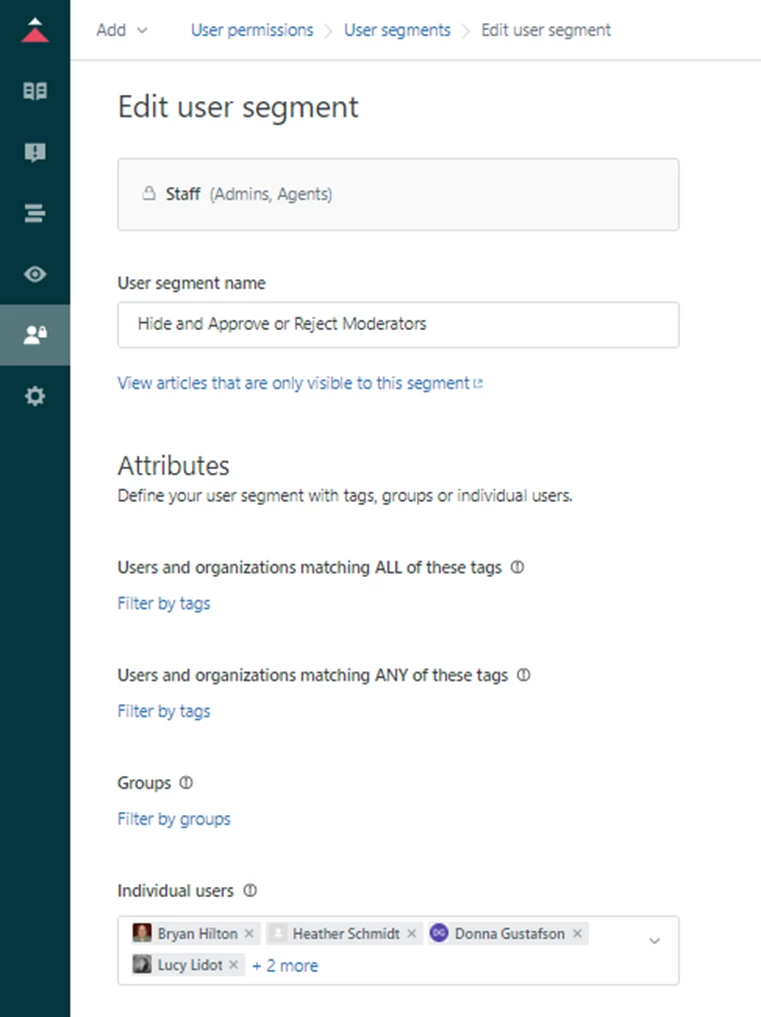
I have included a screen shot of the completed user segment, user segment edit window, and the Moderate edit window below.
 
Any help you could give me here would be great.
 
Segments:

Edit User Segment
    Left Side
   Edit User Segment
 Right Side
 
Create Moderation Group
 
Thank you so much for your help.

  • February 3, 2022
Hi Bryan,
 
Thank you for the email update.
 
In regards to your concern, you can locate the posts/comments from your community by going here:
 
  1. In Guide, click the Moderate content () icon in the sidebar, then click User content.
  2. To take action on a post or comment, select the check box next to it (or click the title), and click one of the following:
    • Approve to publish the post
    • Reject to delete the post
    • Mark as spam to move the post to your spam queue
 
You can also check our article, Moderating end-user content for more information about this.
 
Thank you and have a wonderful day ahead!


Kind regards, 

Movell
  • June 28, 2023

is there a way to get alerted when there is something to approve? i see a Follow button but where does that notify you? Nothing sent out after testing.


Movell
  • June 28, 2023

just saw this: You will now receive a notification if there are posts or comments in the content moderation queue when it is checked every four hours. You will also receive notifications for the spam queue.

https://support.zendesk.com/hc/en-us/articles/4408894193562-Moderating-end-user-content