Redirect a link from the Community Topics page | Community
Skip to main content

Redirect a link from the Community Topics page

  • July 12, 2022
  • 5 replies
  • 0 views

Robert31

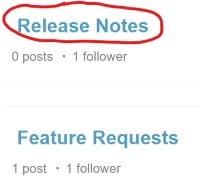
On the Topics page, is it possible to change the link behind a particular topic, in this case, 'Release Notes', to go somewhere other than to the page that displays the topic?

5 replies

Ifra
  • July 12, 2022

Hi fkrugerx

Follow the below points:-

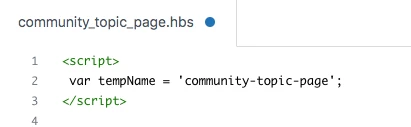
i). Go to the 'community_topic.hbs' page

ii). Add the template name via copy-paste the below code at the top area..

<script>
var tempName = 'community-topic-page';
</script>


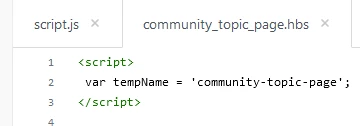
Screenshot:-


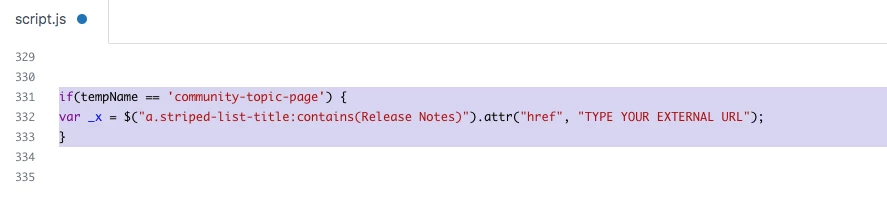
iii). Now, go to thescript.js file and paste the code at the bottom area.

if(tempName == 'community-topic-page') {
var _x = $("a.striped-list-title:contains(Release Notes)").attr("href", "TYPE YOUR EXTERNAL URL");
}


Screenshot:-


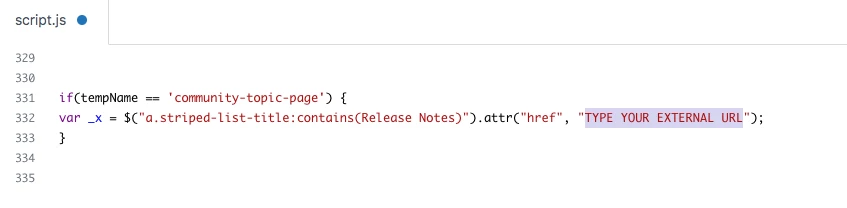
Add your URL here:-


If any issue do let me know :)


Thanks

Team


  • April 26, 2023

Hi @robert31 and @ifra I'm trying to do the same thing with one of our community sections but unfortunately the redirect doesn't work. I've used the exact same code as above but replaced the contains value to look for "Announcements" as that's our section title.

The external URL has been updated to be the section within Guide for our new announcements too and nothing seems to happen unfortunately. @robert31 Were you able to get the code working as intended?


Ifra
  • April 26, 2023

@Scott Wallace, can you share the URL of that page where you want to do the changes regarding external URL?, then I will share the exact solution for your query.

If not, then share the screenshot of that section and page name as well.


  • April 27, 2023

@ifra The community page is here and it should redirect to this section in Guide.

The code looks as follows:-


Ifra
  • April 28, 2023

Scott Wallace, use the given code

$("a.button.button-large:contains(What's New?)").attr("href", "https://connect.act-on.com/hc/en-us/categories/13386837131927-What-s-New");