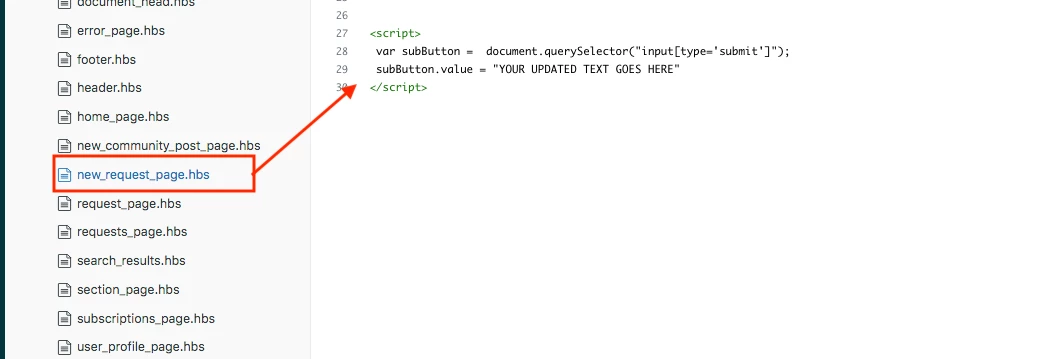
I need to alter the text of the submit button located at the bottom of a form. After inspecting the code, I'm unable to identify where I can access the button's text for modification. What steps should I take to accomplish this task?

I need to alter the text of the submit button located at the bottom of a form. After inspecting the code, I'm unable to identify where I can access the button's text for modification. What steps should I take to accomplish this task?
No account yet? Create an account
Enter your E-mail address. We'll send you an e-mail with instructions to reset your password.