Making an Article title clickable | Community
Skip to main content

Making an Article title clickable

  • August 4, 2021
  • 14 replies
  • 0 views

Hello,

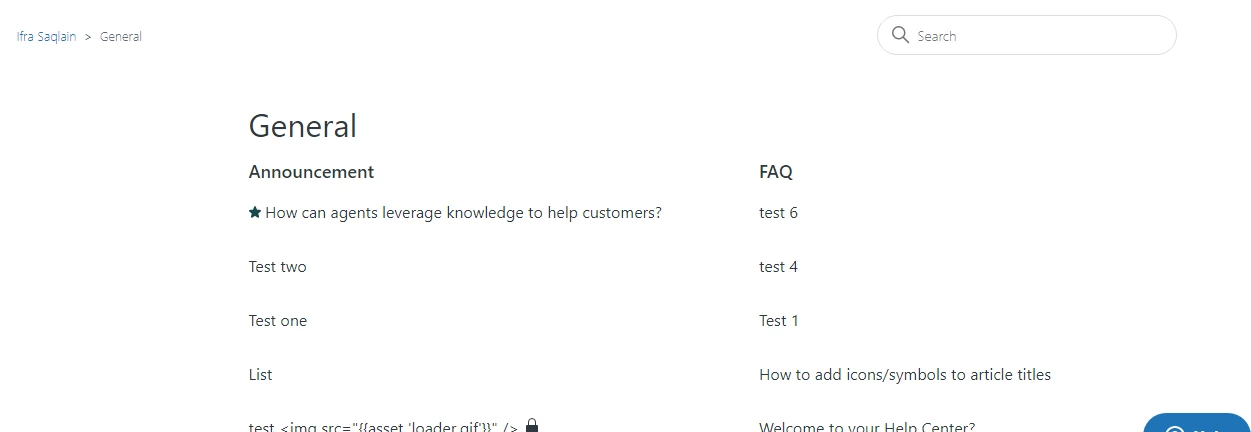
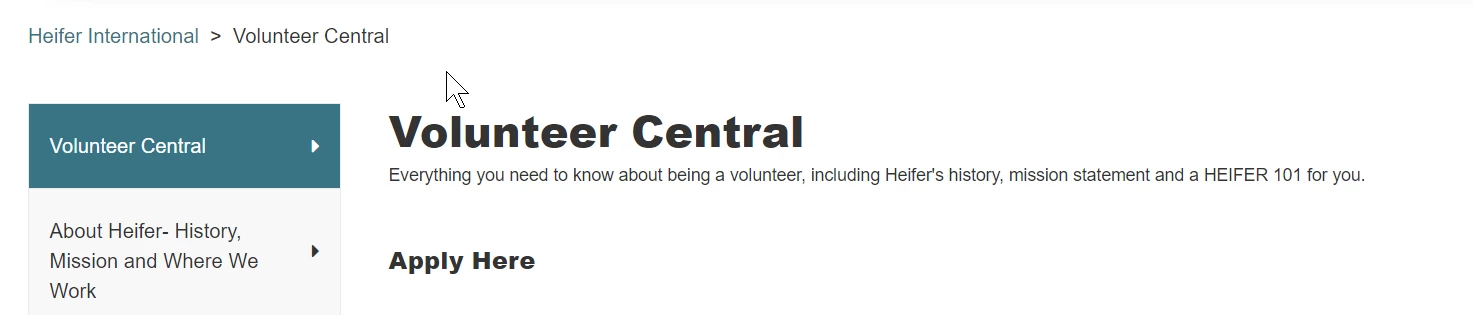
I would like to make the article title a hyperlink in some instances instead of an article with clickable links.  In the example below, I would like "Apply Here" to go directly to our website instead of having to open that then clicking. Is that possible?  Thank you in advance.
14 replies

Ifra
  • August 5, 2021

hey Jill Kilty Newburn,

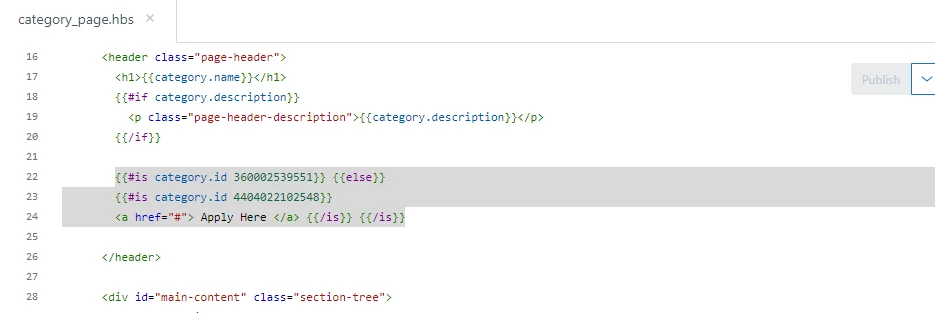
If you want that your article link on that's showing on category page like below screenshot.


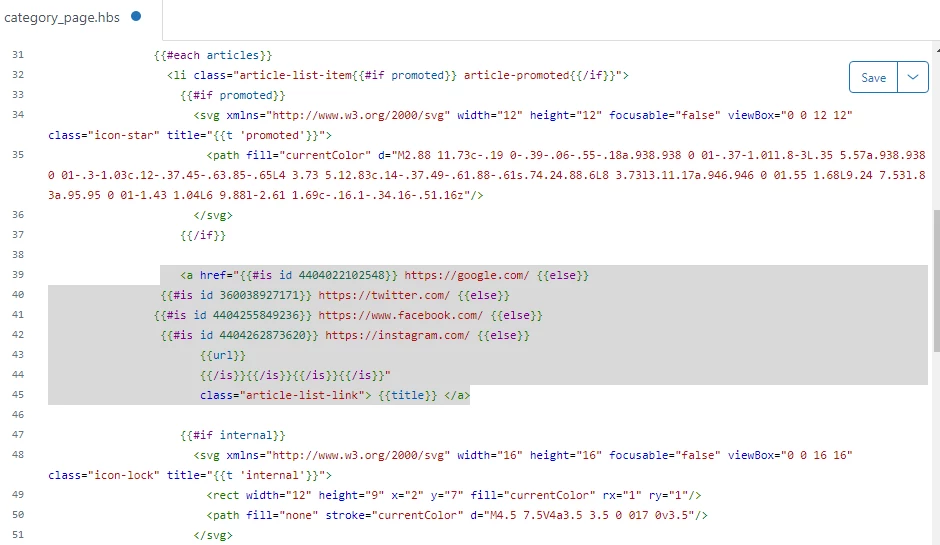
and I want my above four articles directly redirect to my external pages then I have added the condition and checking the article ID as the below screenshot.


You can check the single/multiple article IDs under anchor tag inside href = '  ..... '   with {{#is id 1111}} - {{else}}.


If you want only for single article link then your code on category page like this:

 <a href="{{#is id 00000000}} https://instagram.com/ {{else}}
{{url}} {{/is}}}"
class="article-list-link"> {{title}} </a>


you can get your article ID - click that article and see in the search-bar

on your window, copy the ID and replace with 0000000 , then remove https://instagram.com/  and add your website link.


00000000 - article ID that would be redirect to external webpage (custom URL).


Please have a look at the below article.

https://support.zendesk.com/hc/en-us/community/posts/360037678554-Linking-categories-to-external-urls-in-the-Copenhagen-theme-stopped-working


If any confusion let me know :)


Thanks

Team Diziana


Ifra
  • August 13, 2021

Another solution is:

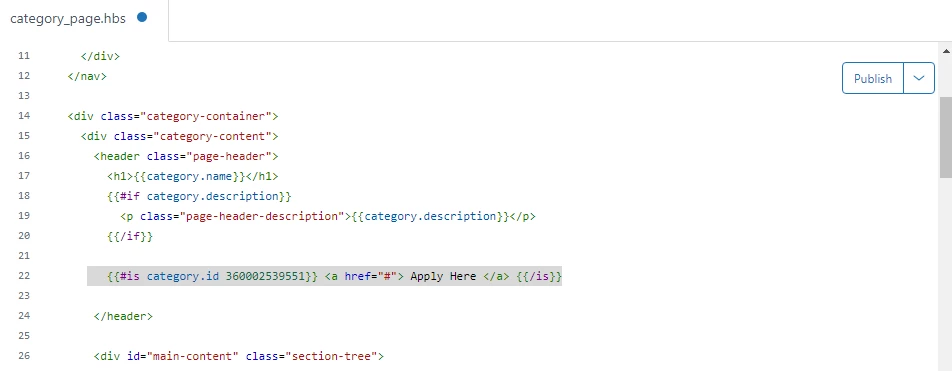
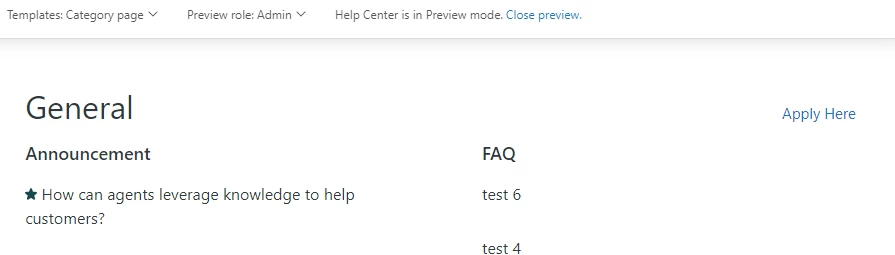
Add the custom anchor link with the text  ' Apply Here' and then check the category ID with the condition.


Check Category ID


Showing link  'Apply here'


For the multiple categories:


Need to remove my category ID and add your category ID.


Kolby
  • May 19, 2022

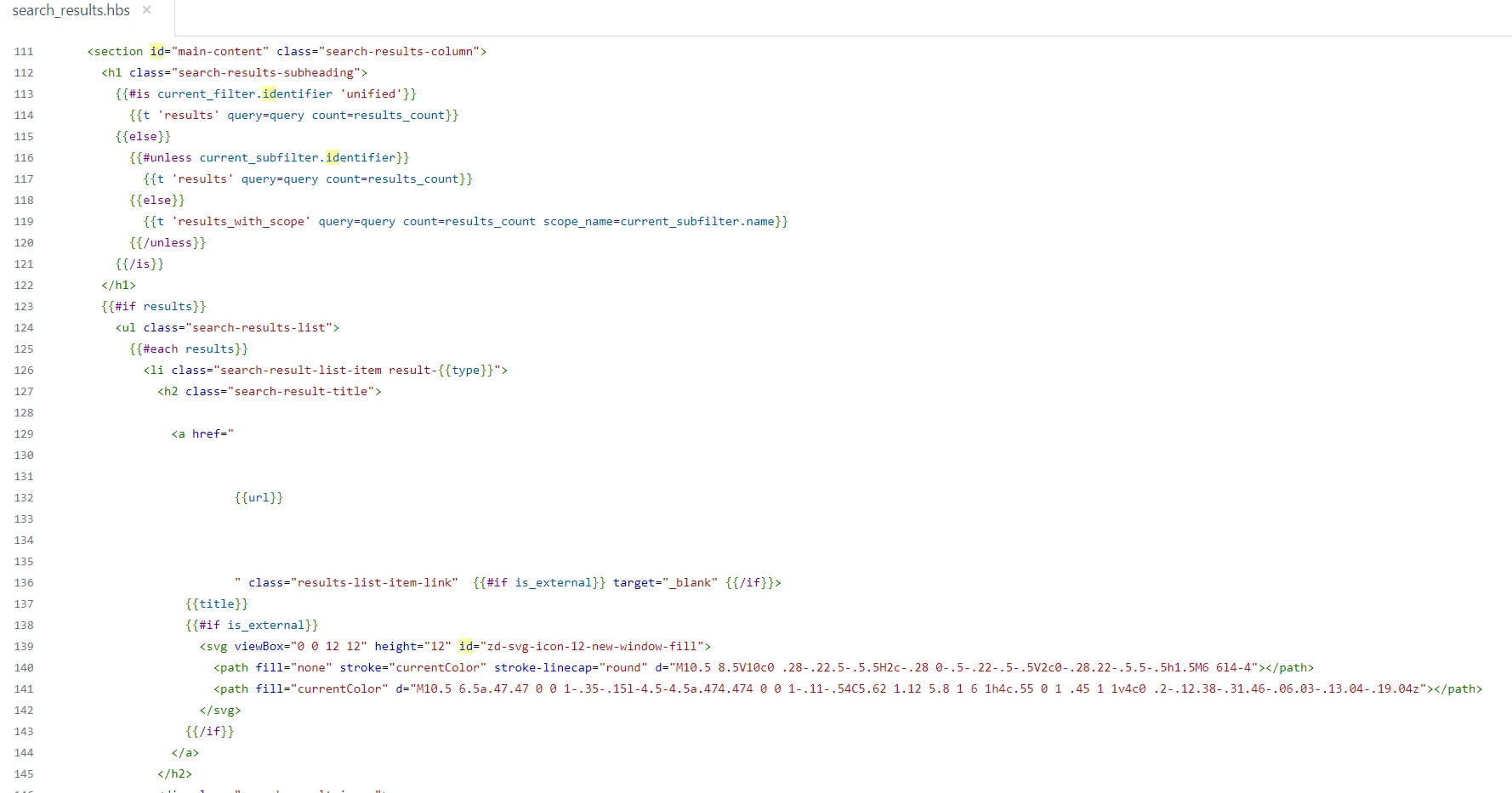
Thanks Ifra! I'm able to get my articles clickable everywhere except the "search results" page. I have no experience coding but I tried pasting the same code here from your first solution 

<a href="{{#is id 00000000}} https://instagram.com/ {{else}}
{{url}} {{/is}}}"

to before/after the {{url}} But I can't get it to work. Do you have any possible solutions?


Ifra
  • May 19, 2022

Hey Kolby Dinh,

You can do this via JavaScript code, follow the below steps:


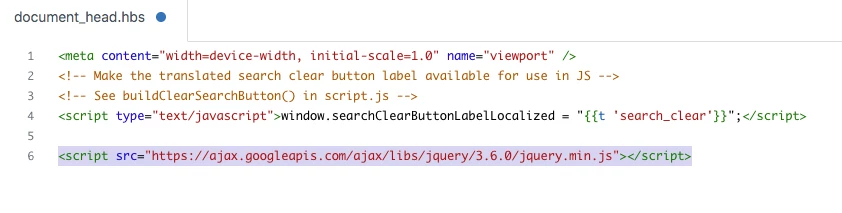
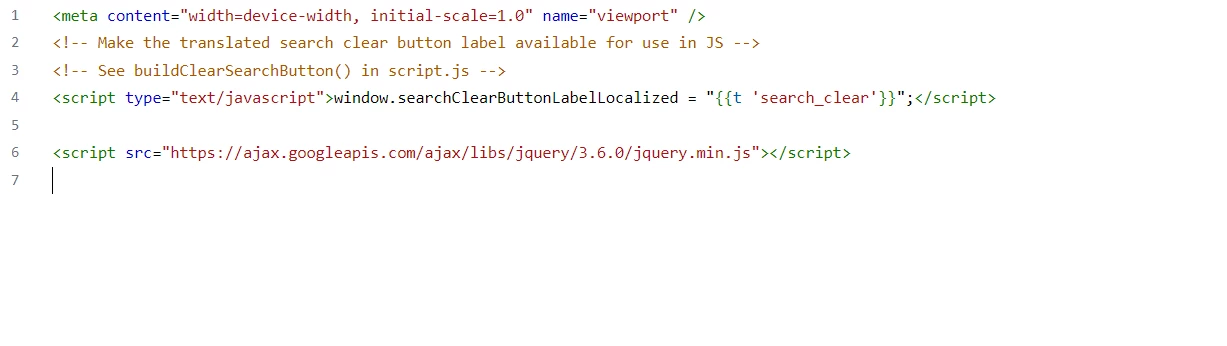
I). Add jQuery CDN to your document_head.hbs file.

<script src="https://ajax.googleapis.com/ajax/libs/jquery/3.6.0/jquery.min.js"></script>


Screenshot for the same:


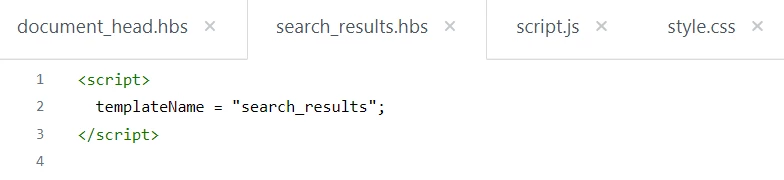
II). Add template name to your search_results.hbs file.

<script>
  templateName = "search_results";
</script>


Screenshot for the same:


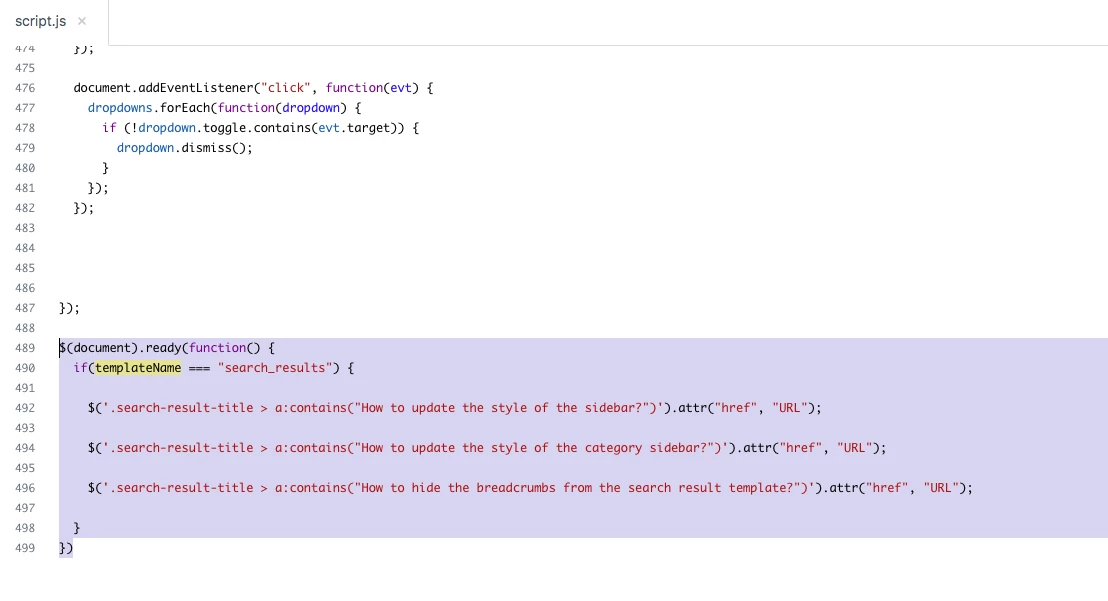
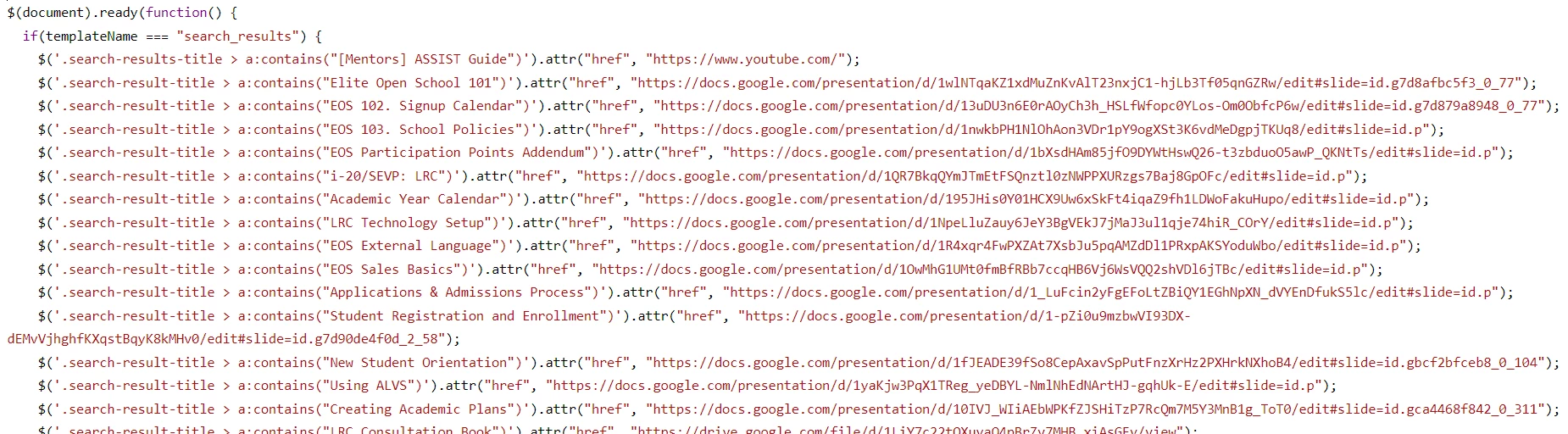
III). Add script code to your script.js file at the bottom area.

$(document).ready(function() {
if(templateName === "search_results") {
    $('.search-result-title > a:contains("How to update the style of the sidebar?")').attr("href", "URL");
$('.search-result-title > a:contains("How to update the style of the category sidebar?")').attr("href", "URL");
  $('.search-result-title > a:contains("How to hide the breadcrumbs from the search result template?")').attr("href", "URL");
}
})


Screenshot for the same:


Note: In this case, I'm checking the article title and update the URL of that article.


$('.search-result-title > a:contains("How to update the style of the sidebar?")').attr("href", "URL");


How to update the style of the sidebar?:- Remove article title from the shared code above and paste yours.

URL:- Then add your custom URL.


Thanks

Team


Kolby
  • May 19, 2022

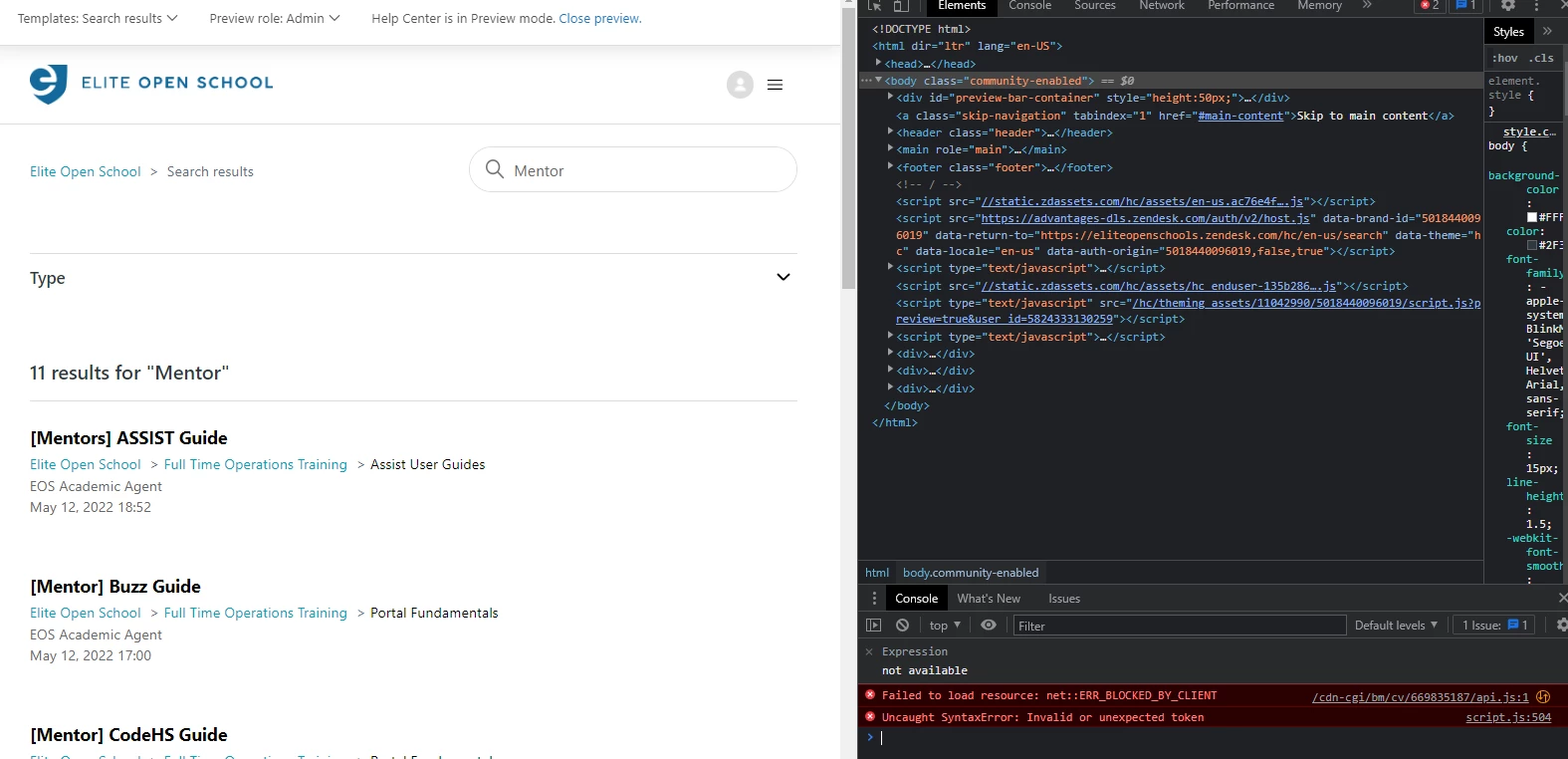
I followed the steps but can't seem to get it to work now


It seems like I get 2 errors when I preview the page. Hopefully you can help!


Ifra
  • May 20, 2022

Hey Kolby Dinh,

Update your script file code:

I). Check a unique word of your article title as I did here:

$('.search-result-title > a:contains("editor")').attr("href", "http://localhost:8080/");


Complete:- Links in the editor.


So remove the query -

a:contains("[Mentor] Assist Guide")') 


and check a unique world 

a:contains("[Mentor]")') 


OR

a:contains("Guide")') 


OR 


a:contains("Assist")') 


And if any issue you can share your public HC URL here so I can see the bug.


It would work.

Thanks


Kolby
  • May 21, 2022

I must be messing up somewhere Ifra, thank you for your reliable help! Even when checking for a Unique Word like "FERPA" (there is only 1 article with FERPA in the title), I can't get them to link out. Here is my Help Center URL
https://eliteopenschools.zendesk.com/hc/en


Ifra
  • May 21, 2022

Hey Kolby Dinh :)


Please close the double quotes here, it's causes of bug:


Then test and let me know.

Thanks


Kolby
  • May 23, 2022

Thank you so much!!!! Everything works now!


Ifra
  • May 24, 2022

Great ;)


Sheena11
  • July 25, 2024

Hi @ifra ,


Can you help me with the code to hyperlink a article title within a section to redirect to another page. Basically want to add a link under the title highlighted which upon click redirects to another page hyperlinked.


Sheena11
  • July 25, 2024

Sheena11
  • July 26, 2024

Hi @ifra Need your assitance for request raised above.


Darenne
  • January 2, 2025
Hi Sheena,
 
We would like to inform you that you have previously submitted a support ticket concerning your issue, and a dedicated advocate has already provided assistance. To prevent any confusion and to facilitate a seamless communication process, we kindly ask you to reference the following ticket ID in your future correspondence: #12809238.
 
Should you have any further inquiries or require additional assistance, please feel free to respond to this message.