
I currently use a customized Copenhagen theme. Looking for a way to update the free-form text field of a ticket's description to contain static text.
Current default ticket form contains the following subtext attached to the standard field Description: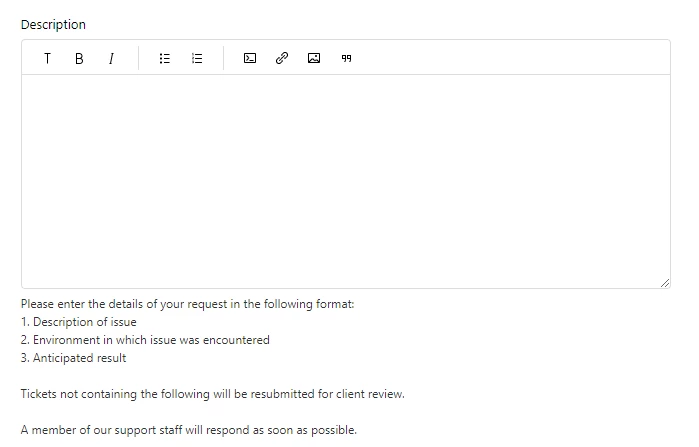
Does anyone know of a way via editing the code to allow the, 'Please enter the details...' text into the actual body of the Description free-form text box? My intent is to prescribe to our clients how they should fill out a ticket's description to match our format without having to force them to copy and paste our instructions back into the body of the description field.
Thanks in advance!


Yes, you can do this! The easiest way I've found to set this up is to create an article and edit the link using the built-in link editor there. Use the method described here for pre-filling the Description field: Creating pre-filled ticket forms
To begin with, add a link in your article to your plain, un-pre-filled ticket form. Then use the editing toolbar to edit the source code, adding
<br>for each line break you want to include. For example, your url target might look like:<a href="https://mysubdomain.zendesk.com/hc/en-us/requests/new?tf_description=Line1<br>Line 2" target="_self">Link</a>.You don't need to URL-encode anything, which makes the whole process easy. Once you've saved that link, you can publish the article, or copy the link address and use it to create a link elsewhere.