Linking to webpage from help center | Community
Skip to main content

Linking to webpage from help center

  • October 16, 2017
  • 10 replies
  • 0 views

Jørund11

I have set up our help center in the copenhagen theme, and I was wondering how I can add a link either to our company logo, or the home banner so that when people click there, they are redirected back to our homepage (and not the help center). Any suggestions?

This topic has been closed for replies.

10 replies

Trapta
  • October 17, 2017

Hi @Jørund Thomassen Gjesvik,

You can use below code in your header template to add external link to your company logo -

<a href="YOUR_WEBSITE_URL">
<img src="{{settings.logo}}" alt="{{t 'logo'}}">
</a>

Replace YOUR_WEBSITE_URL with your URL.

Let us know if you face any issue.


Jørund11
  • Author
  • October 18, 2017

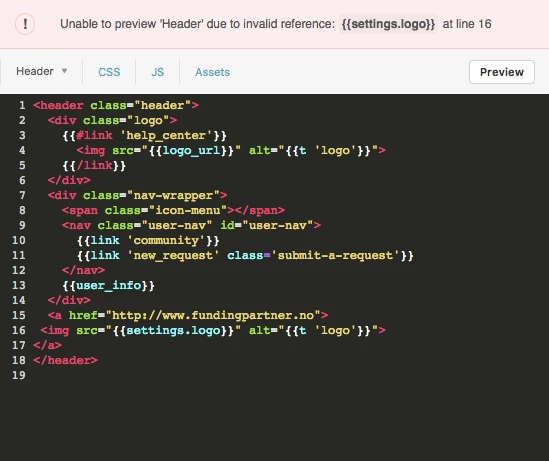
Hi, thanks for getting back to me so quickly. Tried to add the code, but got an error message - see attached screenshot. What am I doing wrong?


Trapta
  • October 18, 2017

@Jørund Thomassen Gjesvik,

I apologize for the typo, please copy paste the below code -

<a href="YOUR_WEBSITE_URL">
<img src="{{logo_url}}" alt="{{t 'logo'}}">
</a>

Please replace this code with the code from line no. 3 to 5.

Thanks

Team Diziana


  • April 26, 2021

Hi,

I'm also trying to do it but I receive an error message.

Here the original code:

<a class="skip-navigation" tabindex="1" href="#main-content">{{t 'skip_navigation' }}</a>
 
<header class="header">
  <div class="logo">
    {{#link 'help_center'}}
      <img src="{{settings.logo}}" alt="{{t 'home_page' name=help_center.name}}" />
      {{#if settings.show_brand_name}}
        <span aria-hidden="true">{{help_center.name}}</span>
      {{/if}}
    {{/link}}
  </div>
  <div class="nav-wrapper">
    <button class="menu-button" aria-controls="user-nav" aria-expanded="false" aria-label="{{t 'toggle_navigation'}}">
      <svg xmlns="http://www.w3.org/2000/svg" width="16" height="16" focusable="false" viewBox="0 0 16 16" class="icon-menu">
        <path fill="none" stroke="currentColor" stroke-linecap="round" d="M1.5 3.5h13m-13 4h13m-13 4h13"/>
      </svg>
    </button>
    <nav class="user-nav" id="user-nav">
      {{link 'new_request' class='submit-a-request'}}
    </nav>
  </div>
</header>
 
 
And I removed:
  {{#link 'help_center'}}
      <img src="{{settings.logo}}" alt="{{t 'home_page' name=help_center.name}}" />
      {{#if settings.show_brand_name}}
        <span aria-hidden="true">{{help_center.name}}</span>
      {{/if}}
    {{/link}}
 
And added: 
<a href="YOUR_WEBSITE_URL">
<img src="{{logo_url}}" alt="{{t 'logo'}}">
</a>

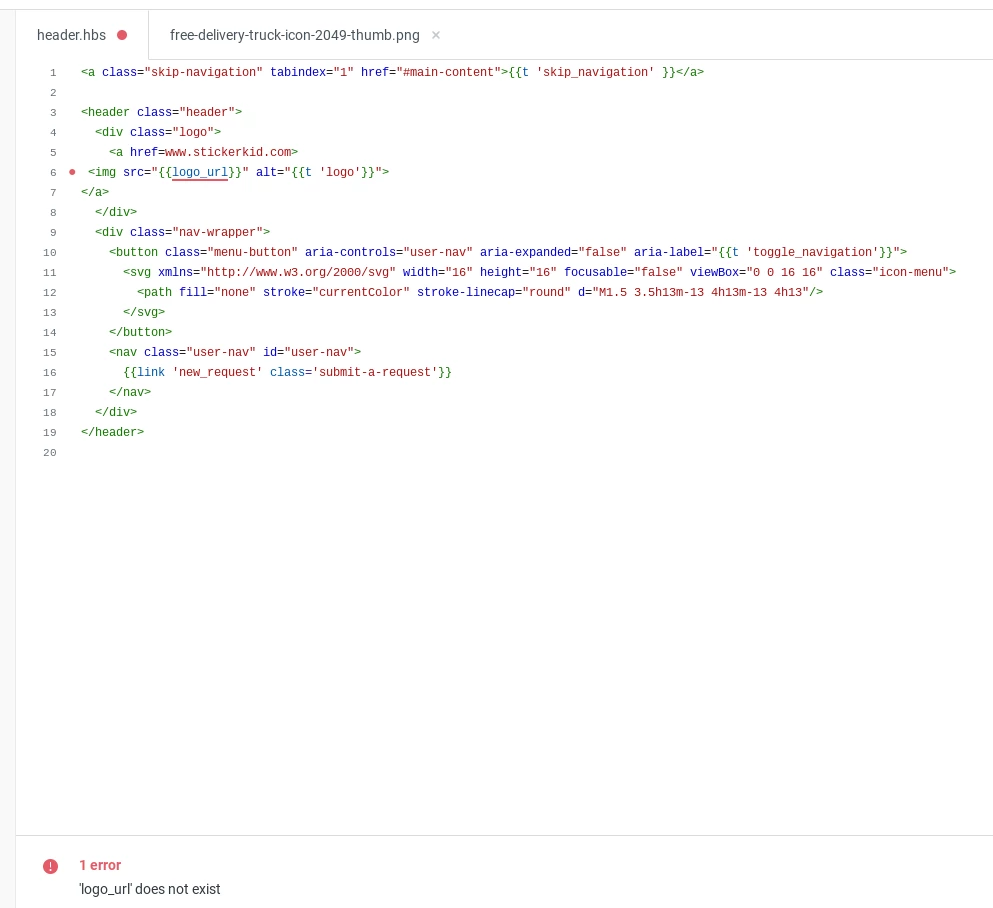
And now I receive this error message:


I hope someone can help me with this ;) 

Thanks in advance.

Marius


Dave12
  • May 15, 2021

Hi Marius -

I think the older comments may be referring to an older version of the Copenhagen theme.

Can you try substituting "" instead of "" in your code?


Hi all,

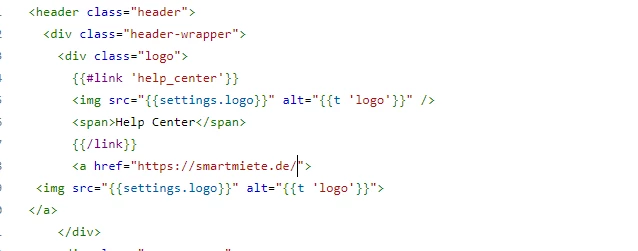
I have followed @Trapta adv from the top and I got this included in the code:

which is working but now it looks like this:

I need to take the first logo that it located next to  | Help Center away. How do I do that?

Thanks for the adv

Best

Nadine


Or replace it with the one below it.

Thanks


Trapta
  • June 8, 2021

Hi @Nadine Ebrahim,

you can replace the code from {{#link 'help_center'}} to {{/link}} with the code you have added. It should fix the issue.

Let us know how it goes for you.

Thanks

Trapta


  • June 30, 2021

Hi,

Thanks for everyones help.

Is it possible to add multiple links depending on the helpcenter language?

Thanks in advance.

Marius


Dan32
  • June 30, 2021

Hey @Marius Tendick

You can use the templating helpers for current_locale located in the Header and Footer templates. You might need to check if it's supported in other templates if you need to do this elsewhere.

https://developer.zendesk.com/documentation/help_center/help-center-templates/header_page/#available-properties

Example of a conditional link based on language.

{{#is current_locale.name 'English (US)'}} <a href="https://google.com"> Google </a> {{/is}}
{{#is current_locale.name 'Nederlands'}}<a href="https://google.nl"> Google NL </a>{{/is}}
{{#is current_locale.name 'Deutsch'}} <a href="https://google.de"> Google DE</a> {{/is}}
{{#is current_locale.name 'Français'}}<a href="https://google.fr"> Google FR </a>{{/is}}