Link from within a ticket form | Community
Skip to main content

Link from within a ticket form

  • March 19, 2021
  • 13 replies
  • 0 views

I need to be able to link a customer to an external resource when they select a specific ticket form to smooth out our workflow. 

13 replies

  • March 19, 2021

Can you just add a text field to your form to display the resource?


  • Author
  • March 19, 2021

I was hoping to make it a clickable link, not just text to copy.


Also, wouldn't that leave an empty text input field below the link?


  • March 19, 2021

You should be able to make it clickable, use html or markdown ie. [Link text](link.link)


  • Author
  • March 19, 2021

Can you auto populate that into the text field, or just the title or description?


  • Author
  • March 19, 2021

Ok, so in the customer facing title, HTML or markdown is not run, it just shows the code on the customer page.


The customer description runs the HTML, but then must convert it back to text, as it just displayed "Link text" but inspecting it showed it was just text, and markdown was not run it just displayed the markdown code, the link was clickable, so thats a basic solution, but looks bad as its both small text under a text box and I can't hide the URL behind link text.


  • March 19, 2021

It sounds to me like just the link alone would work. If markdown is not working but the link is displaying and working correctly can you just use the link? Or were you wanting some text hiding the hyperlink?


  • Author
  • March 19, 2021

I was hoping to hide the link behind text.

Also, I was hoping not to have a random text box between the link and the title for the section.


  • March 19, 2021

Can you provide a screenshot to show what is happening so far. Try removing that random box, it shouldn't need to be there.


carol.fung
  • October 25, 2021

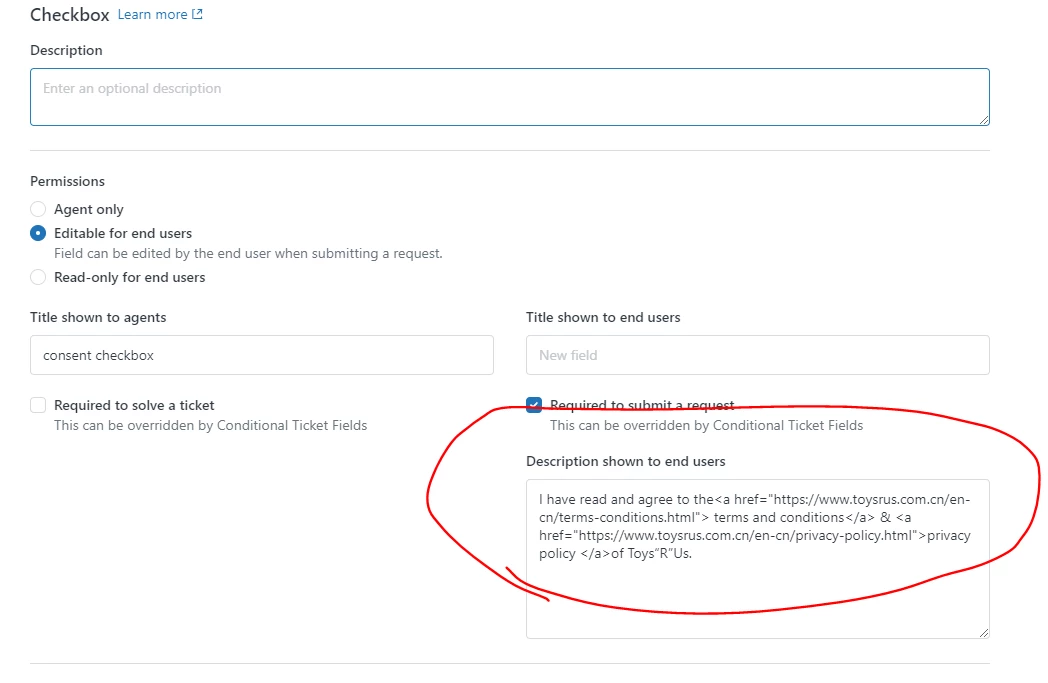
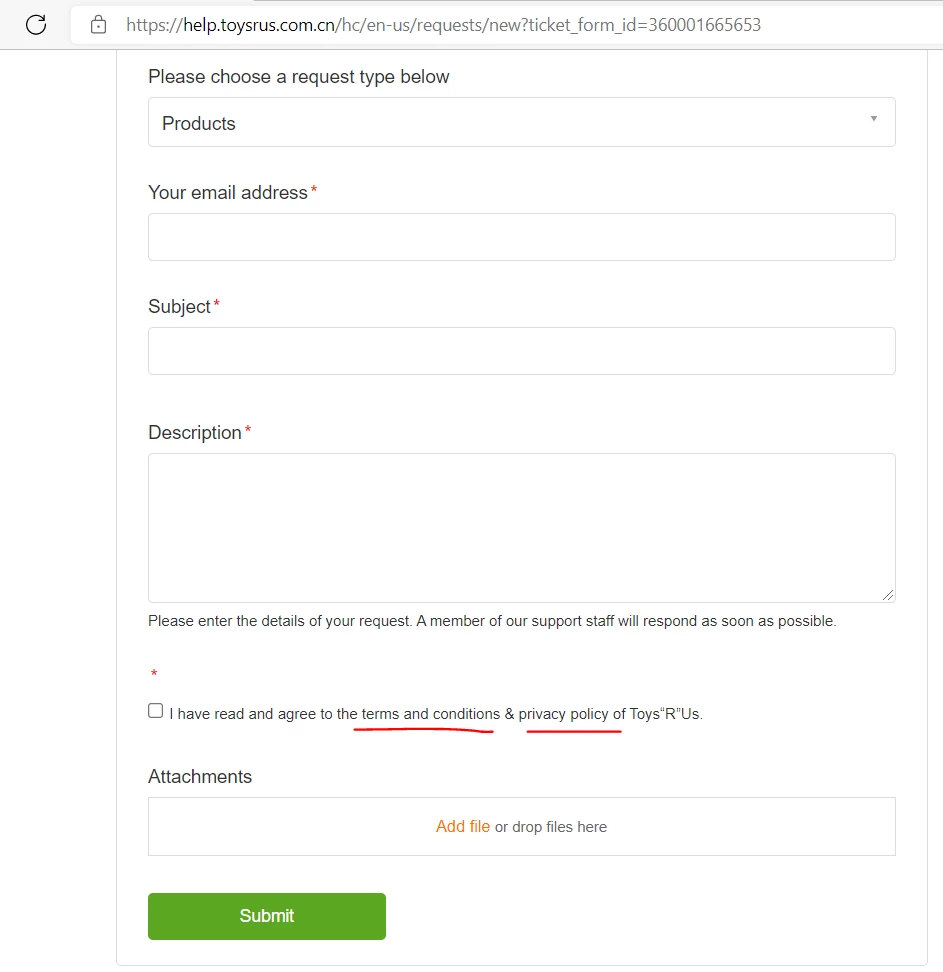
Seems the form doesnt support hyperlink, or is there any way to link it


Brett13
  • Community Manager
  • October 27, 2021
Hey Carol,
 
I did some digging on my end and it doesn't look like there's a way to hyperlink via the UI in Support. You'd most likely need to use custom code in Guide to accomplish what you're looking for. 

I'll leave this post open in case other users are able to offer up an alternative solution.
 
Cheers!

Michael122

Any news on this? I want to do the exact same thing.

@carol.fung did you find a solution?

Thanks


Tendai11
  • August 4, 2022

I would like to be able to add an optional field where they can enter the link to my form for customers to add. Is there a way to do this?


Nara
  • August 28, 2022
Hi Tendai - while there is no ticket field explicitly for links, you could use a Text Field titled something like "Form link" to prompt users to fill in the field as necessary. If you're looking for more information on adding custom fields to your ticket forms, you can find steps on how to do so here. Cheers!