

Hi,
I'm using Zendesk Professional. We are in the process of changing products and want to develop new sections and articles before rollout. I know I can create draft articles in existing sections of the knowledge base but can I create a draft section and not have it visible to the public?


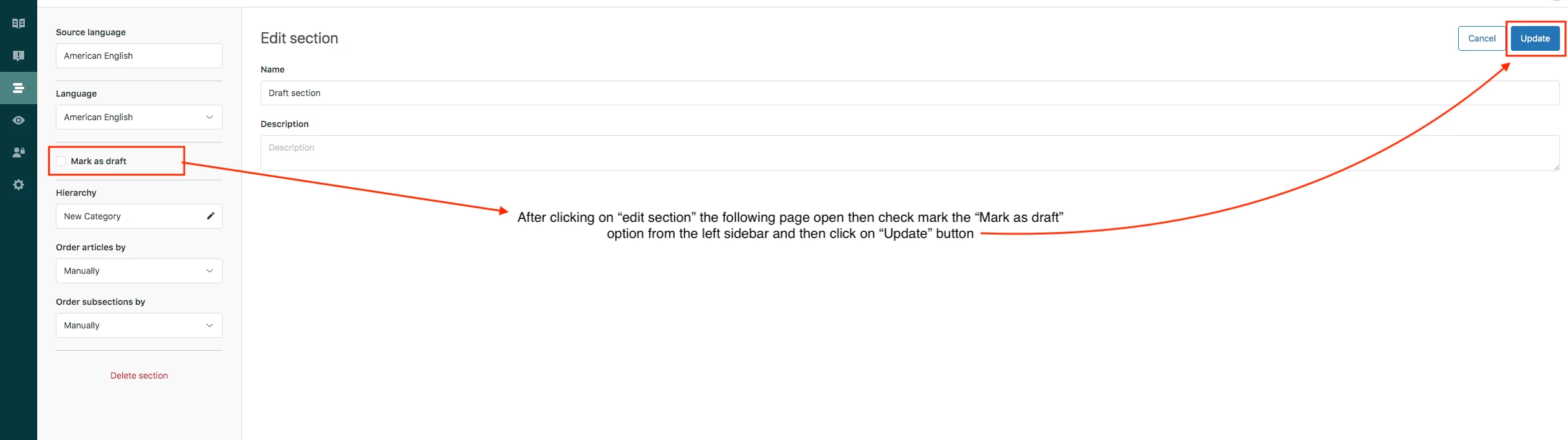


Thanks for reaching out with your question about hiding draft sections in your Help Center theme.
Draft sections often still appear in the API and can show as broken links for end users since they aren’t published yet. Unfortunately, there isn’t a direct API flag for draft status that you can query to exclude them automatically.
A common approach is to use JavaScript or CSS within your theme to detect and hide these draft sections from the end user view. For example, you could check if the section URL is returning a 404 and then dynamically remove or hide that link from the Table of Contents.
Another option is to manually add a specific CSS class or data attribute to your draft sections and then style them with display: none; in your theme’s CSS. While this requires some manual tagging, it’s effective in preventing broken links from showing.
If you need, I can help review your current script or provide sample code snippets to implement this solution.
Hope this helps!